Drive RGB LED Matrix from Raspberry Pi

equalizer

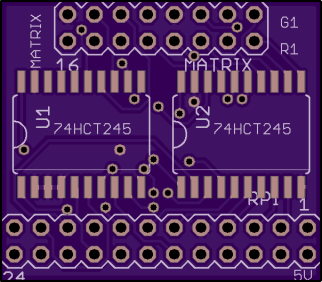
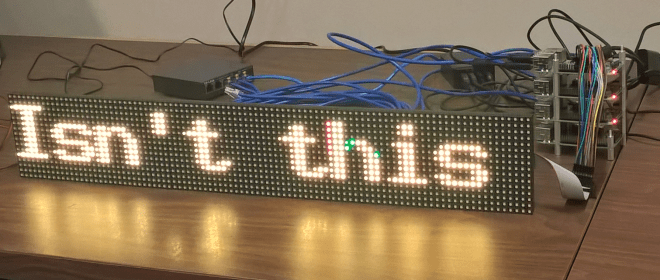
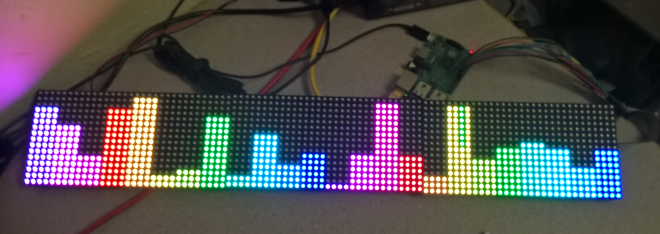
xfrings created this 3.3V to 5V level converter to drive a RGB LED Matrix from a Raspberry Pi:

RGBMatrixHat

25ecf5ab53ae417c78a5686180752983
Order from OSH Park

The design files and source code are available on GitHub:
text

RGB-MatrixDriver

The RGB LED Matrices are large scale panels which are the ones which are used on video walls (for example in Times Square or on the faces of skyscrapers). Essentially these are ordered rows of RGB LEDs with no driving logic or controllers on them what-so-ever. All driving and control logic needs to be implemented externally.

Drive RGB LED Matrix from Raspberry Pi

Hackaday Prize Entries: Inventing New Logic Families

https://youtube.com/watch?v=MMy_GhyobDQ%3Fversion%3D3%26rel%3D1%26fs%3D1%26autohide%3D2%26showsearch%3D0%26showinfo%3D1%26iv_load_policy%3D1%26wmode%3Dtransparent

Inventing New Logic Families — Hackaday

One of the favorite pastimes of electronics hobbyists is clock making. Clocks are a simple enough concept with a well-defined goal, but it’s the implementation that matters. If you want to build a clock powered only by tubes and mains voltage, that’s a great skill tester. A relay-based timepiece is equally cool, and everyone should…


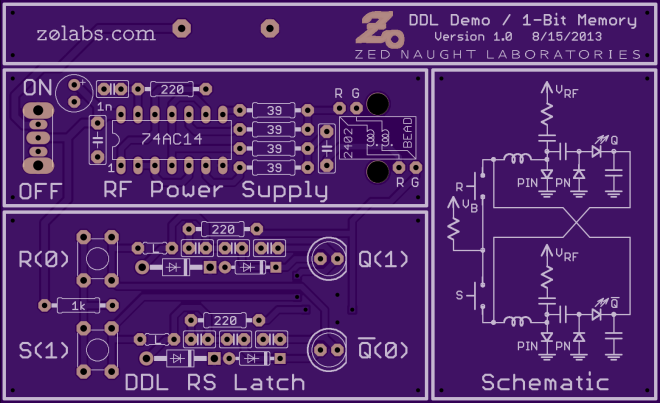
Diode-Diode Logic Demo / 1-Bit Memory

i (21)
Order from OSH Park
 

Hackaday Prize Entries: Inventing New Logic Families

Shut it down (Raspberry pi that is) — Facelesstech

https://youtube.com/watch?v=Vks5K6tFxGQ%3Fversion%3D3%26rel%3D1%26fs%3D1%26autohide%3D2%26showsearch%3D0%26showinfo%3D1%26iv_load_policy%3D1%26wmode%3Dtransparent

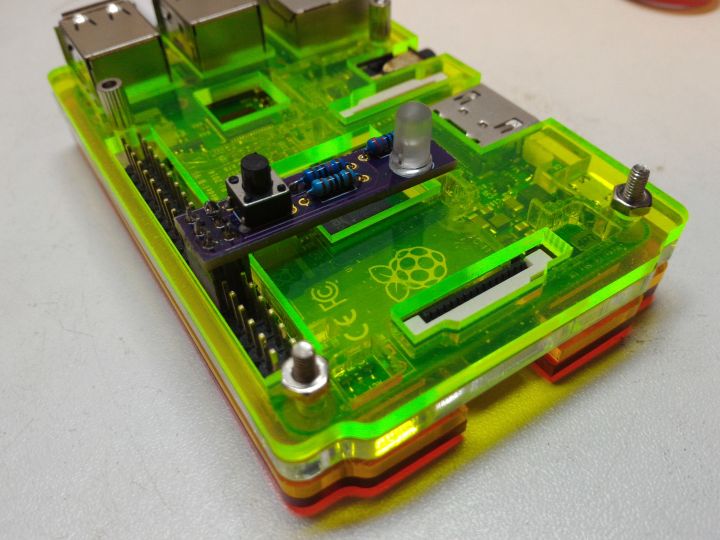
tl:dr The one bug bare about running a ‘headless’ raspberry pi is shutting it down when something goes wrong. I started looking into what other people had done, I quite liked the look of the turnoffeepi but hated how it covered valuable I2C pins. This is why I decided to design my own shutdown button. […]

via Shut it down (Raspberry pi that is) — Facelesstech


7a01a488f05ba5a252d41b708cd88bc5

Order from OSH Park

Shut it down (Raspberry pi that is) — Facelesstech

Rpi_status (The raspberry pi has got his hat on, Sort of) — Facelesstech

https://youtube.com/watch?v=py17ZlEoVJs%3Fversion%3D3%26rel%3D1%26fs%3D1%26autohide%3D2%26showsearch%3D0%26showinfo%3D1%26iv_load_policy%3D1%26wmode%3Dtransparent

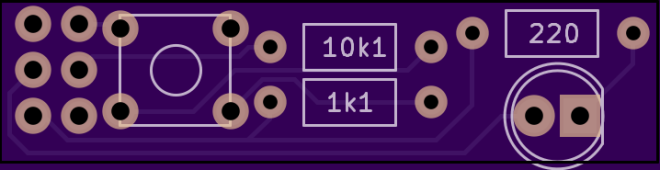
tl;dr As of writing this the raspberry pi zero is still hard to get hold of, Since I managed to snag one I thought I would put it some use. Also Hackaday/Adafruit gave me a kick up the arse with there Contest too. I haven’t really done anything with raspberry pi GPIO before now. I had […]

via Rpi_status (The raspberry pi has got his hat on, Sort of) — Facelesstech

Rpi_status (The raspberry pi has got his hat on, Sort of) — Facelesstech

Dorkbot PDX on Monday

dorkbot_logo

Dorkbot PDX on Monday

Smart AC Monitoring: Without the $500 Price Tag — Hackaday

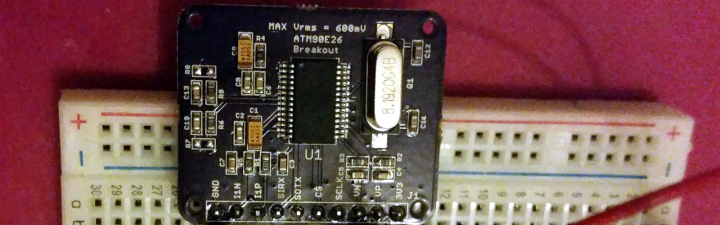
[Tisham Dhar] has been interested in monitoring AC power and previously built a breakout board for the ADE7763. He wanted to find something cheaper and more modern. The ATM90E26 fit the bill. It can communicate via a UART or SPI, and has multiple metering modes. The problem? The evaluation module from Atmel costs about $500…

via Smart AC Monitoring: Without the $500 Price Tag — Hackaday

Smart AC Monitoring: Without the $500 Price Tag — Hackaday

Open Source Hardware Month

oshwalogo1000x288

Alicia Gibb, executive director of the Open Source Hardware Association (OSHWA), announced today that the month of October this year will be Open Source Hardware Month:

Open Source Hardware Month will host three significant events in an effort to bring greater clarity to the open source hardware definition, invite more people to contribute to the movement, and provide education about how to publish a project or product as open source hardware. These events include the Open Hardware Summit, an open source hardware certification, and a series of documentation days.

The Open Hardware Summit in Portland, Oregon will be on October 7, 2016.  Tickets are for sale, and there is still time to be a speaker or a sponsor.

Screenshot-from-2016-02-14-122521-600x100

OSHWA will launch the Open Source Hardware certification at the Summit:

Users will self-certify compliance in order to use the certification logos.  Self-certification will give creators the right to use the OSHWA open source hardware certification logo. As part of the self-certification process, creators will agree to subject themselves to penalties for non-compliance. OSHWA will be responsible for enforcing those penalties.

Open Source Hardware Month

Black Line Follower: A Modern Bristlebot — Hackaday

https://youtube.com/watch?v=ZS0ze9Yxc_s%3Fversion%3D3%26rel%3D1%26fs%3D1%26autohide%3D2%26showsearch%3D0%26showinfo%3D1%26iv_load_policy%3D1%26wmode%3Dtransparent

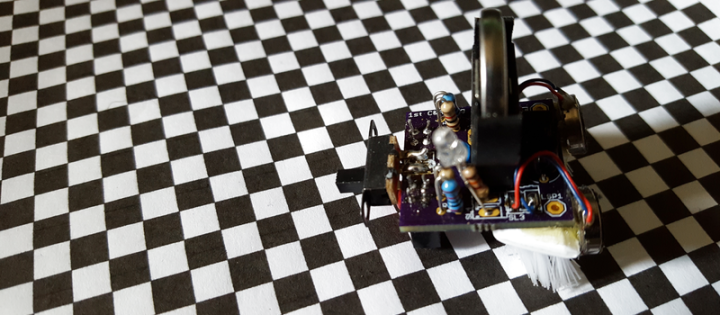
It’s been a while since we’ve seen much action on the bristlebot front, which is too bad. So we’re happy to see [Extreme Electronics]’s take on the classic introductory “robot”: the Black Line Follower. The beauty of these things is their simplicity, so we’ll just point you to his build instructions and leave the rest…

via Black Line Follower: A Modern Bristlebot — Hackaday

Black Line Follower: A Modern Bristlebot — Hackaday

BICORDER sensor box

Alex Hiam created a sensor box with the LPC824 microcontroller:

bicard

BICORDER

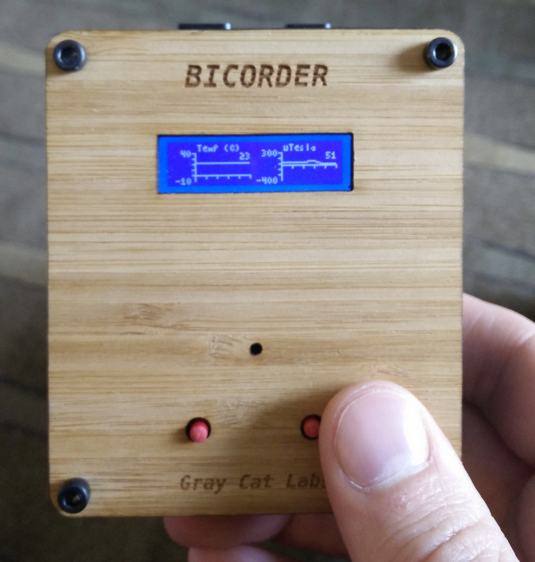
I put this project together for the OSH Park Bring A Hack meetup at the 2016 Bay Area Maker Faire. It’s Tricorder inspired, but can’t quite sense everything, so the name “Bicorder” seemed fitting.
The project currently has:
  • 3-axis magnetometer
  • relative humidity / temperature sensor
  • infrared range finder
  • 128×32 pixel monochrome LCD
    • live plot of temperature (in Celsius)
    • live plot of relative humidity
    • live plot of magnetic field (Z-axis) in uTesla
    • compass display (using the mag X and Y)
    • distance readout in cm

The source code is on GitHub:

/Bicorder


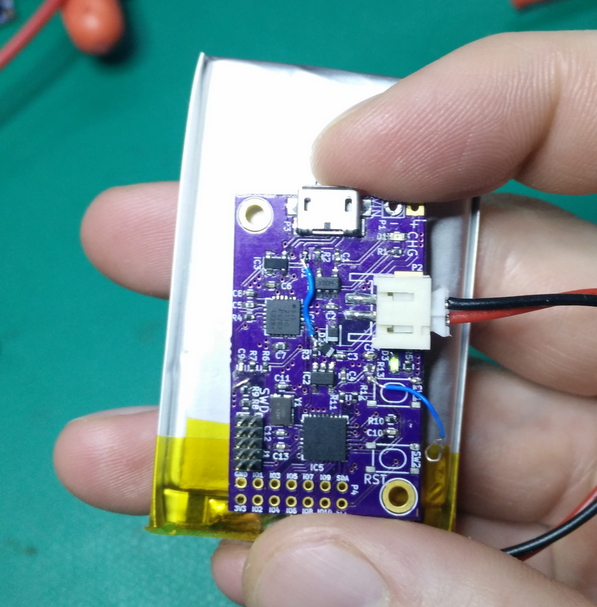
Alex leveraged his ARM microcontoller board:


BICORDER sensor box