Elliot Williams and Mike Szczys look at all that’s happening in hackerdom. This week we dive deep into super-accurate clock chips, SPI and microcontroller trickery, a new (and cheap) part on the microcontroller block, touch-sensitive cloth, and taking a home X-ray to the third dimension.
Chris Gammell wants to know: What’s in your circuit toolbox?
Personally, mine is somewhat understocked. I do know that in one of my journals, probably from back in the 1980s, I scribbled down a schematic of a voltage multiplier I had just built, with the classic diode and capacitor ladder topology. I probably fed it from a small bell transformer, and I might have gotten a hundred volts or so out of it. I was so proud at the time that I wrote it down for posterity with the note, “I made this today!”
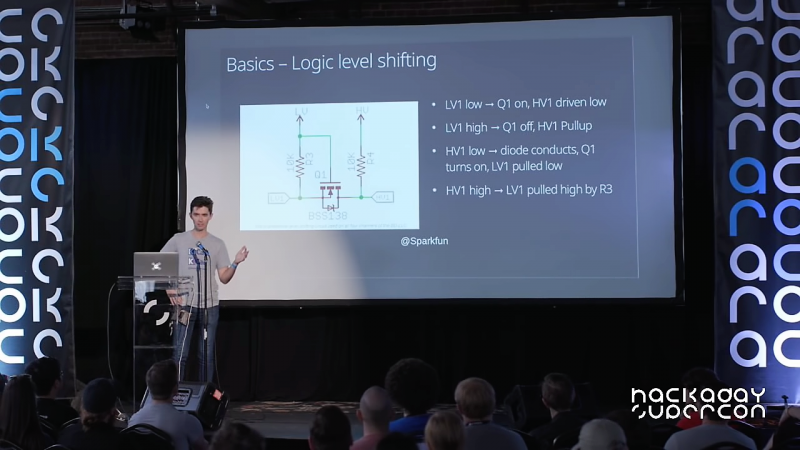
I think the whole point of Chris’ 2018 Hackaday Superconference talk is precisely what I was trying to get at when I made my “discovery” — we all have circuits that just work for us, and the more you have, the better. Most readers will recognize Chris from such venues as The Amp Hour, a weekly podcast he hosts with Dave Jones, and his KiCad tutorial videos. Chris has been in electrical engineering for nearly twenty years now, and he’s picked up a collection of go-to circuits that keep showing up in his designs and making life easier, which he graciously shared with the crowd.
As Chris points out, it’s the little circuits that can make the difference. Slide after slide of his talk had schematics with no more than a handful of components in them, covering applications from dead-simple LED power indicators and switch debouncing to IO expansion using a 74HC595. And as any sensible engineer might, Chris’ toolbox includes a good selection of power protection circuits, everything from polarity reversal protection with a MOSFET and a zener to a neat little high-side driver shutoff using a differential amp and an optoisolator.
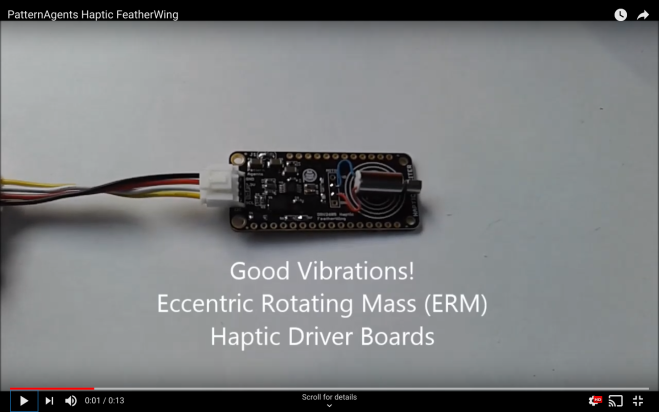
The Agent-DRV2605-FeatherWing allows you to connect Adafruit Feather CPUs,
and/or Grove System Modules all at the same time, using the Arduino Integrated Development Environment. This gives you maximum flexibility for sensor and actuator, selection and reuse.
TI DRV2605L Haptic Driver
ADI ADXL345 Accelerometer
FeatherWing I2C Compatible Module
Grove I2C Compatible Module
Integrated Current Measurement Connector
ERM Haptic Actuator support
LRA Haptic Actuator support
3.3V Operation
The Agent-DA7280-FeatherWing allows you to connect Adafruit Feather CPUs,
and/or Grove System Modules all at the same time, using the Arduino Integrated Development Environment. This gives you maximum flexibility for sensor and actuator, selection and reuse.
When writing code for the ATtiny family of microcontrollers such as a the ATtiny85 or ATtiny10, people usually use one of two methods: they either add support for the chip in the Arduino IDE, or they crack open their text editor of choice and do everything manually. 296 more words
When writing code for the ATtiny family of microcontrollers such as a the ATtiny85 or ATtiny10, people usually use one of two methods: they either add support for the chip in the Arduino IDE, or they crack open their text editor of choice and do everything manually. Plus of course there are the stragglers out there using Eclipse. But [Wayne Holder] thinks there’s a better way.
The project started out as a simple way for [Wayne] to program the ATtiny10 in C under Mac OS, but has since evolved into an open source, cross-platform integrated development environment (IDE) for programming a wide range of ATtiny chips in C, C++, or Assembly. Not only does it integrate the source code editor and programmer, but it even bundles in documentation for common variants of the chips including block diagrams and pinouts; making it a true one-stop-shop for ATtiny hacking.
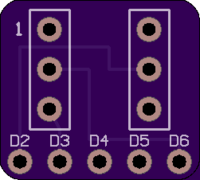
To actually get the code onto the chip, the IDE supports using the Arduino as a programmer as well as dedicated hardware like the BusPirate or the USBasp. If you go the Arduino route, [Wayne] has even come up with a little adapter board which he’s made available through OSH Park to help wrangle the diminutive chips.
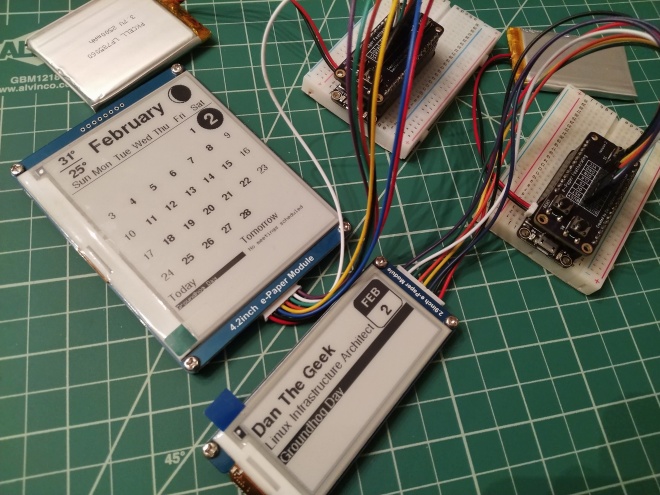
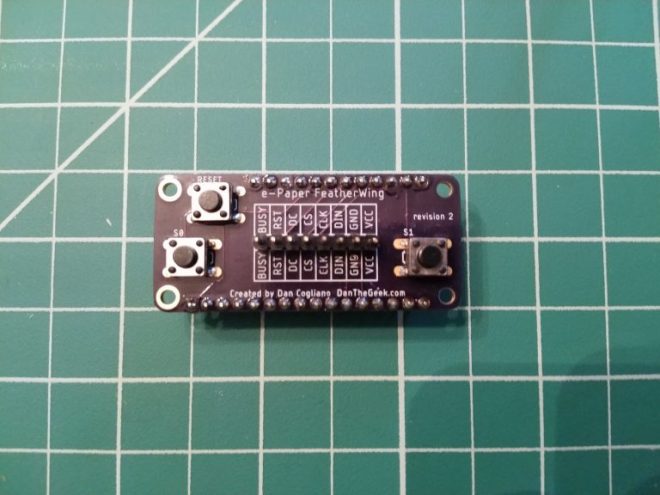
I wanted to create a few projects interfacing an e-paper display with the Adafruit HUZZAH 8266 and HUZZAH 32. The HUZZAH microcontrollers are a great fit with e-paper displays. In addition to having WiFi connectivity to grab date, weather and calendar information from the internet, they also can power themselves down and wake up at a later time. Since the e-paper displays retain their display without power, this makes for a great symbiotic relationship. Running the HUZZAHs with the e-paper display for just a few minutes each day can allow the device to run for weeks or even months depending on the size of the battery.
In all, I was very happy with the result. I no longer need to hand solder a dozen or so wires on a small proto board and the final product looks very clean. Having the same board compatible with both the HUZZAH 8266 and HUZZAH 32 is an extra bonus. I am putting the finishing touches on the code for a monthly calendar display and name plate/badge that you can see in the photo at the top of this article. This code will be released to GitHub and described in a future article.
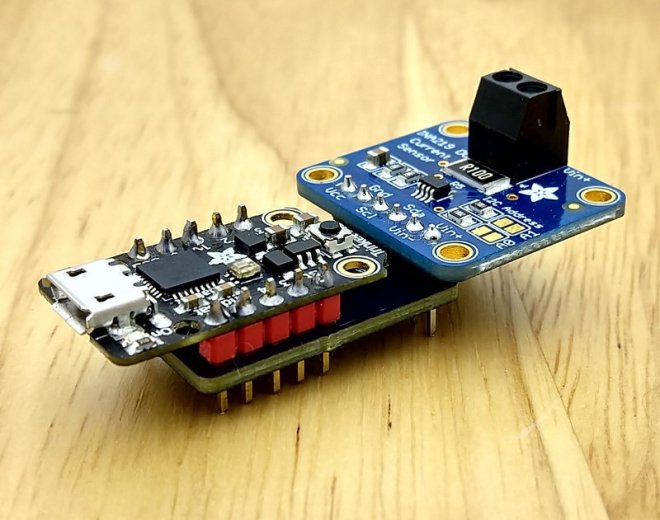
This guide will introduce you to the basic process I use to build PCBs based on Adafruit and other open source designs. We will extract parts of the board files as what Eagle calls “Design Blocks” and then we will use them along with a fundamental workflow in Eagle to create a featherwing-like board for the Trinket M0. This board will allow you to securely attach the Adafruit INA219 current sensor breakout to a Trinket without having to use jumper wires to connect them together. We’re starting with this modest goal to keep things simple as we learn some fundamental concepts, while hopefully also ending up with a useful circuit.
This guide will cover using a Trinket M0 and INA219 breakout, however these same methods can be used to make a PCB to replace the breadboard or protoboard. These techniques can be used to extract useful pieces from open source boards to use in your own completely new circuit boards.
A great part of SparkCon is its atmosphere. It is basically a block party held by 23b Shop and friends in the same business park. Located in Fullerton, CA, the venue’s neighborhood is a mix of residential, retail, and commercial properties. As a practical matter, this meant good eats like Don Carlos Mexican Restaurant and Monkey Business Cafe were in easy walking distance.
Originally my Day 2 was going to start bright and (too) early for me at 9AM with the KISS Tindies presentation, but the relaxed easygoing nature of the event meant a schedule change was possible and we did it at noon instead. I loved talking to all my fellow people who thought my circuit sculptures were more interesting than a certain football game taking place around the same time.
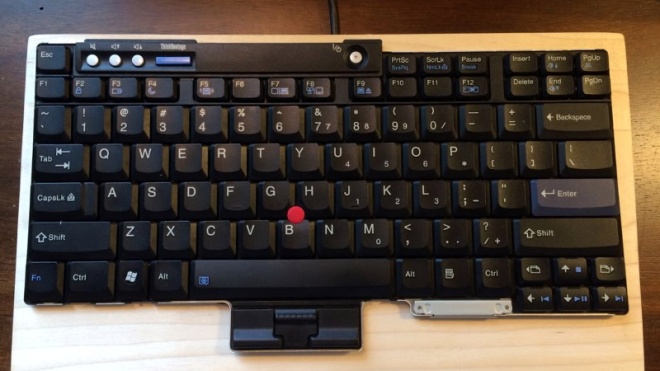
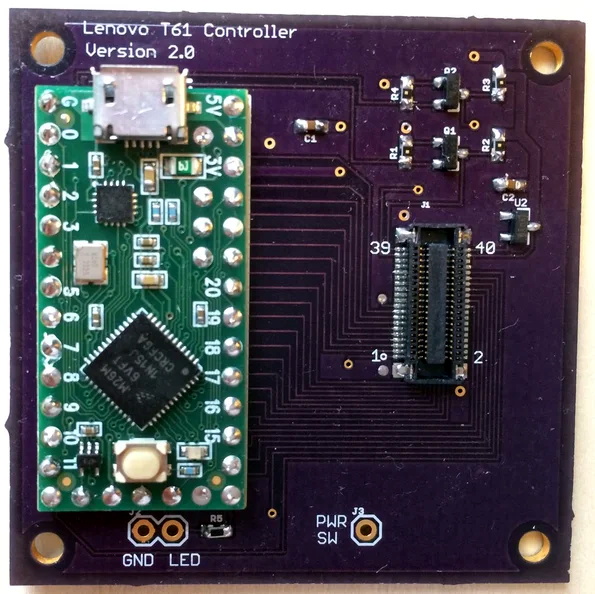
This video and “Instructable” describe how to make a USB controller for a laptop keyboard. I designed a circuit card for a Teensy LC or 3.2 that connects to a keyboard FPC cable with up to 34 pins on a 1mm or 0.8mm pitch.
[Frank Adams] liked the keyboard on his Lenovo ThinkPad T61 so much that he decided to design an adapter so he could use it over USB with the Teensy microcontroller. He got the Trackpoint working, and along the way managed to add support for a number of other laptop boards as well. Before you know it, he had a full-blown open source project on his hands.
We would like to let our customers know that all OSH Park boards are manufactured in the United States, and we will be operating on a normal schedule during Lunar New Year:









 OSH Park
