Humo the Soldering Fume Collector

From Jo Hinchliffe on the Tindie blog:
Humo the Soldering Fume Collector

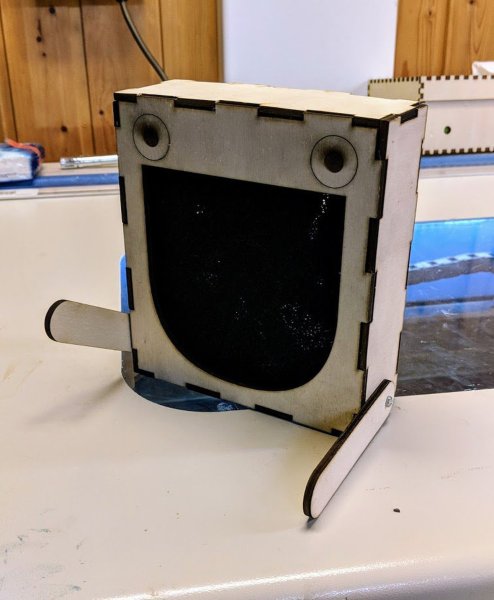
Whether you use lead free or leaded solder, it’s always a good idea to avoid inhaling fumes whilst soldering. This cute character “Humo” can help keep your lungs healthy whilst you tinker.

Humo is a kit by Blinkyparts and features a cute laser-cut enclosure and a collection of parts to make a fume extractor/collector. There is a 120mm fan included which draws fumes through a supplied activated charcoal filter to capture the fumes. Humo’s wooden legs allow you to position and angle it to get the best position whilst you work. For power it comes with a 12v supply and connector. Looking over the documentation, however, you could opt to add some parts yourself and make a 5V-12V boosted supply meaning it can then run from a USB socket or powerbank for portable use.

Finally, it’s fair to say that fume collectors are a great way to begin taking care of your lungs whilst soldering but you should also ensure that your work area is well ventilated giving you a good supply of fresh air!

Humo the Soldering Fume Collector

Using Your Phone as a Microscope on the Electronics Workbench

Jenny List writes on Hackaday:

Using Your Phone as a Microscope on the Electronics Workbench

One aspect of working for Hackaday comes in our regular need to take good quality photographs for publication. I have a semi-decent camera that turns my inept pointing and shooting into passably good images, but sometimes the easiest and quickest way to capture something is to pull out my mobile phone.

It’s a risky step because phone camera modules and lenses are tiny compared to their higher quality cousins, and sometimes the picture that looks good on the phone screen can look awful in a web browser. You quickly learn never to zoom on a mobile phone camera because it’s inevitably a digital zoom that simply delivers grainy interpolated pictures.

That’s not to say that the zoom can’t be useful. Recently I had some unexpected inspiration when using a smartphone camera as a magnifier to read the writing on a chip. I don’t need an archival copy of the image… I just needed a quick magnifying tool. Have I been carrying a capable magnifier for soldering in my pocket or handbag for years without realising it? I decided to give it a try and it worked okay with a few caveats. While I have seen optics turn these cameras into pretty good microscopes, my setup added nothing more than a phone tripod, and will get you by in a pinch.

Read more…

Using Your Phone as a Microscope on the Electronics Workbench

Importing Eagle files into KiCad 5.1

New KiCad video from Chris Gammell of Contextual Electronics:

Importing Eagle files into KiCad 5.1

In this video, Chris imports the adafruit Feather M4 Express board Eagle files (which is OSHW) into KiCad 5.1.

Here are some of the pitfalls of importing into KiCad.

  • Flags get converted into (tiny!) labels that might not be clear.
  • The frame in schematics is gone. Not a big deal, but will look different than other KiCad projects.
  • Some silkscreen layers will not map as expected.
  • All footprints are imported from Eagle, since KiCad doesn’t know how to map existing footprints. This means that none of the 3D models are included.
Importing Eagle files into KiCad 5.1

Feeling the KiCad 6 Electricity

Great post from Kerry Scharfglass on Hackaday on what’s coming up in KiCad V6:

Feeling the KiCad 6 Electricity

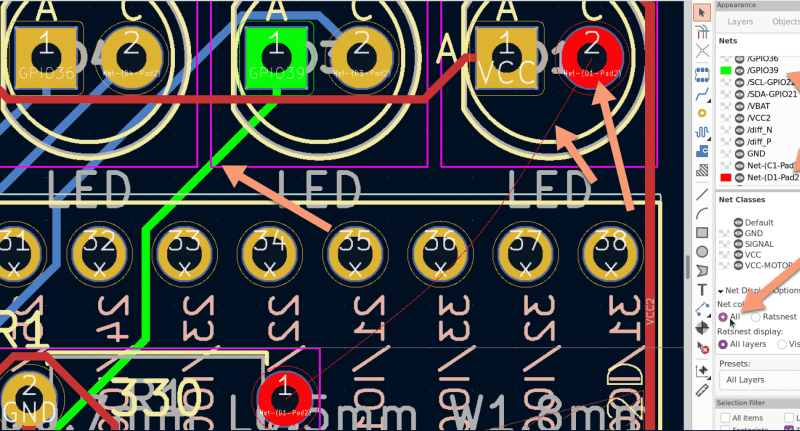
In 2018, when KiCad Version 5 modernized the venerable 4.X series, it helped push KiCad to become the stable and productive member of the open source EDA landscape that we know today. It has supported users through board designs both simple and complex, and like a tool whose handle is worn into a perfect grip, it has become familiar and comfortable. For those KiCad users that don’t live on the bleeding edge with nightly builds it may not be obvious that the time of version 6 is nearly upon us, but as we start 2021 it rapidly approaches. Earlier this month [Peter Dalmaris] published a preview of the changes coming version 6 and we have to admit, this is shaping up to be a very substantial release.

Don’t be mistaken, this blog post may be a preview of new KiCad features but the post itself is extensive in its coverage. We haven’t spent time playing with this release yet so we can’t vouch for completeness, but with a printed length of nearly 100 pages it’s hard to imagine [Peter] left anything out! We skimmed through the post to extract a few choice morsels for reproduction here, but obviously take a look at the source if you’re as excited as we are.

Read more…

Feeling the KiCad 6 Electricity

This Modern Day Take on the TIL311 Shines a Light on How to Deal with Part Obsolescence

Tom Fleet writes on Hackster about the reTIL from Alex (@tinyledmatrix): reimagined, resin-cast, retro-tech style programmable TIL311 LED hexadecimal display replacement:

This Modern Day Take on the TIL311 Shines a Light on How to Deal with Part Obsolescence!

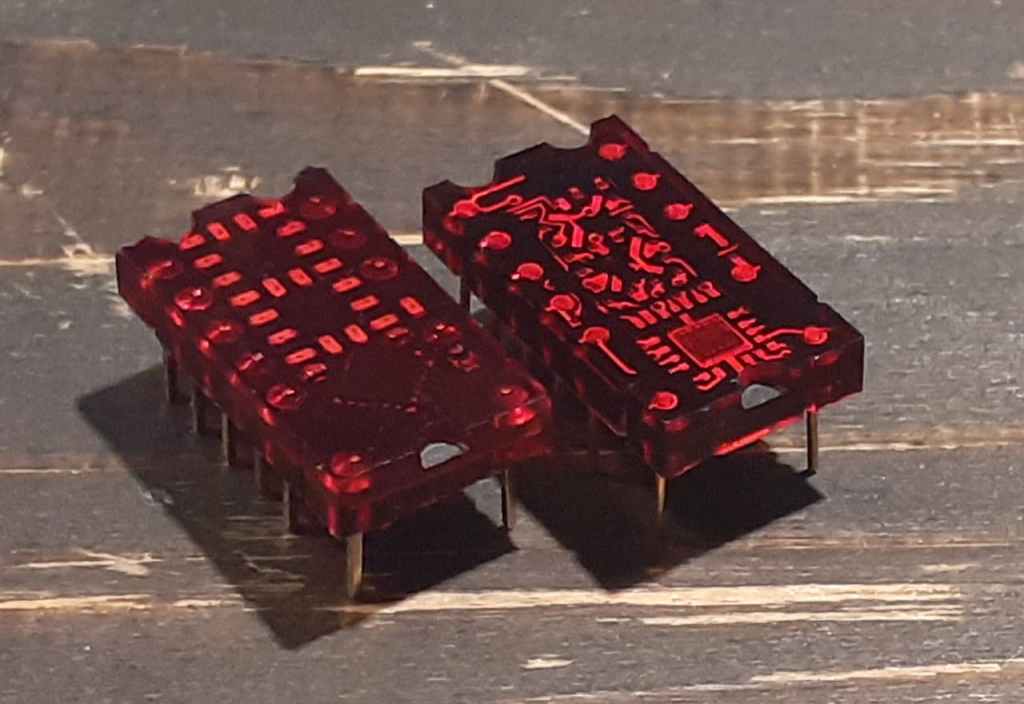
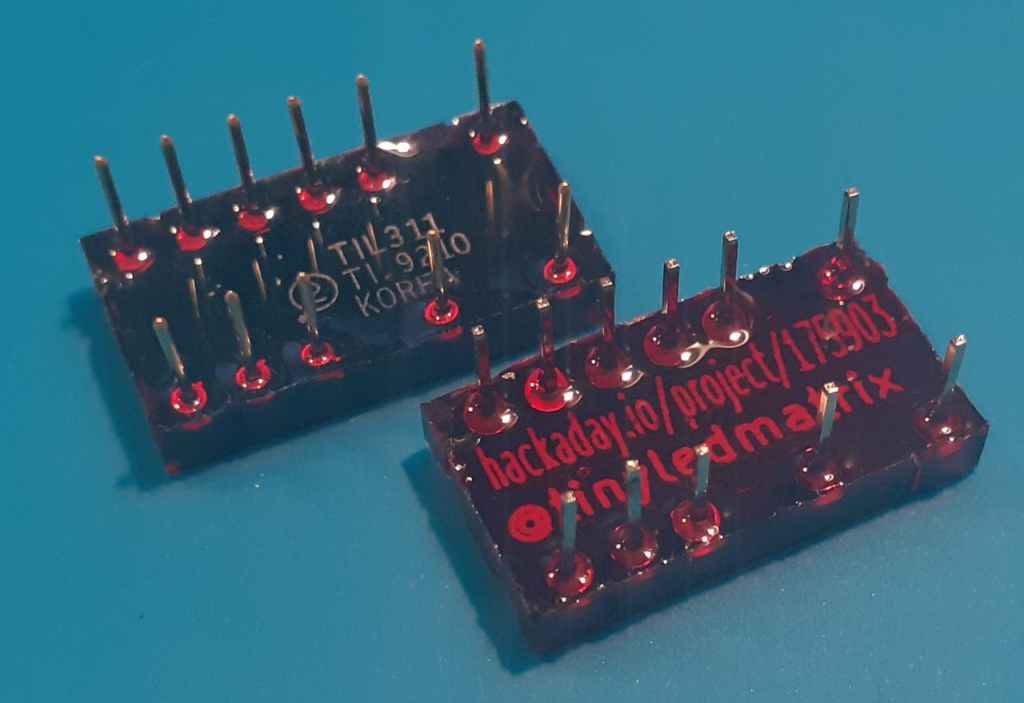
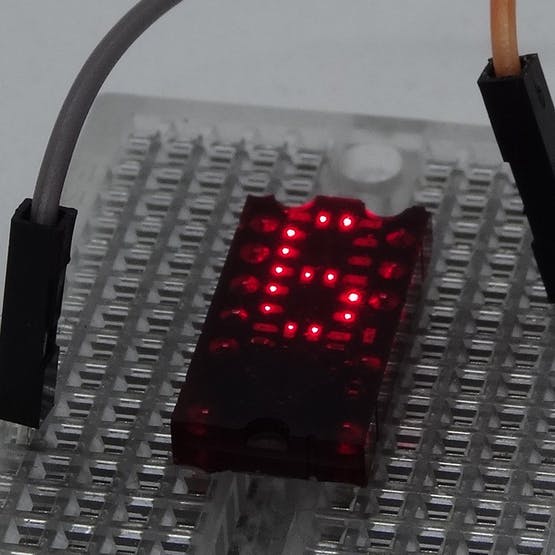
Packing the tiny array of individual single LED pixels into place, along with a super-smol STM8S QFN MCU, all on the front face of the PCB, leaves a layout that is almost indistinguishable from the TIL311 when illuminated.

But, @tinyledmatrix didn’t stop there, oh no. Striving for a true-to-form-factor facsimile, the re-vamped PICTIL is placed into a mold, before being cast in the same tinted resin — and the results are just stunning. Below, we can see the fruits of the labour, with the new, modern take shown on the left, and the original TIL311 to the right

Installed in a product, you’d be hard pushed to tell the difference once the LEDs are lit up!

This Modern Day Take on the TIL311 Shines a Light on How to Deal with Part Obsolescence

Learn Bil Herd’s DIY Surface Mount Assembly Process

Bil Herd writes on Hackaday:

You can do your own Surface Mount Technology based PCB assembly with just a handful of tools and some patience. At the heart of my SMT process is stopping to inspect the various steps all while trying to maintain a bit of cleanliness in the process.

Surface mount or Surface Mount Technology (SMT) is the modern way to assemble Printed Circuit Boards (PCB) and is what is commonly seen when opening a modern piece of tech. It’s much smaller than the older Through-Hole (TH) technology where the component leads were inserted into holes in PCB, and act we called “stuffing” since we had to stuff the components into the holes.

A few specialized tools make this a lot easier, but resourceful hackers will be able to pull together a solder paste stencil jig, vacuum tweezers, and a modified toaster oven with a controller that can follow the reflow profile of the solder paste. Where you shouldn’t skimp is on the quality, age, and storage of the solder paste itself.

Join me after the break for my video overview of the process I use in my workshop, along with details of every step of my SMT assembly process.

Learn Bil Herd’s DIY Surface Mount Assembly Process

Goodbye 2020 Contest Winners Announced

The Goodbye 2020 contest asked you to turn out the lights on an objectively crappy year in an interesting way. Four winners have been announced, and we have to tip the hat to [Becky Stern] for both creativity and execution on the 2020 candle seen above. Three wicks burn the candle down, revealing a metalwork dumpster fire along the way. It’s not just a performance piece but also an interesting look into candle making with 3D printed molds and insight on specifics like pour-temperature for best results. [Becky] entered as a group with a few other YouTube channels that included gags like [TechnoChic’s] knitted 2020 mask that is unraveled to count down the to the end.

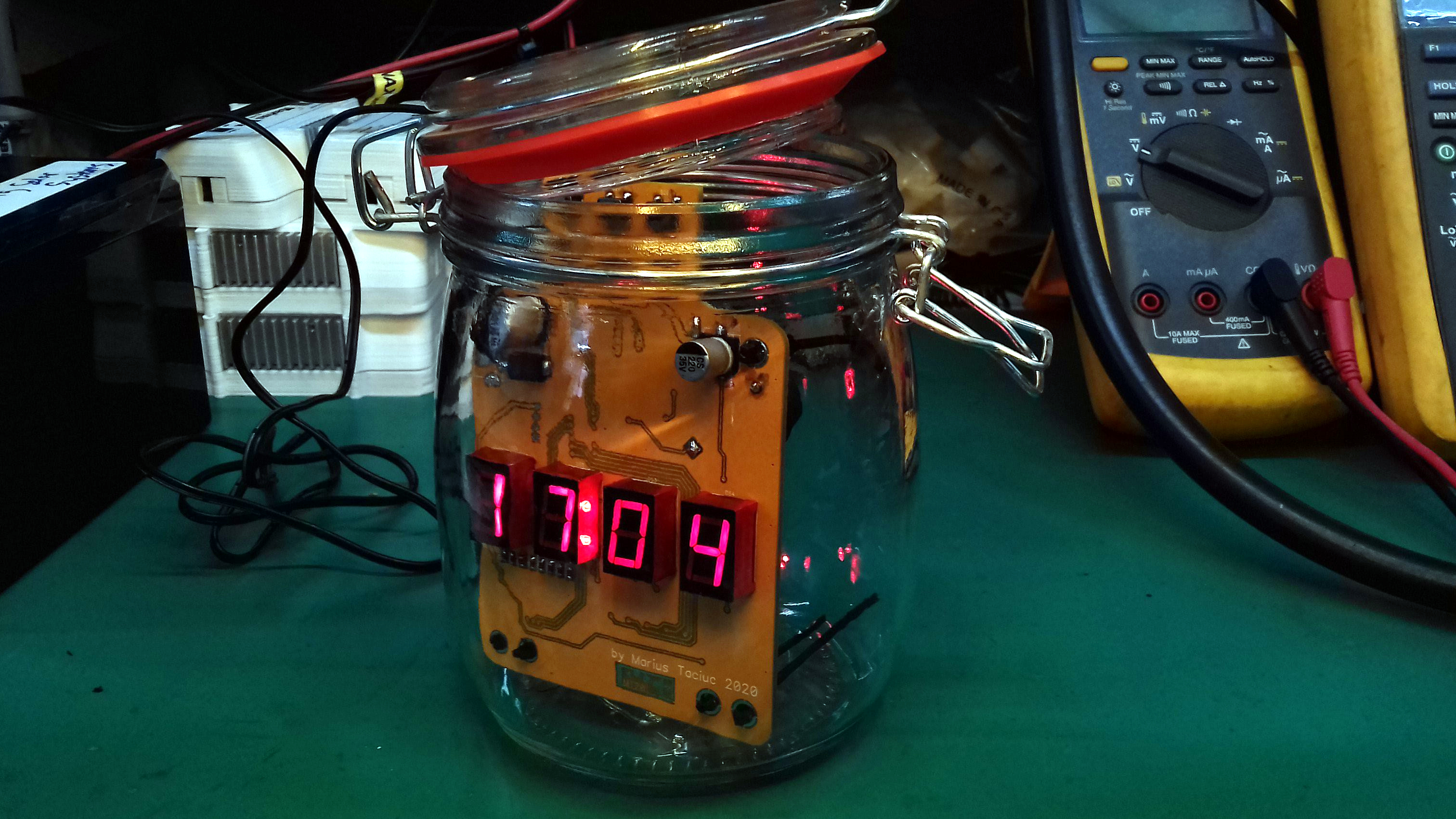
[Marius Taciuc] spun up a clock to count down his year. The custom PCB uses a set of 7-segment displays to show the time (and some custom messages), along with a battery-backed RTC for precision. The aesthetic is a PC overclocker’s dream as the timepiece lives inside of a mason jar filled with baby oil.

You certainly can’t go out to a rave during these pandemic times. [George Cave] brought the party to his face with a set of shades that blast RGB light into your eyeballs. A pair of ultasonic distance sensors shut the party down if anyone breaks social distancing guidelines.

Read more on Hackaday…

Goodbye 2020 Contest Winners Announced