Tool Generates Interactive PCB Diagrams from KiCAD

From Donald Papp on Hackaday:
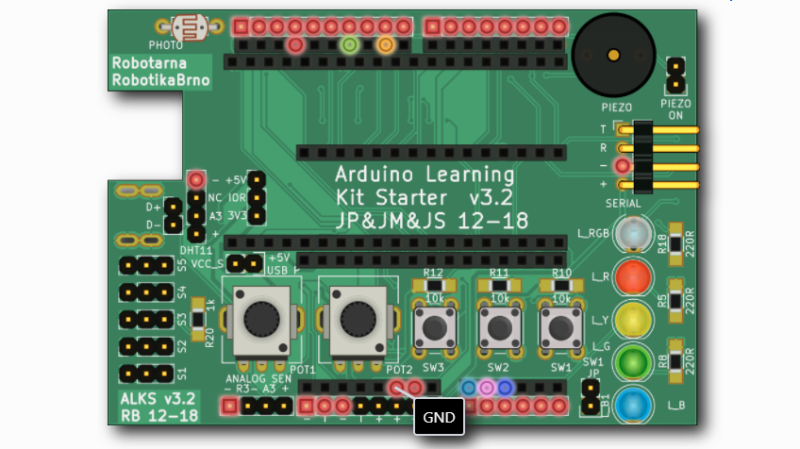
Nearly everyone likes nice pinout diagrams, but the more pins and functions are involved, the more cluttered and less useful the diagram becomes. To address this, [Jan Mrázek] created Pinion, a tool to help generate interactive diagrams from KiCad design files.

The result is an interactive diagram that can be viewed in any web browser. Hovering over a pin or pad highlights those signals with a callout for the name, and clicking makes it stay highlighted for easier reference. Further information can be as detailed or as brief as needed.

Interestingly, Pinion isn’t a web service that relies on any kind of backend. The diagrams are static HTML and JavaScript only, easily included in web pages or embedded in GitHub documentation.

If you think Pinion looks a bit familiar, you’re probably remembering that we covered [Jan]’s much earlier PcbDraw tool, which turned KiCad board files into SVG renderings but had no ability to add labels or interactivity. Pinion is an evolution of that earlier idea, and its diagrams are able to act as both documentation and interactive reference, with no reliance on any kind of external service.

Interested? Pinion has a full tutorial and demo and a growing library of parts, so check it out.
Tool Generates Interactive PCB Diagrams from KiCAD

AND!XOR’s DEF CON 29 Electronic Badge is an Assembly Puzzle

Hackday editor Mike Szczys reviews the latest #badgelife masterpiece from AND!XOR:

For years I’ve looked forward to seeing each new unofficial hardware badge that comes out of the #Badgelife powerhouse known as AND!XOR. A mix of new and interesting components, alternate-reality game, and memes, you never know what they’re going to throw down.

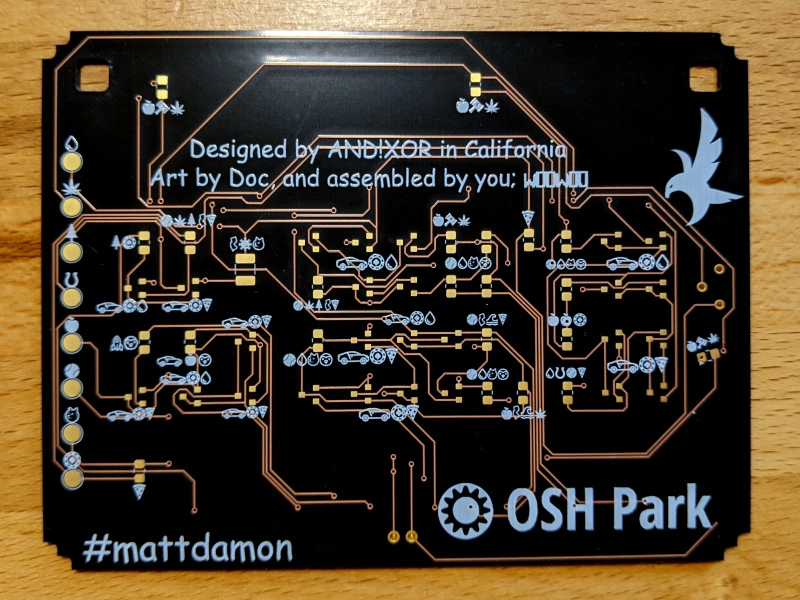
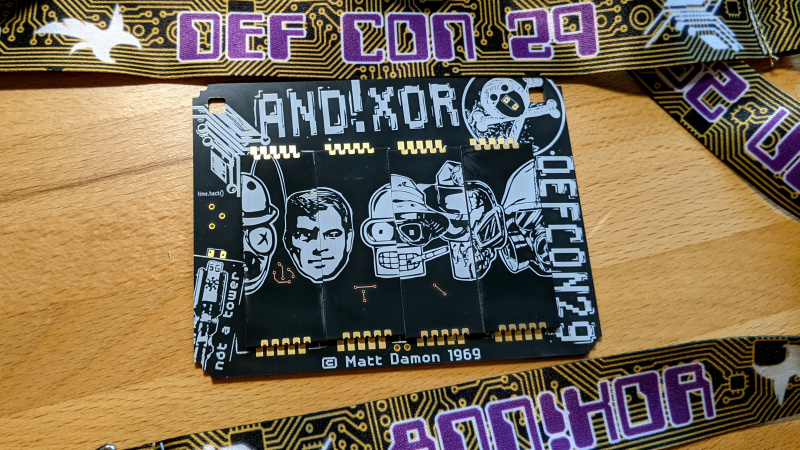
A bubble pack landed on my desk on Thursday with the newest offering, the AND!XOR electronic badge built for DEF CON 29, happening this weekend as a hybrid in-person and online conference. While each previous year upped the ante on complexity and manufacturing magic tricks, it’s no surprise considering the uncertainty of both the global pandemic and global chip shortage that they took a different tack. What we have here is a badge hacking puzzle that challenges you to just figure out how to put the thing together!

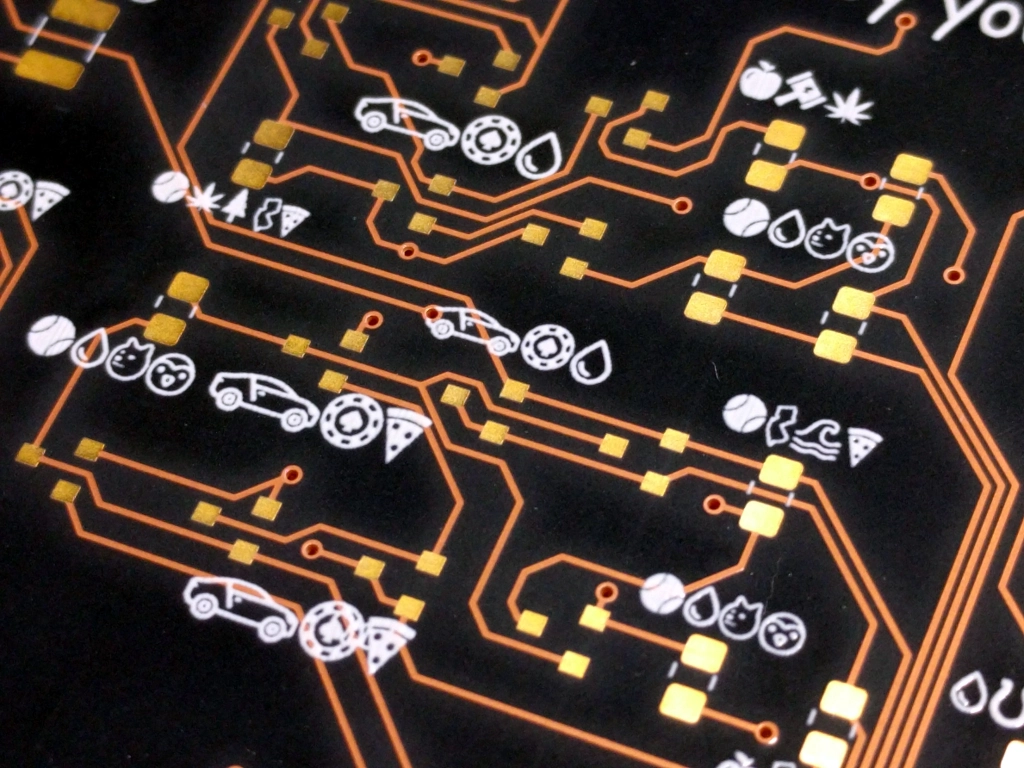
The boards themselves are obviously the “After Dark” treatment of OSH Park (and sure enough, their logo is on the back of the board). The iconic treatment uses black substrate (the board itself), clear solder mask to let the copper traces show through, ENIG plating for golden pads, and white solder mask.

AND!XOR’s DEF CON 29 Electronic Badge is an Assembly Puzzle

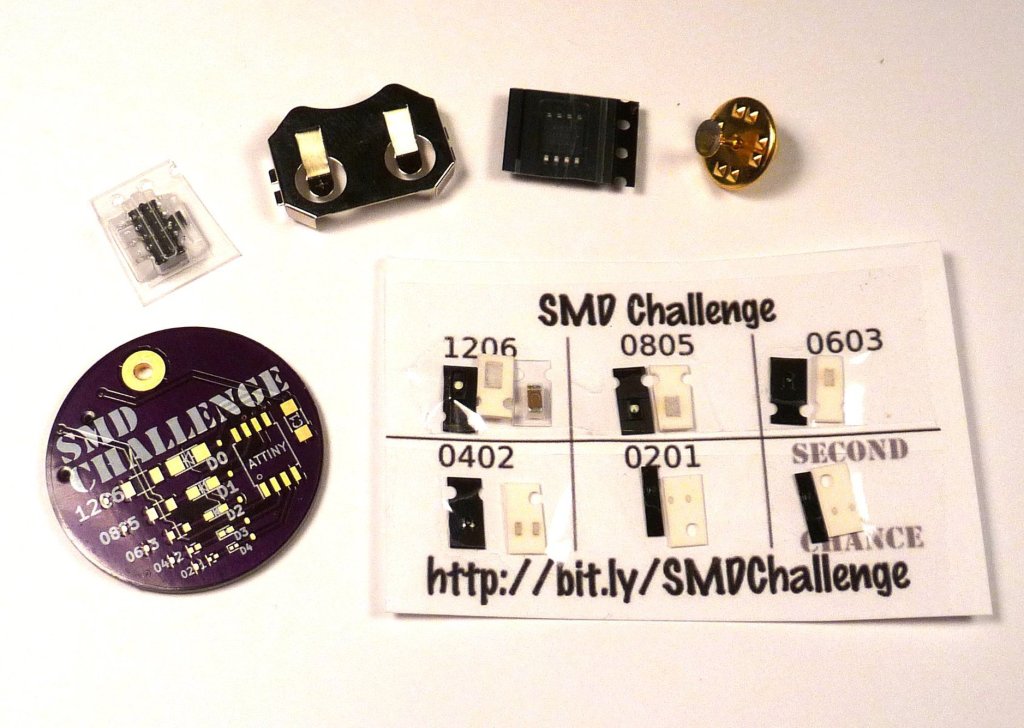
Surface mount soldering challenge

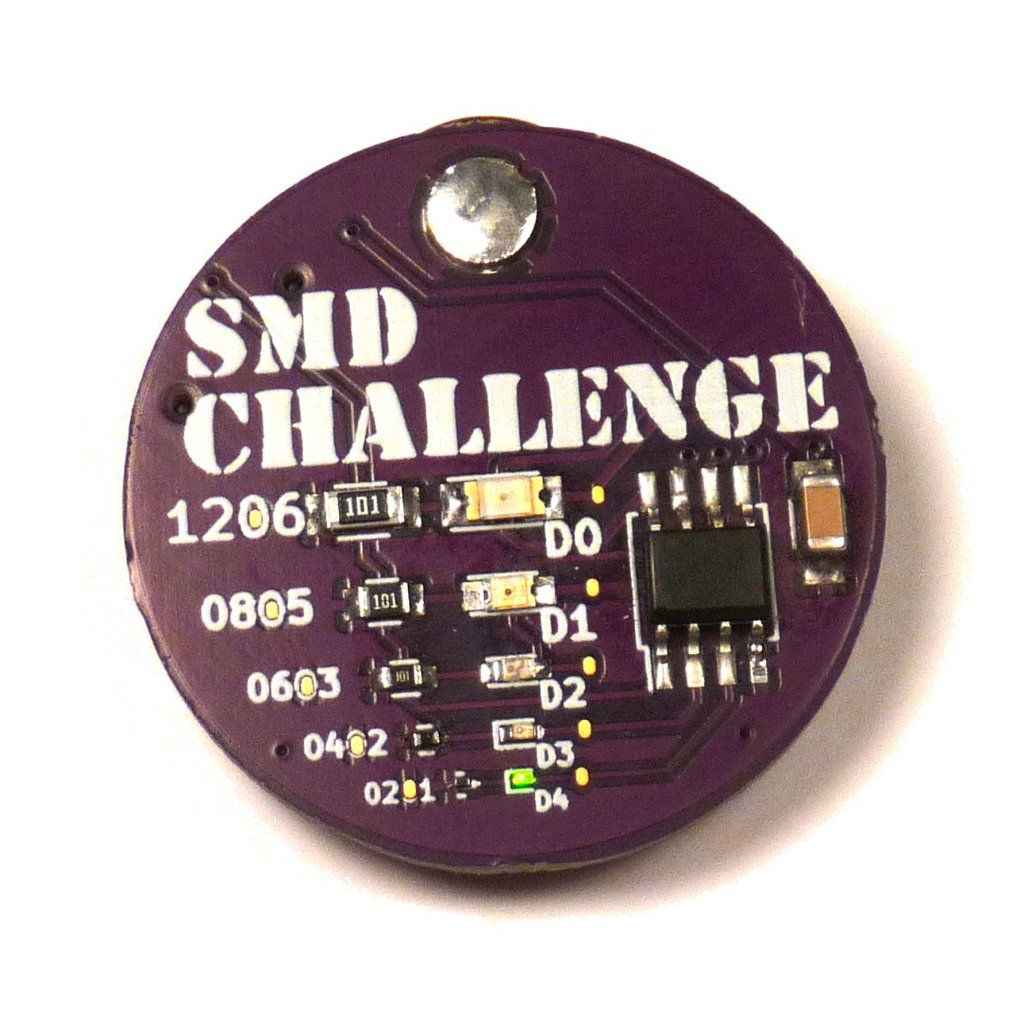
Ken from MakersBox created the SMD Challenge excellent project a few years back to test surface mount soldering skills, starting with a 1206 package all the way down to 0201. You can get the kit on Tindie and try yourself:

SMD Challenge

In trying to design a beginning surface mount kit, I began to wonder just how small a surface mount part you could hand solder. This project, as titled on Hackaday.io, “An Unfortunate SMD Project“, is ultimately designed to make you fail.

In case you didn’t read the above description, let me reiterate: I can almost guarantee you will fail, even though I provide extra components so you can take more than one try.

Should you succeed, and that, as stated above, is unlikely, you are eligible for inclusion for the exclusive 0201 Club and a digital copy of a Certificate of Membership.

The Misery Edition starts with 0805 packages and a QFN20 chip which is much harder to hand solder. Since I haven’t found a 01005 LED yet to match the 01005 resistor, you get another 0201 LED, but this one is diffuse so you can’t tell the orientation visually. On the plus side, it has a switch to save battery power, and will indicate if a LED is installed backwards.

And new for 2020, the Bodge Edition uses 0603 parts, but is primarily designed to test your trouble shooting skills. The circuit board contains a number of common layout errors which must be fixed before the LEDs will flash in the correct sequence. A small section of 30 AWG “bodge” wire is included to help your will repairs. More details at http://bit.ly/SMDbodge.

Surface mount soldering challenge

Solder Bridges Aid Desoldering

As our own Elliot Williams laid out, many people think that soldering is a key skill for electronics, but we don’t as often think about desoldering. Even if you are perfect in your technique, there’s always the chance you’ll put in a bad part or have a part fail later and it will need replacement. [Robert] has a short video showing his method for removing through-hole components and you can see it below.

This isn’t the first time we’ve seen it, of course. In fact, it is very much like using hot air, although it doesn’t require hot air, just extra solder and a regular iron. Of course, if we knew that connector was bad, we’d have been tempted to cut each pin apart and remove them one at a time. Heating a joint and then slamming your hand on the bench can work wonders.

Read more on Hackaday…

Solder Bridges Aid Desoldering

Tindie Sellers: Map Your Worldwide Sales!

If you’ve sold items on Tindie, you may find it entertaining that something you made or provided has made its way to place X, Y, or Z. Perhaps you’ve even thought it would be fun to have some sort of map to track these geographic statistics. I know I have, but the assumed work involved in generating such a map always made it seem out of the realm of (realistic) possibility.

In reality, it’s not hard at all; you can easily generate a custom Google Map of your sales locations by following the instructions provided by Nick Pisarro@highenergybeams on Twitter

Read more on the Tindie blog…

Tindie Sellers: Map Your Worldwide Sales!

OSHWA is looking to hire Open Hardware Summit chair

From the Open Source Hardware Association:

OSHWA is looking for a Chair to the annual Open Hardware Summit set for April 22, 2022 in NYC @ NYU. This is an excellent opportunity to help shape the first in-person Summit since 2019, as well as to connect with the Open Hardware Community.

The Summit Chair helps to oversee the annual Open Hardware Summit. They work with OSHWA’s Executive Director, the Speaker Chair, and venue staff to produce the Summit.  The Summit Chair is also an ex officio member of the OSHWA board for the duration of the position. 

The Summit Chair is a paid, part-time position of $10,000. It begins in September of 2021 and concludes in early May of 2022.  The Open Hardware Summit Playbook establishes milestones that allow for flexible time commitments in the months leading up to the Summit. The Chair should expect to be on site and work full days on April 20, 21, and 22 of 2022. As we approach the Summit dates, the time commitment of the position will ramp up. OSHWA pays travel expenses related to the Summit.

Read more…

OSHWA is looking to hire Open Hardware Summit chair

Acorn cap touch board

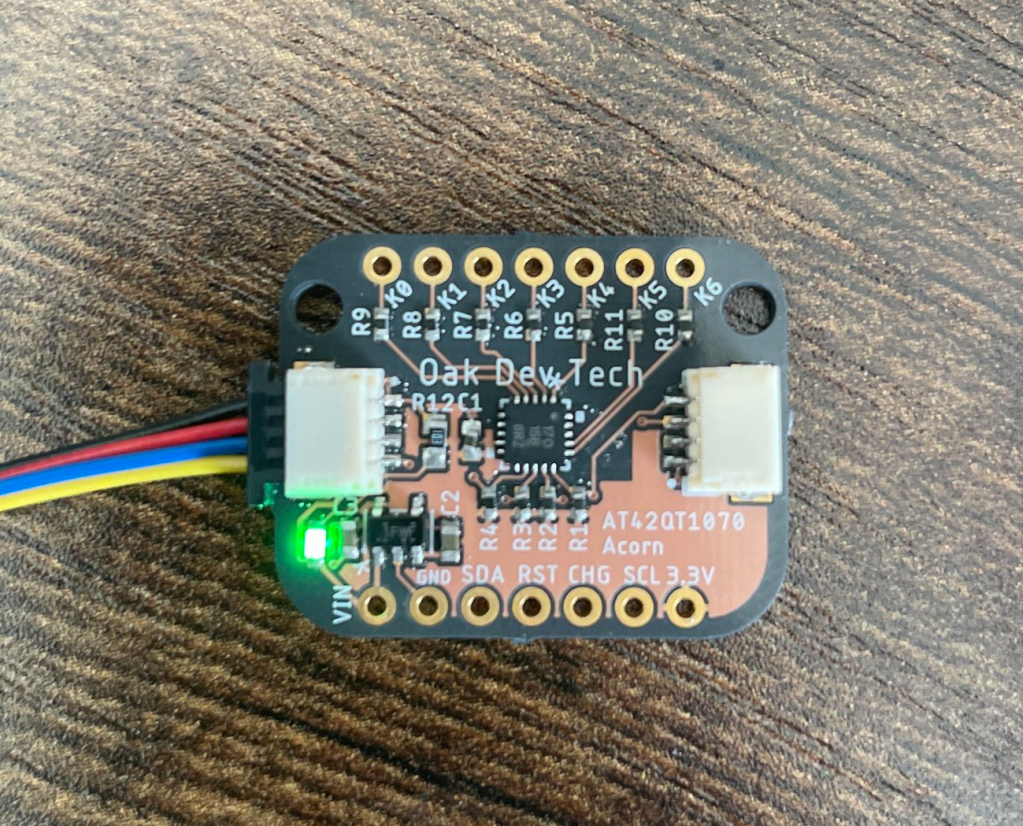
Add a touch of fun to your project with the AT42QT1070 “Acorn” capacitive touch sensor from Oak Dev Tech:

We’re pretty touched by this acorn! A powerful and versatile capacitive touch sensor by Microchip that provides 7 channels of touch input on a single chip with a large variety of configuration which make it ideal for all kinds of touch projects.

The AT42QT1070 breakout communications over I2C and features two Sparkfun QWIIC/ Adafruit STEMMA QT compatible connectors for a solderless interface to get you up to speed faster.

We’ve helped take the development guesswork out of your hands by providing two easy to use libraries in Python and Adruino! The python Library is available to be downloaded through pip, or through the Adafruit CircuitPython Community bundle.

Why did you make it?

I made this because I thought it would be a fun way to bring a really well featured capacitive touch IC to an easy to use form factor.

What makes it special?

It has two Stemma/Qwiic compatible connectors meaning you can use it with your favorite Adafruit and Sparkfun microcontrollers.

Acorn cap touch board

Learning to Desolder Gracefully

When you’re just learning to sketch, you use graphite. Why? It’s cheap, great at training you to recognize different shades, and most of all, it’s erasable. When you’re learning, you’re going to make mistakes, and un-making them is an important part of the game. Same goes for electronics, of course, so when you’re teaching someone to solder, don’t neglect teaching them to desolder

We could argue all day about the best ways of pressing the molten-metal undo button, but the truth is that it’s horses for courses. I’ve had really good luck with solder braid and maybe a little heat gun to pull up reluctant SOIC surface-mount chips, but nothing beats a solder sucker for clearing out a few through-holes. (I haven’t tried the questionable, but time-tested practice of blasting the joint with compressed air.)

For bulk part removal, all you really have to do is heat the board up, and there’s plenty of ways to do that, ranging from fancy to foolish. Low-temperature alloys help out in really tough cases. And for removing rows of pinheaders, it can help to add more solder along the row until it’s one molten blob, and then tap the PCB and watch the part — and hot liquid metal! — just drop out.

Read more on Hackaday…

Learning to Desolder Gracefully