
It’s time to submit your proposal for a talk or workshop at the 2018 Hackaday Superconference! Yep, it’s easy to procrastinate with the late days of summer upon us, but don’t miss out on your chance to present at the Ultimate Hardware Conference.
It’s time to submit your proposal for a talk or workshop at the 2018 Hackaday Superconference! Yep, it’s easy to procrastinate with the late days of summer upon us, but don’t miss out on your chance to present at the Ultimate Hardware Conference.
Jason from CodeKitty wrote the Adafruit blog to tell them what the organization is up to:
Hello! We are a Twin Cities, Minnesota (USA) based technology
education 501(c)(3) tax-exempt non-profit. Our mission is to make coding
and engineering skills accessible to everyone (especially targeting girls
and underrepresented groups) by providing donation-funded (or free) coding
workshops using our extremely low cost 3D printed robot. Our workshop is a
$50 suggested donation per attendee and includes the robot, so that Every
Kid Gets a Robot. So far we have given away around 100 robots in this
fashion, and provided our workshop for both students as young as second
grade, and for teachers as Professional Development (in a meta-workshop
train-the-trainer model).We are constantly working to simplify our robot, and the currently released
model is based around your excellent Trinket m0 board, a custom designed
(oshpark fabricated) breakout board, and 360 degree microservos). The
challenge we have as a very small non-profit is that I design and
manufacture all of the robot kits by hand myself, including reflow and hand
soldering all of the breakout boards. Although the Trinket m0 is very low
cost, the time and materials cost of self-manufacturing our trinket breakout
board raises our costs substantially, and our total cost of this model of
our robot is $27.54, not factoring in any cost or value at all for the
considerable amount of time i spend making them.There’s a v1.0 of their ‘bot and a recently updated v2 with OSH Park purple PCBs provided here and instructions online:
The Code Kitty robot is a 3D printed robot designed to help teach kids coding. It was developed by the Code Kitty non-profit because we wanted there to be a robot cheap enough for every kid to have one and learn the joy of engineering, coding, and robotics! We offer the robot to participants of our workshop, or sell complete robot kits under a “buy one/give one” program for $50.
Although the 3D printed parts of the robot are the same, there are two “builds” of the electronics of the robot: The “Workshop Build” and the “DIY Build”. In either case you will need to print one base, one face, one tail, two wheels and two hubcaps. We recommend combining all of the parts you want to be the same color into one print job, and the parts are small enough that the entire robot can be printed in two print jobs on most 3D printers.
They’re doing great things and you can always check out what they’re up to here.

This is your last chance to get your project together for the Human Computer Interface Challenge in this year’s Hackaday Prize. We’re looking for innovative interfaces for humans to talk to machines or machines to talk to humans. These are projects that make technology more intuitive, more fun, and a more natural activity. This is your time to shine, and we’re accepting entries in the Human Computer Interface Challenge in this year’s Hackaday Prize until August 27th. This is your last weekend to work on your project, folks.
via This Is Your Last Chance To Design The Greatest Human Computer Interface
From Nisha Kumar:
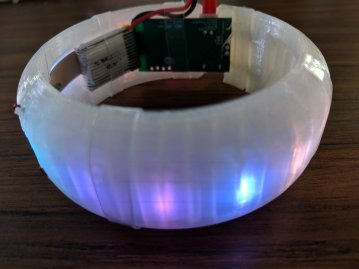
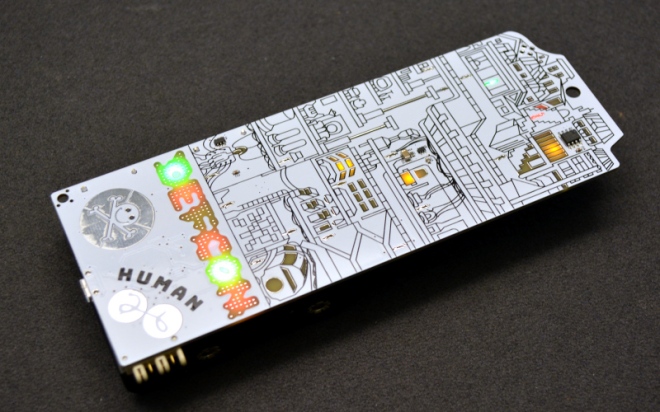
An overview of the DC503 party badge as seen at DefCon 2018
Hi! My name is Nisha, and I made a party bangle for my friend, Miki, to take with her to DefCon25. It was my first fully-formed electronics project and it posed some interesting challenges due to its unusual form factor. You can read about my experiences with that project here.
Soon after DefCon25, I was approached by r00tkillah to make over a 100 of something similar for the DC503 party at DefCon26. The plan was to combine the power of the BMD-300 SoC by Rigado used in the Wagon Badge from the previous year with my Neopixel bangle form factor. We would call it “The Banglet” and it was going to be awesome.
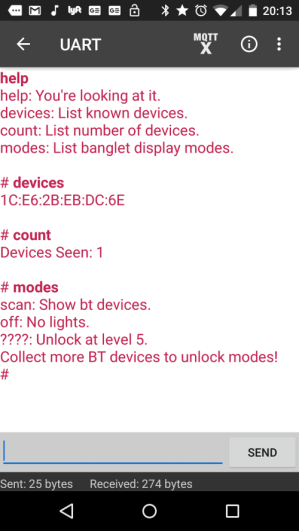
In passive mode, the banglet’s LEDs light up when detecting nearby Bluetooth devices. The number of LEDs that are lit correspond to the number of BT devices detected and their colors are based on each device’s mac address.
From Cynthia Huang on the Tindie blog:
Tindie has been a favorite platform for creative makers for quite some time now. Hundreds of thousands of hardware craftsmen, hackers, and enthusiasts gather here, share their ideas and create a lot of amazing products.
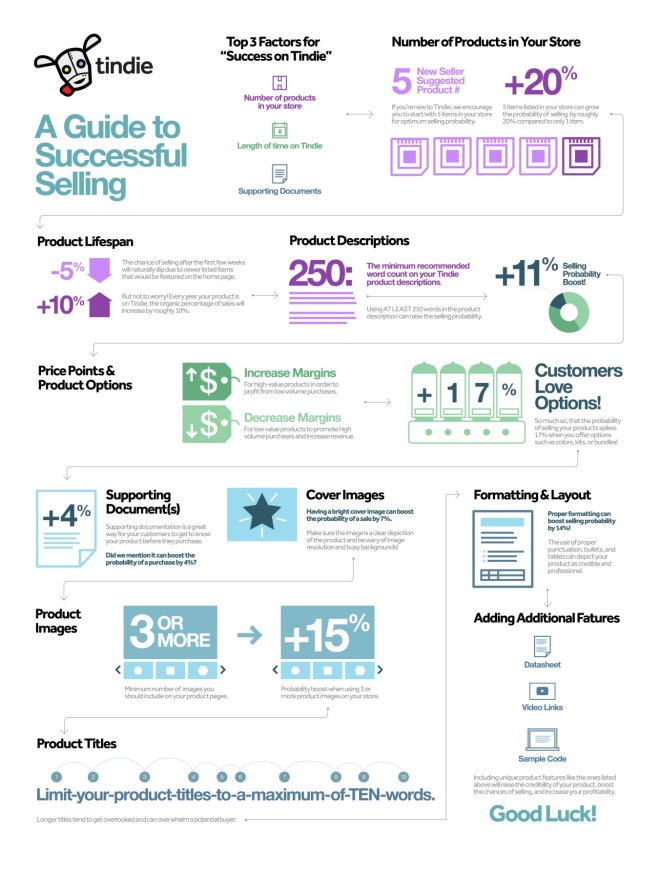
Three years ago Tindie published an article that used the tools of data science to look at what makes a product successful. It’s been a very popular article, providing insight to the inventors who build their communities of customers through Tindie. With so many new products and sellers since the previous article, we were inspired to dig into the numbers once again to determine if the criteria for selling a successful product on Tindie has changed over the years.
A purple snowy owl with customizable name and short message from NWMaker on Tindie:
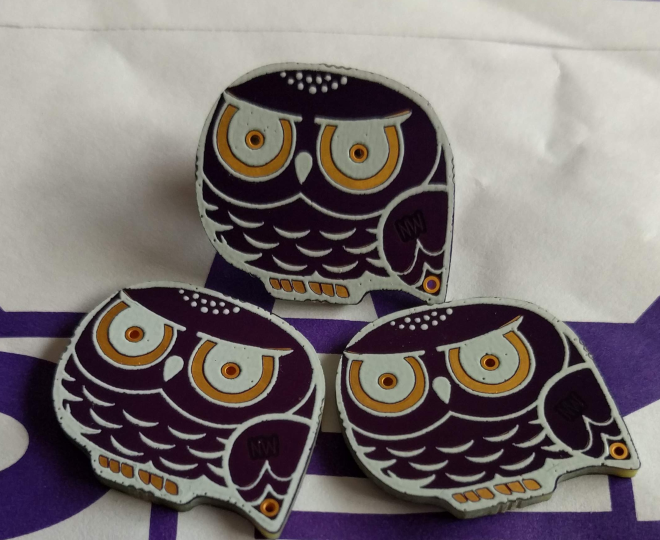
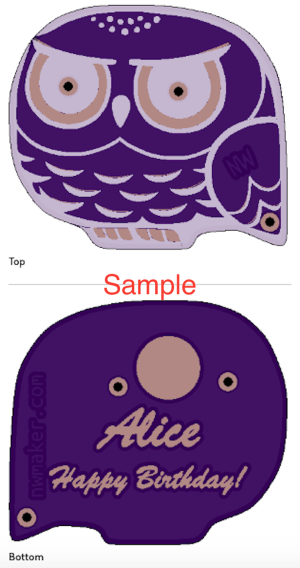
Look at it. This snowy owl is so cute. You can choose add custom text or not.
When you choose the option of custom text, you can customize the snowy owl as follows.
- Add a name or nick name (less than 16 letters) like “Mary” or “James”
- Add a short message (less than 18 letters) such as “Happy Birthday!” or “Merry Christmas!”
Owl is amazing. It has super eyesight at night. Its feather structure makes its flight silent. It can turn around its head backwards.
I’d like something to be associated with “snow” and “north”. That is why I think of the snowy owl.
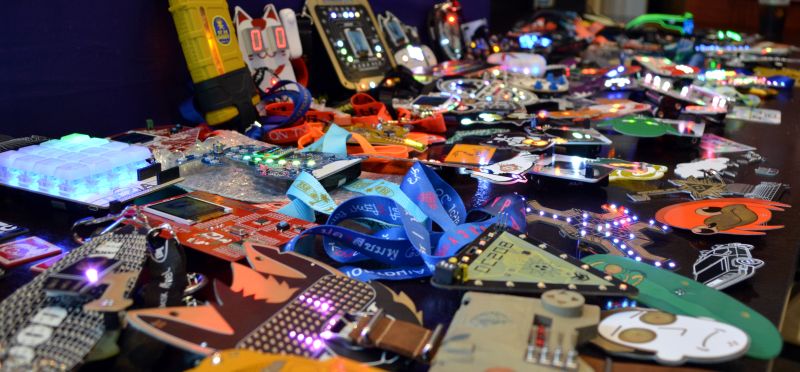
There were so many amazing unofficial badges at DEF CON this year that I can’t possibly cover them all in one shot. I tried to see every badge and speak with every badge maker — like a hardware safari.
Last week, tens of thousands of people headed home from Vegas, fresh out of this year’s DEF CON. This was a great year for DEF CON, especially when it comes to hardware. This was the year independent badges took over, thanks to a small community of people dedicated to creating small-run hardware, puzzles, and PCB art for thousands of conference-goers. This is badgelife, a demoscene of hardware, and this is just the beginning. It’s only going to get bigger from here on out.
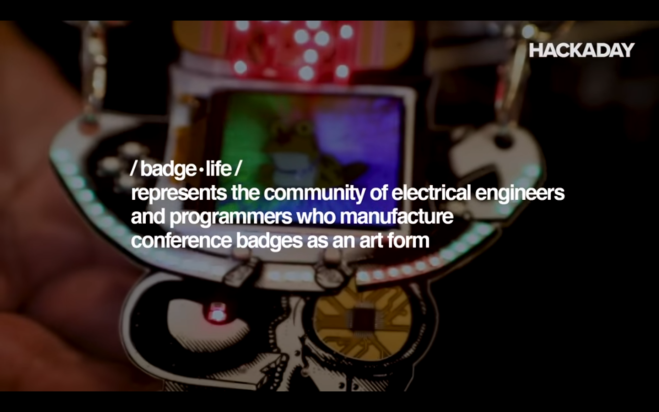
We were lucky enough to sit down with a few of the creators behind the badges of this year’s DEF CON and the interviews were fantastic. Right here is a lesson on electronic design, manufacturing, and logistics. If you’ve ever wanted to be an engineer that ships a product instead of a lowly maker that ships a product, this is the greatest classroom in the world.
Although badgelife may seem like a bunch of hardware engineers sitting behind a pick and place machine for a weekend’s worth of lulz, this is a masterclass of product design and manufacturing. Badgelife is product development, and unlike many other hardware design jobs, the ship date will not slip for any reason. The hardware must be done on time, and if you’re not shipping all the features you promised everyone will be upset. Badgelife is the best experience you’ll ever get in engineering for production, product design, and manufacturing.

When you have a complex task that would sap the time and energy of your microprocessor, it makes sense to offload it to another piece of hardware. We are all used to this in the form of the graphics chipsets our computers use — specialised processors whose computing power in that specific task easily outshines…
via A Motion Coprocessor Without The Proprietary Layer — Hackaday

Last time on Circuit VR, we looked at creating a very simple common emitter amplifier, but we didn’t talk about how to select the capacitor values, or much about why we wanted them.


 OSH Park