Altium Board importer for KiCad

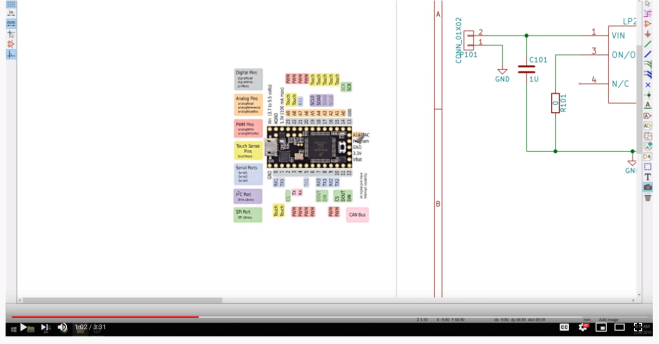
Thomas Pointhuber got Twitter excited yesterday with this video of importing Altium design into KiCad: 

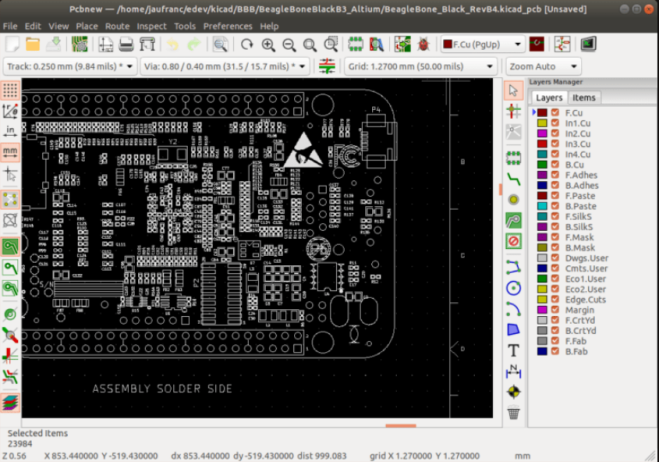
Thomas Pointhuber has been developing an Altium importer and it was finally merged into KiCad:

Altium Board importer

This is the foundation to add support for native Altium import. Contributions are very welcome, because this is a quite some amount of work.

The work is mainly based on https://github.com/thesourcerer8/altium2kicad, which is an existing Altium Designer -> KiCad converter written in Perl. Because Altium Circuit Studio and Altium Circuit Maker uses quite similar file formats, I try to support them as well in one go.

My current workflow is to try to understand the existing code, and build a binary documentation of the Altium format using Kaitai Struct. This allows fast iterations, and tells me if something is parsed incorrect.

CNX Software has a nice blog post on how to build the development version of KiCad:
Screenshot from 2020-04-05 18-03-15

How to Build KiCad on Ubuntu 18.04 and Import Altium PCB Files

KiCad open-source EDA (Electronics Design Automation) suite software is now very popular, and many new projects are designed with the utility. AFAIK, some companies like Olimex switched all their new designs to KiCAD. But since many schematics and PCB layouts have been designed with other tools like EAGLE, Orcad Allegro, or Altium PCB design tools, it would be nice to be able to import those designs into KiCad.
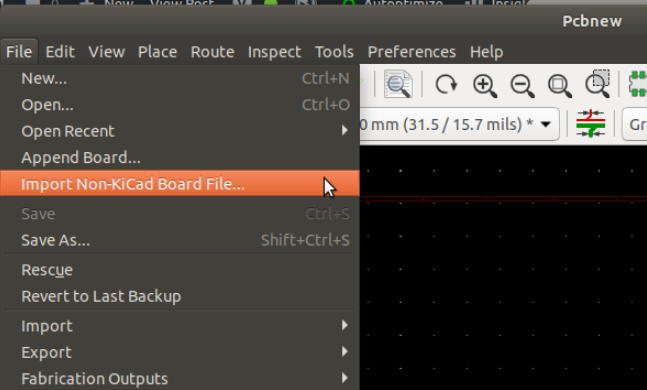
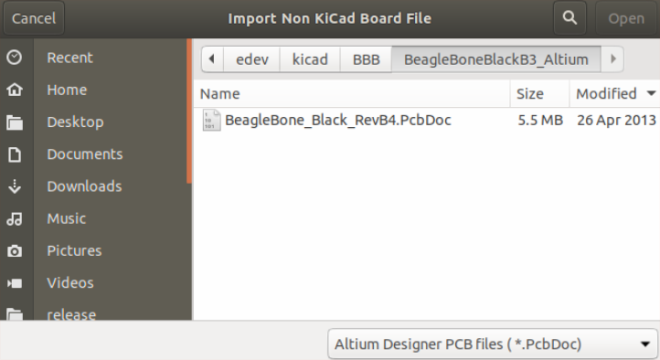
Screenshot from 2020-04-05 18-36-18Screenshot from 2020-04-05 18-36-27

Altium Board importer for KiCad

PCB Artwork with Inkscape and KiCad

EUwnVsgXYAAxS9L

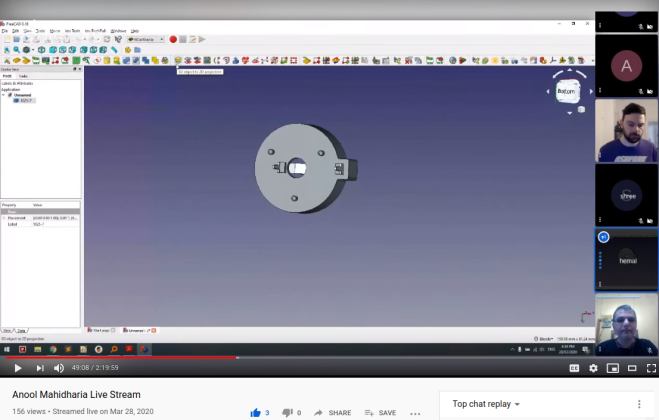
Anool is doing live streams every Saturday on KiCad and this week Bradan Lane joined to show how to use Inkscape to create PCB artwork:

PCB Artwork with Inkscape and KiCad

Join two KiCad livestreams TODAY

Screenshot from 2020-04-01 16-17-56

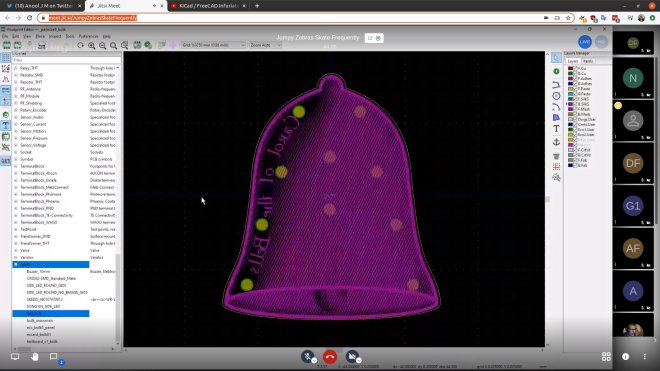
At 9:00 AM US PDT today, April 1st, KiCad leader developer Seth Hillbrand will be hosting a KiCad Community meetup video conference on Jisti Meet:

Last week’s meetup was nice to see and talk with other KiCad users. Let’s do it again this week.

This week, I’m happy to answer questions and I’ll be working through designing a KiCad version of the Medtronic OpenVentilator project (http://www.medtronic.com/openventilator 5). You may have heard that Medtronic (a multi-billion $ company) bought the company that cancelled the original gov’t contract 2 for low-cost ventilators in 2015 and then this week released a “kind of” open source version 3 of their current (not low-cost) ventilator.

In reality, they released scans of the schematics and some word documents for bring-up procedures. I’m going to see if we can turn the scans into a set of useful KiCad schematics + board files. This still doesn’t get to what’s needed to actually recreate more of these ventilators but it is a needed first step.

If you are curious about recreating designs from incomplete schematics, reverse engineering in KiCad or just want to hang out and chat, please stop by.

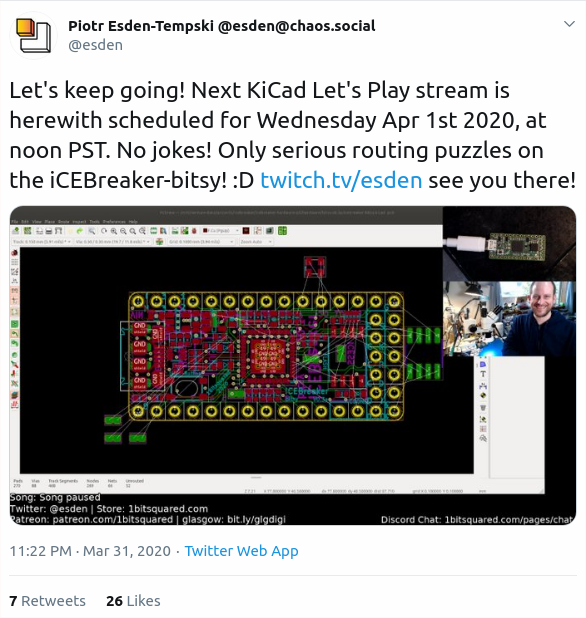
Then at 12:00 PM US PDT, Piotr Esden will livestream KiCad board layout:

Electronics Let’s Play – iCEBreaker-bitsy update/design work Ep. 3

Screenshot from 2020-04-01 16-15-10

Join two KiCad livestreams TODAY

KiCad and FreeCAD virtual meetup tomorrow (March 28th)

From Anool:

KiCad and FreeCAD virtual meetup tomorrow, Saturday, March 28th

  • 5:00am US Pacific
  • 8:00am US Eastern
  • 5:30pm India
  • 1:00pm CET
  • 8:00pm China
  • 11:00pm Australia

  • This week, I’ll talk about Schematic Library management and @hemalchevli
    will show how to convert STEP model to PCB footprint
  • We’re trying out Jitsi . It works in a Browser without any extensions. On Android Phones (and maybe iPhones), they’ve got an App.
  • VIDEO LINK
    https://meet.jit.si/InfuriatedRhinosEatObnoxiously 1
  • If you’d wish to just watch the livestream, here’s the URL:

https://www.youtube.com/watch?v=migkWNRE384

  • Want to dial in on phone?
    • Australia: +61.8.7150.1136
      Brazil: +55.21.3500.0112
      France: +33.1.84.88.6478
      Germany: +49.89.380.38719
      Japan: +81.3.4510.2372
      Spain: +34.932.205.409
      UK: +44.121.468.3154
      US: +1.512.402.2718
    • Dial meeting ID: ‘3947374070’ to connect!
KiCad and FreeCAD virtual meetup tomorrow (March 28th)

Goodies for the Open Hardware Summit

The Open Hardware Summit is next week, March 13th!

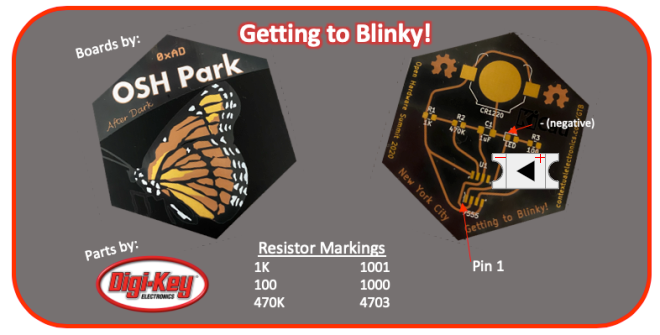
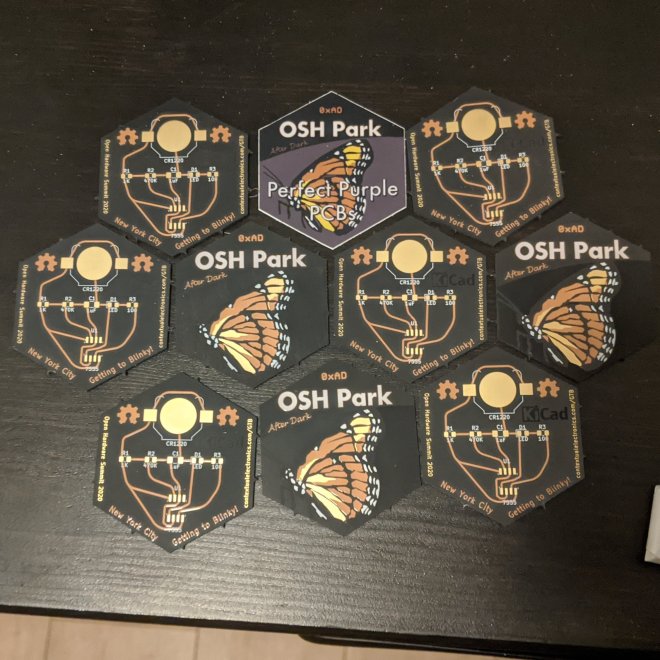
Here’s a sneak peak at one of the items that everyone will receive in their conference goodie bags:

image001-2

Thanks so much to Kevin Walseth at Digi-Key for making it happen! ⚡️

And thanks to our Dan (@tekdemo) for the beautiful “After Dark” PCB art  🦋

ESa3vAFWAAA-4a5

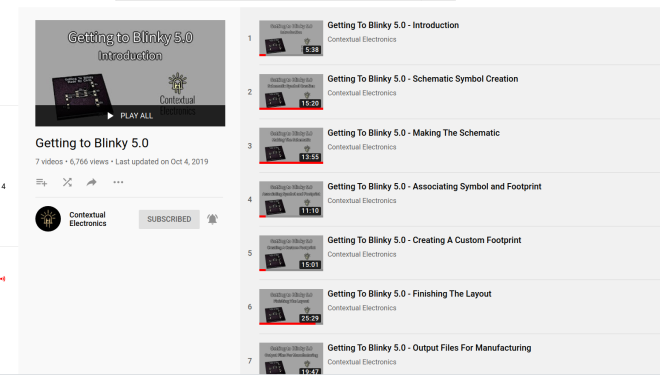
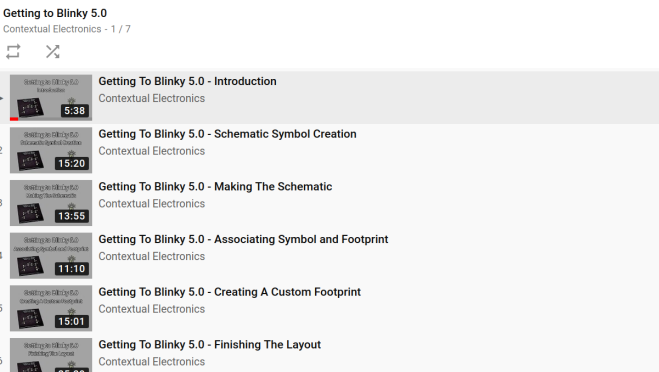
Thanks to Chris Gammellfor the “Getting to Blinky” videos! 🎥  It is a great way to learn KiCad:
Screenshot from 2020-03-06 11-38-24
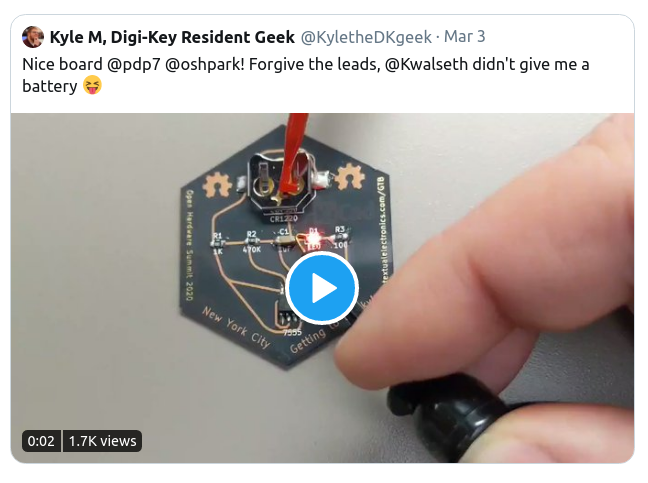
Thanks to Kyle at Digi-Key for showing what that board looks like in action!
Screenshot from 2020-03-06 12-33-11
I made the curved traces with the “Rounder for Tracks” KiCad plugin from the RF-tools repo:
Here is the GitHub repo with the KiCad design files: pdp7/gtb
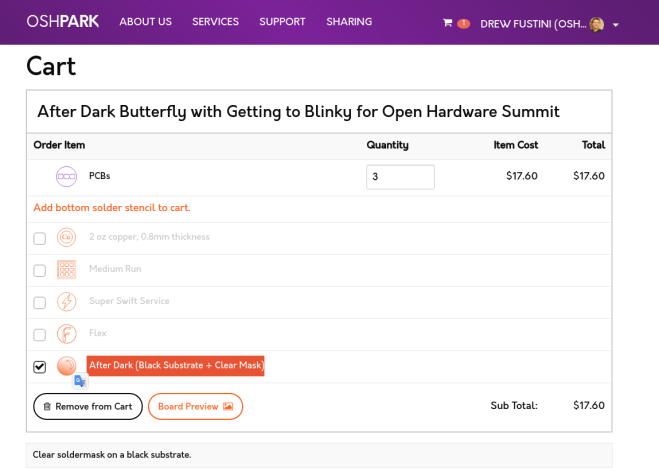
If you can’t make it to the Open Hardware Summit, then the design is also available an OSH Park shared project:
Screenshot from 2020-03-06 12-06-23
Note: after adding the board to the cart, please click on the “After Dark (Black Substrate + Clear Mask)” option
Follow me on Twitter for updates on the Open Hardware Summit:

Goodies for the Open Hardware Summit

Screaming LM386: An Audio Amplifier with PCB Art

Beautiful project from Frank Milburn on element14:

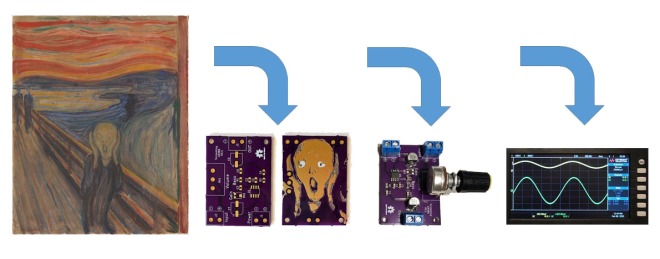
Intro_Cartoon

Screaming LM386: An Audio Amplifier with PCB Art

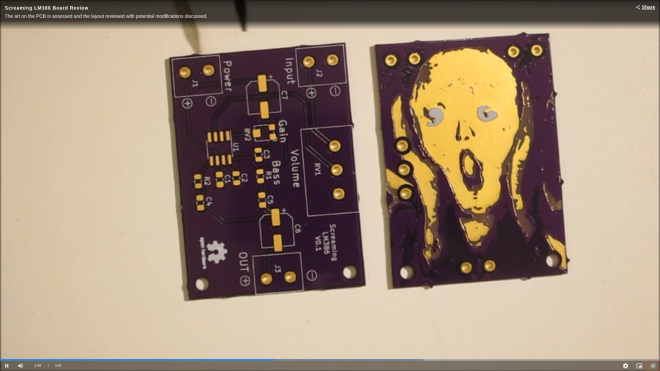
I decided to give PCB art a try and will be basing my attempt on methods described by Andrew Sowa.  Andrew uses Adobe Illustrator for the art work and KiCad for the PCB design.  I will also use KiCad but will use my trusty pre-subscription version of Photoshop for the artwork.  Inkscape is another possibility.  Andrew’s process is described in this video from which my work is derived.  The detail behind many of the steps won’t be described in this post – watch the video for that.

The goal is to take a photograph, painting, etc. and place it on a PCB using the FR4, copper layer, solder mask, and silk screen to make the palette.  My PCB will feature the famous work by Edvard Munch, The Scream which has always fascinated me.  So, how to turn a masterpiece into a PCB facsimile?

Screenshot from 2020-02-20 12-40-07

Palette

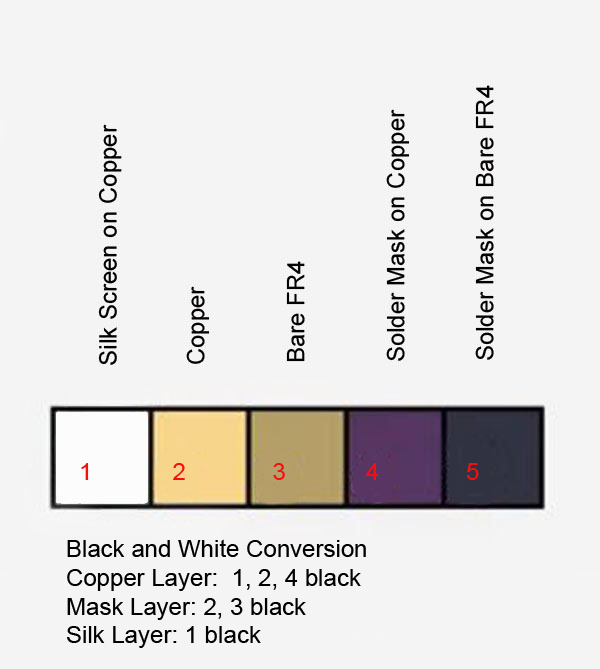
The limited palette is a challenge.  For this exercise the focus will be on the central figure in order to reduce board size (and thus cost) of the experiment.  The OSHPark purple solder mask will hopefully give the dark colors desired.  Andrew also used OSHPark in his example, and helpfully provided a palette which has been modified here to help describe how the layers translate to color and are stacked for conversion in KiCad.

Palette

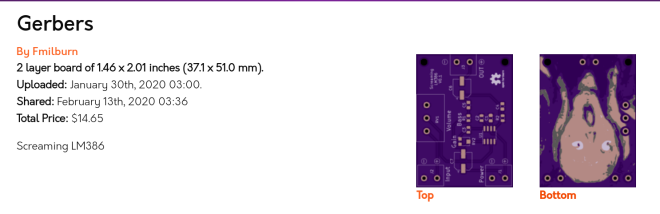
There is a shared project for the board:


Screenshot from 2020-02-20 12-35-07

And watch it on YouTube:

Screaming LM386: An Audio Amplifier with PCB Art

Learn to code KiCad at FOSDEM 2020

FOSDEM 2020 is a free event on Februrary 1st and 2nd for software developers to meet, share ideas and collaborate.  Every year, thousands of developers of free and open source software from all over the world gather at the event in Brussels:

Screenshot from 2020-01-07 12-33-42.png

The Friday before FOSDEM, January 31st, will be an event for those that want to learn about KiCad development from project leaders like Wayne Stambaugh and Seth Hillbrand:

Learn to Code KiCad at FOSDEM 2020

 Are you looking to write code that improves KiCad?

On Friday, Jan 31 (the day before FOSDEM), we’ll be hosting a Learn to Code KiCad session in Brussels, BE. I will be there as will Wayne and possibly a few other of the lead development team. We’ll help you understand how the various KiCad components fit together and work with you to get your favorite feature from idea to committed code.

What you need:

1) An identified bug report (or multiple) that you’d like to address. This can be either a legitimate bug or a wishlist feature that is triaged in our system.
2) A laptop with your development environment
3) A launchpad account
4) A compiling version of KiCad
5) A working knowledge of C++ coding

What we’ll provide:

1) Space, power outlet, wifi
2) Coffee
3) A short introduction to the structure of KiCad and how the parts work together
4) Up to 8 hours of development time with others who share your interests
5) Clarifying insights to your KiCad coding questions

At the end of the day, you should be able to get at least 1 and possibly multiple bug report fixes under your belt and into the code base!

If you’re coming to FOSDEM 2020 and would like to participate, please e-mail me directly (off-list to preserve people’s inboxes). Send me your name/contact info and the list of 1 or more launchpad bugs you’d like to work on during the day. I’ll add you to our shared sheet (to deconflict bugs people are addressing) and get you all of the relevant information for the meeting

Here is a talk that Seth gave at KiCon 2019 which talks about their development community:

and also the KiCad developer panel:

Learn to code KiCad at FOSDEM 2020