KiCad teardop plugin and flexible PCBs

Screenshot from 2019-12-06 21-04-05

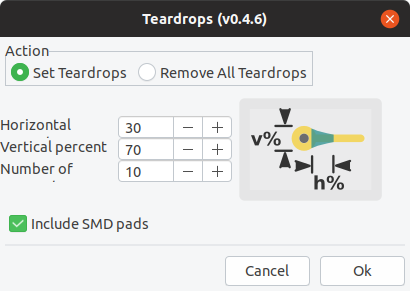
Thanks to Anool posting on Hackaday about KiCad plugins.  I decided to try out the Teardrop plugin by NilujePerchut:
Screenshot from 2019-12-11 14-51-09

KiCad Teardrop Plugin

This action plugin adds and deletes teardrops to a PCB.

This implementation uses zones instead of arcs. This allows to comply with DRC rules by simply rebuild all zones. You can also modify their shape by simply modifying the zone outline (like any other zone). Teardrops created with this script use a specific priority (0x4242) to be recognized as teardrops.

Here is the result of my first experiment to use the Teardrop plugin on a flexible PCB to reduce the mechanical stress of flexing the trace:

The board is available as an OSH Park shared project and the KiCad design files are on GitHub.

The author of the plugin was very responsive to GitHub issues and I was able to get better results on my next flex design which is currently being manufactured:

My flex “business card” will fold over a coin cell battery to light a 0603 LED.

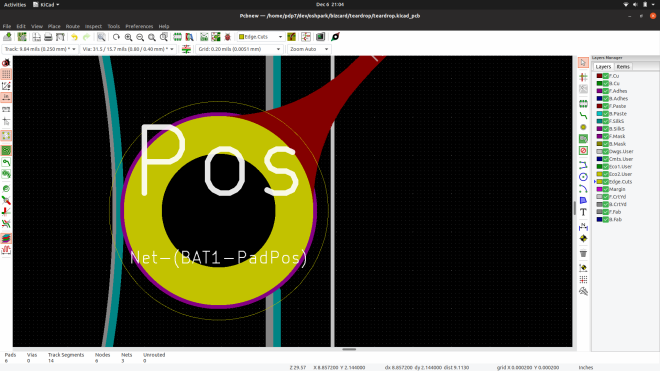
Curious how the plugin works?  It creates zones next to the vias and pads.  Here are the two teardrop zones that connect traces to a via:

Warning: you need create a schematic and generate a netlist before starting the PCB layout.  Otherwise the the zones the plugin creates won’t be filled:

You also need to be careful that there is not copper on the same layer too close to the zone.  For example, the text was too close to the teardrop zone on this via, so I moved the text down and the zone now fills correctly:

An open GitHub issue is that the teardrop zone does not align perfectly for SMD pads that are not circles (like rectangles, squares, rounded rectangles).  The work around I used was to move the zone after it is filled to align with my SMD pad:

I hope you have fun with this plugin and leave a comment if you use it your own design!

UPDATE: I joined Adafruit Show-n-Tell to talk about flex PCBs and the teardrop plugin at 10 min 51 sec mark

KiCad teardop plugin and flexible PCBs

KiCad Action Plugins

The last two years has been a particularly exciting time for KiCad, for users, casual contributors, and for the core developers too. Even so, there are many cool new features that are still in process. One bottleneck with open-source development of complex tools like KiCad is the limited amount of time that developers can devote for the project. Action plugins stand to both reduce developer load and increase the pace of development by making it easier to add your own functionality to the already extensible tool.

Sometime around version 4.0.7 (correct us if we’re wrong), it was decided to introduce “action plugins” for KiCad, with the intention that the larger community of contributors can add features that were not on the immediate road map or the core developers were not working on. The plugin system is a framework for extending the capabilities of KiCad using shared libraries. If you’re interested in creating action plugins, check out documentation at KiCad Plugin System and Python Plugin Development for Pcbnew. Then head over to this forum post for a roundup of Tutorials on python scripting in pcbnew, and figure out how to Register a python plugin inside pcbnew Tools menu.

Since version 5.0, we’ve seen an explosion of extremely useful action plugins for KiCad that have added some very useful bells and whistles. The KiCad website lists a couple of external tools, but there’s a lot of action happening out there, so we decided to round up some of the more useful ones.

via KiCad Action Plugins — Hackaday

Also, the Teardrop plugin could be useful for those using our 2 layer Flex service:

In the early days, PCB fabs often had yield issues due to offset drill holes, particularly on vias and micro-vias. One trick that PCB designers used to mitigate this problem was to use “teardrops”. The area around the pad or via that connected to the track was made into a teardrop shape, ostensibly in the hope that it would improve matters. Fabs nowadays do a pretty good job due to improved processes and accurate machines, so the jury is still out on the use of teardrops, but KiCad does have a Teardrop plugin, in case anyone wants to use it. Combined with smooth, rounded tracks, we’re guessing teardrops would be pretty helpful in the artistic PCBs department.


Quote

Hardware Happy Hour Chicago tonight, KiCon tomorrow!

Exciting times for people in Chicago that like hardware!

Screenshot from 2019-04-18 16-45-31.png

Tonight, Thursday, April 25th is Hardware Happy Hour (3H) Chicago at Ballast Point!  It’s an informal hardware show ‘n tell that is a lot of fun:

https://www.meetup.com/Hardware-Happy-Hour-3H-Chicago/events/260730042/

And KiCon 2019 begins tomorrow!  Come learn more about designing circuit boards with KiCad.

Screenshot from 2019-04-25 18-20-01.png

There is also a party at Chicago hackerspace Pumping Station: One on Friday night and then a Bring-A-Hack party with Hackaday on Saturday night.

Look for our Drew Fustini (@pdp7) in purple at all the above events!

Hardware Happy Hour Chicago tonight, KiCon tomorrow!

KiCad 5.1.0 Release

The KiCad project has released a new version:

kicad_logo_large

KiCad 5.1.0 Release

The KiCad project is proud to announce the release of version 5.1.0. This is the first ever minor version release of KiCad and was developed primarily to resolve compatibility issues with Linux GTK3 and long awaited support for python3.

In addition to the primary focus, there have been many important changes that make this release a substantial improvement over the 5.0 series and a worthwhile upgrade for users on all platforms. Included in the improvements are:

  • Improved 3D model library path configuration.
  • Cairo canvas is now used for printing support on all platforms.
  • Schematic and symbol library editors now use the modern canvases for rendering.
  • Symbol pin table is now editable.
  • Pcbnew scripting support for Python 3 has been added.
  • Snapping for graphical object drawing in board and footprint editors.
  • Significant user interface improvements.
  • Major dialog box improvements.
  • Both the footprint and symbol library editors now share the same user interface paradigm with a library tree view pane.
  • Symbol, footprint, and 3D model library improvements.
  • Documentation and translation improvements.
  • Less pain for Linux package maintainers, now all features should be easy to support.
KiCad 5.1.0 Release

Hackaday Supercon – Chris Gammell : Improve Your Circuit Toolbox in KiCad

Chris Gammell at Hackaday Supercon:

Simple designs will save your next product if you know which circuits to piece together. Utility circuits practical for everyday electronics. Hackaday Superconference: The greatest gathering of hardware hackers, builders, engineers and enthusiasts on the planet returns. Streaming Live talks from our ‘Main Stage’ in Pasadena, CA. Visit for full list of talks and workshops : https://hackaday.io/superconference/

Hackaday Supercon – Chris Gammell : Improve Your Circuit Toolbox in KiCad

Creating KiCad Parts From A PDF Automagically


For anyone out there who has ever struggled finding a part for Eagle or KiCad, there are some who would say you’re doing it wrong. You’re supposed to make your own parts if you can’t find them in the libraries you already have. This is really the only way; PCB design tools are tools, and so the story goes you’ll never be a master unless you can make your own parts.

That said, making schematic parts and footprints is a pain, and if there’s a tool to automate the process, we’d be happy to use it. That’s exactly what uConfig does. It automatically extracts pinout information from a PDF datasheet and turns it into a schematic symbol.

via Creating KiCad Parts From A PDF Automagically — Hackaday

Quote

Visual Schematic Diffs in KiCAD Help Find Changes

When writing software a key part of the development workflow is looking at changes between files. With version control systems this process can get pretty advanced, letting you see changes between arbitrary files and slices in time. Tooling exists to do this visually in the world of EDA tools but it hasn’t really trickled all the way down to the free hobbyist level yet. But thanks to open and well understood file formats [jean-noël] has written plotgitsch to do it for KiCAD.

via Visual Schematic Diffs in KiCAD Help Find Changes — Hackaday

Quote

Advanced Techniques For Using Git With KiCAD

For most developers “distributed version control” probably means git. But by itself git doesn’t work very well with binary files such as images, zip files and the like because git doesn’t know how to make sense of the structure of an arbitrary blobs of bytes. So when trying to figure out how to track changes in design files created by most EDA tools git doesn’t get the nod and designers can be trapped in SVN hell. It turns out though KiCAD’s design files may not have obvious extensions like .txt, they are fundamentally text files (you might know that if you’ve ever tried to work around some of KiCAD’s limitations). And with a few tweaks from [jean-noël]’s guideyou’ll be diffing and merging your .pro’s and .sch’s with aplomb.

via Advanced Techniques For Using Git With KiCAD — Hackaday

Quote

Open Hardware Summit 2018 badge

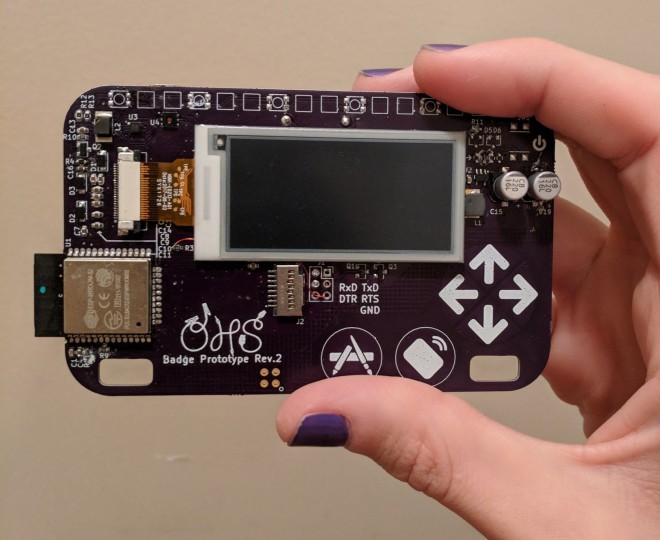
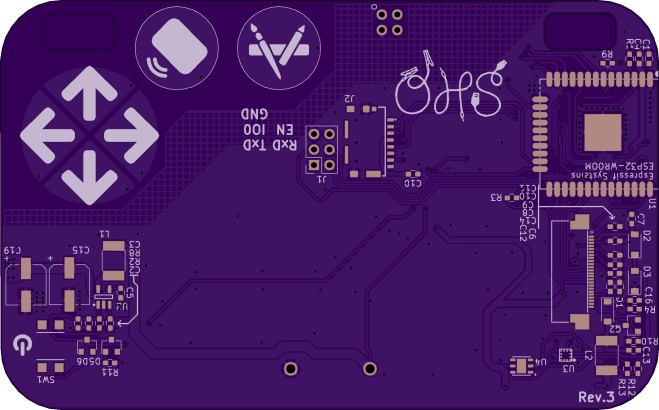
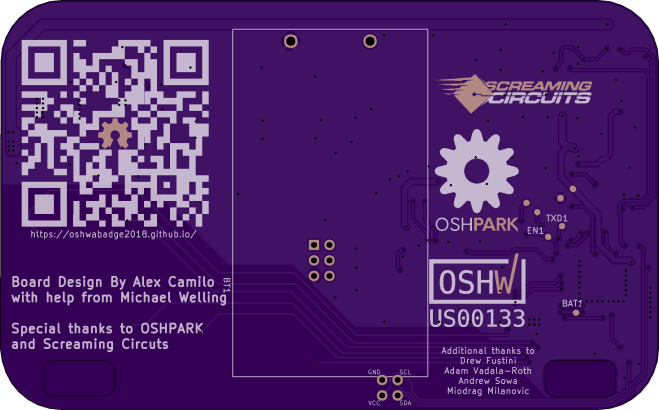
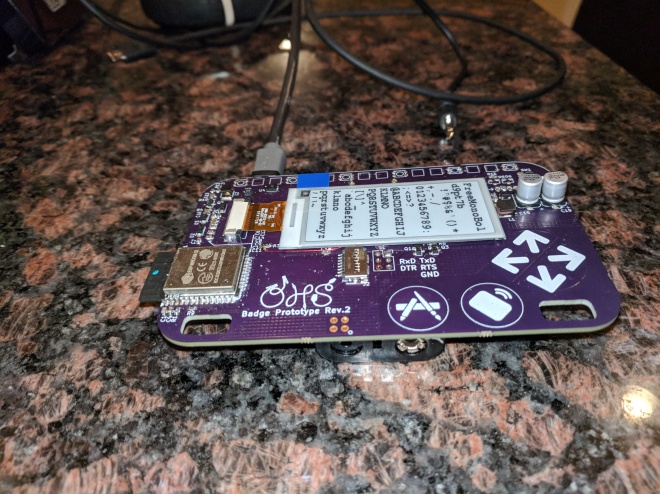
OSH Park is producing electronic conference badges for the 2018 Open Hardware Summit.  The hardware has been designed Alex Camilo, based on concepts from the ESP trINKet by Mike Rankin.  The badge features an ESP32 microcontroller and a 2.13″ E-Paper display.

6202441533283525215

OSH Park shared project for the Rev 3 by Alex Camilo :

https://oshpark.com/shared_projects/8yeLK5gd

Order from OSH Park

a

b

We expect this to be the final revision.

Timeline:

It is ordered on Super Swift today and should be validated next weekend.  This will allow us to order the full quantity PCB panels in August 13th.  Assembly is estimated to be 10 business days from the day when all components and PCBs are received.

Rev 2 photos:

And for those interested, here is a link to a gallery:

https://photos.app.goo.gl/UhCUX7eRN38tAhsF7

IMG_20180805_031614

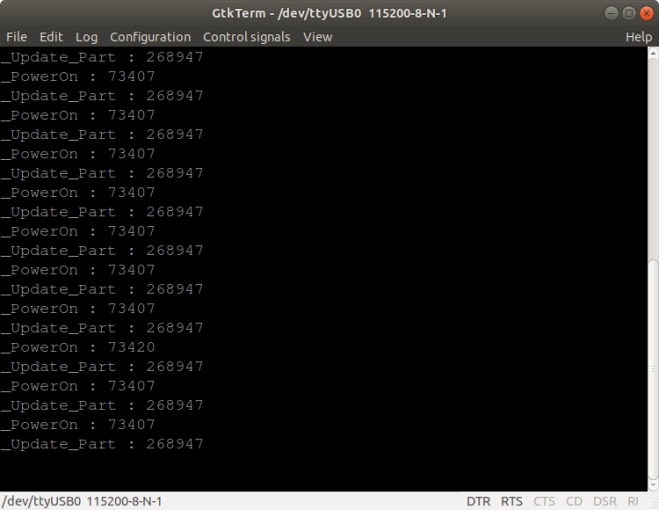
Terminal output on Rev 2 prototypes:

The Rev 2 prototypes have NodeMCU boards soldered on to the back to serve as a USB to serial adapter.

One of the Rev 2 prototype boards that Alex sent me has the default e-paper demo:

3633741533555804296

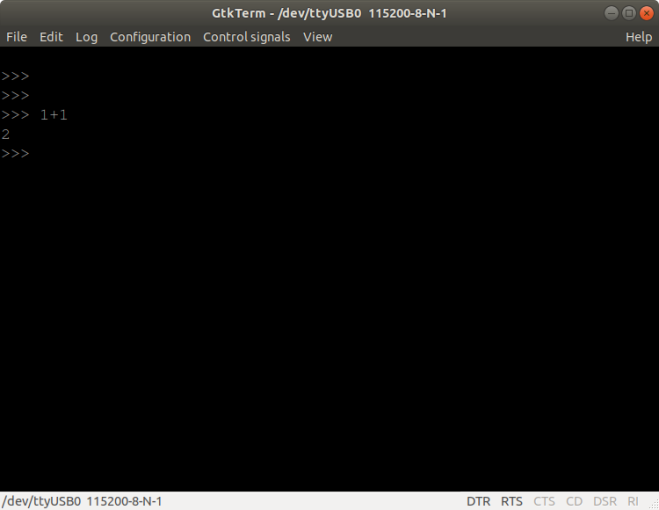
The other has MicroPython installed! 🙂

1079331533555818375

Resources for the 2018 Open Hardware Summit badge:

Open Hardware Summit 2018 badge