Helping Hands, Reinvented

[Nixie] was tired of using whatever happens to be around to hold things in place while soldering and testing. It was high time to obtain a helping hands of some kind, but [Nixie] was dismayed by commercial offerings — the plain old alligator clips and cast metal type leave a lot to be desired, and the cooling tube cephalopod type usually have the alligator clips just jammed into the standard tube ends with no thought given to fine control or the possibility of reducing cable count.

[Nixie] happened to have some unneeded cooling tube lying around and started designing a new type of helping hands from the ground plane up. Taking advantage of the fact that cooling tubes are hollow,  [Nixie] routed silicone-jacketed wires through them for power and low speed signals. These are soldered to five banana jacks that are evenly spaced around an alligator clip.
Read more…

Helping Hands, Reinvented

Easy silkscreen labels in EAGLE and KiCad

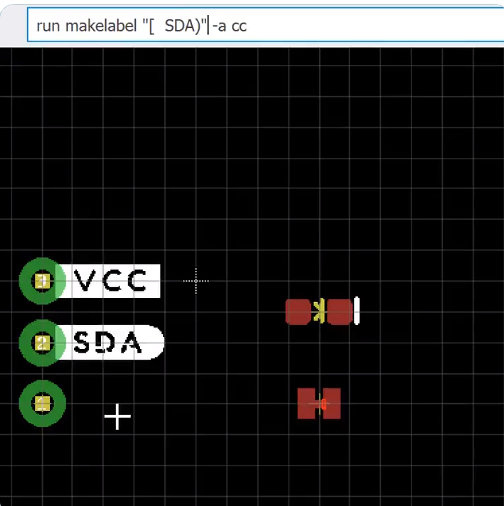
Nick Pool has created an easy way to create silkscreen labels in EAGLE:

SparkFun Buzzard Label Generator

Greg Davill is now working on a version for KiCad:

Buzzard plugin for KiCad

Easy silkscreen labels in EAGLE and KiCad

Why Are Circuits on Boards?

From Zack Freedman of Fat Cat Labs:

Why Are Circuits on Boards?

Chips are tiny and phones are glass, so why are circuits still flat and green? The printed circuit board played a pivotal role in World War 2, and it’s barely changed since then. Nearly every modern device has at least one circuit board; they’re so ubiquitous, we just assume that electronics are flat rectangles. It wasn’t always that way – once upon a time, terrifying globs of exposed connections and miles-long webs of wrapped wires lurked behind the wood veneer.

See how the literal foundation of technology is made, learn about the modern features that enable powerful electronics, catch a glimpse of the advanced future, and most importantly, discover why, after 80 years of progress, we still put all our circuits on boards.

Why Are Circuits on Boards?

How to Route Differential Pairs in KiCad (for USB)

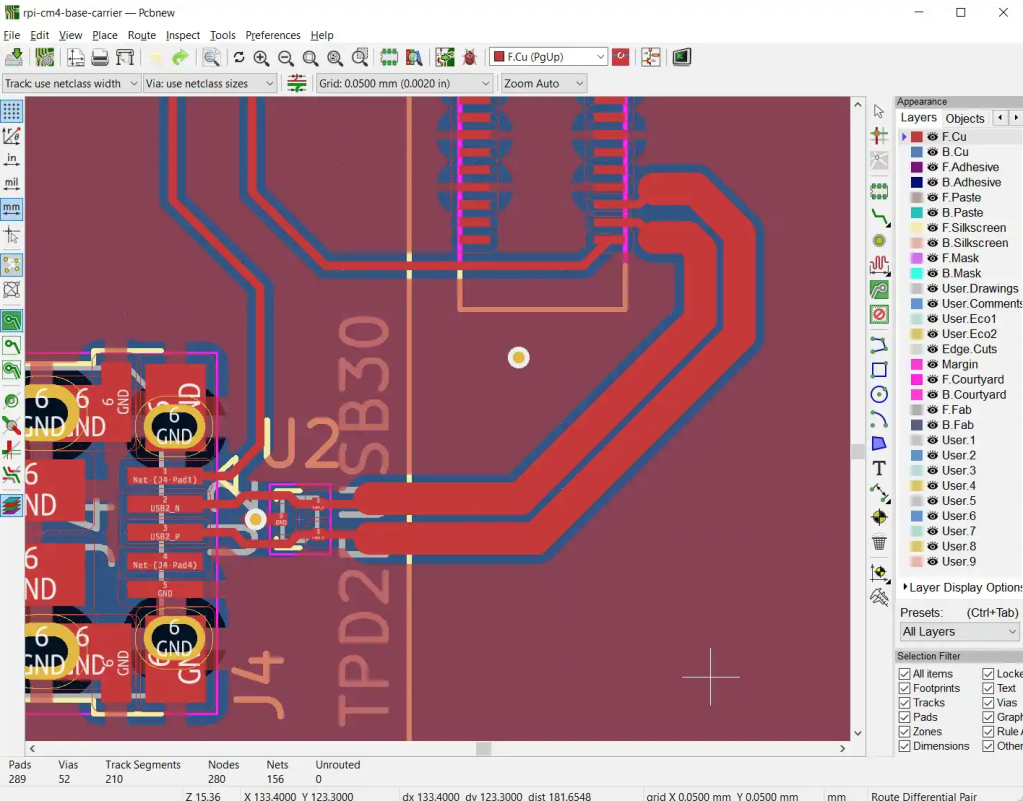
Great post by Shawn Hymel about routing differential pairs in KiCad:

How to Route Differential Pairs in KiCad (for USB)

Routing differential pair lines in PCB layout software can be a tricky process. Luckily, KiCad has a few tools to help us with the process. In this tutorial, we’ll walk you through the process of calculating the differential impedance and using that information to create a pair of USB data lines in a project.

How to Route Differential Pairs in KiCad (for USB)

Oskitone POLY555: 3D Printed 555 Timer Analog Synth

Andrew Sink has a great video about the new DIY synth from Oskitone:

Oskitone POLY555 – 3D Printed 555 Timer Analog Synth!

Interested in 3D printing, circuit bending, or synthesizers? Check out the POLY555 by Oskitone, a synth that uses twenty 555 timers to create polyphonic music!

Find out more: POLY555 DIY Kit

Oskitone POLY555: 3D Printed 555 Timer Analog Synth

Itech USB-to-Serial adapter

New project from Matt Mets of blinkinlabs.com:

Itech USB-to-Serial adapter

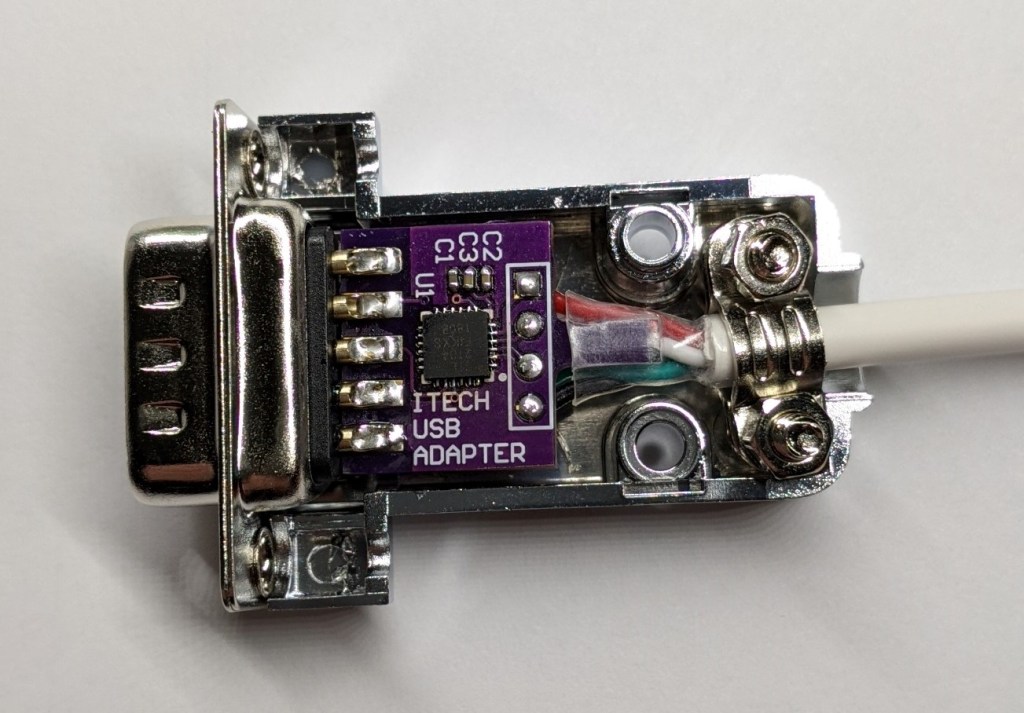
Some ITECH test equipment has a DSUB connector with a standard-breaking 5V TTL connector on it. This is a non-isolatd USB converter for this equipment, for interfacing to a PC.

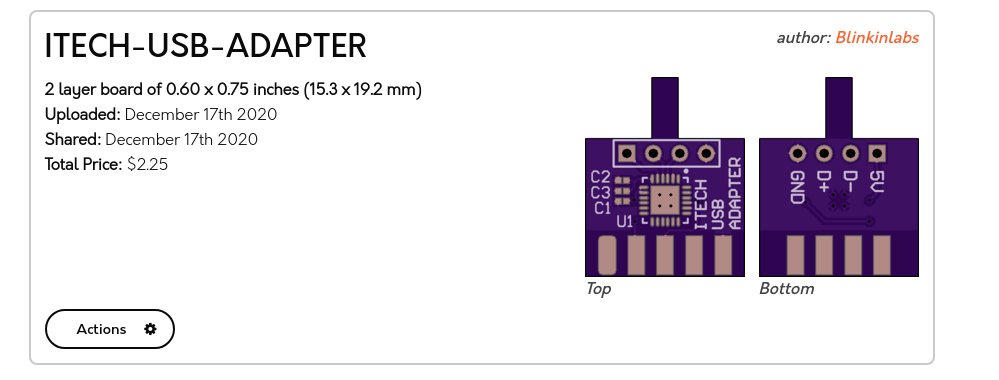
Shared project: ITECH-USB-ADAPTER

You can order the PCBs direct from the OSH park project, or use the gerbers and order from anywhere. You’ll need the parts listed in the BOM, substituting a USB ‘A’ cable for the 4-pin header. The PCB is designed to be sodlered directly to a NorComp 171-009-103L001 DSUB connector, and the whole thing will fit in a NorComp 977-009-020R121 shroud.

Itech USB-to-Serial adapter

2020: As The Hardware World Turns

By pretty much any metric you care to use, 2020 has been an unforgettable year. Usually that would be a positive thing, but this time around it’s a bit more complicated. The global pandemic, unprecedented in modern times, impacted the way we work, learn, and gather. Some will look back on their time in lockdown as productive, if a bit lonely. Other’s have had their entire way of life uprooted, with no indication as to when or if things will ever return to normal. Whatever “normal” is at this point.

But even in the face of such adversity, there have been bright spots for our community. With traditional gatherings out of the question, many long-running tech conferences moved over to a virtual format that allowed a larger and more diverse array of presenters and attendees than would have been possible in the past. We also saw hackers and makers all over the planet devote their skills and tools to the production of personal protective equipment (PPE). In a turn of events few could have predicted, the 2020 COVID-19 pandemic helped demonstrate the validity of hyperlocal manufacturing in a way that’s never happened before.

For better or for worse, most of us will associate 2020 with COVID-19 for the rest of our lives. Really, how could we not? But over these last twelve months we’ve borne witness to plenty of stories that are just as deserving of a spot in our collective memories. As we approach the twilight hours of this most ponderous year, let’s take a look back at some of the most interesting themes that touched our little corner of the tech world this year.

Read more… 2020: As The Hardware World Turns — Hackaday
2020: As The Hardware World Turns

Megadesk: open source IKEA controller

Open-source, drop in controller for the IKEA Bekant standing desk from Greg’s Tinker Town on Tindie:

Megadesk

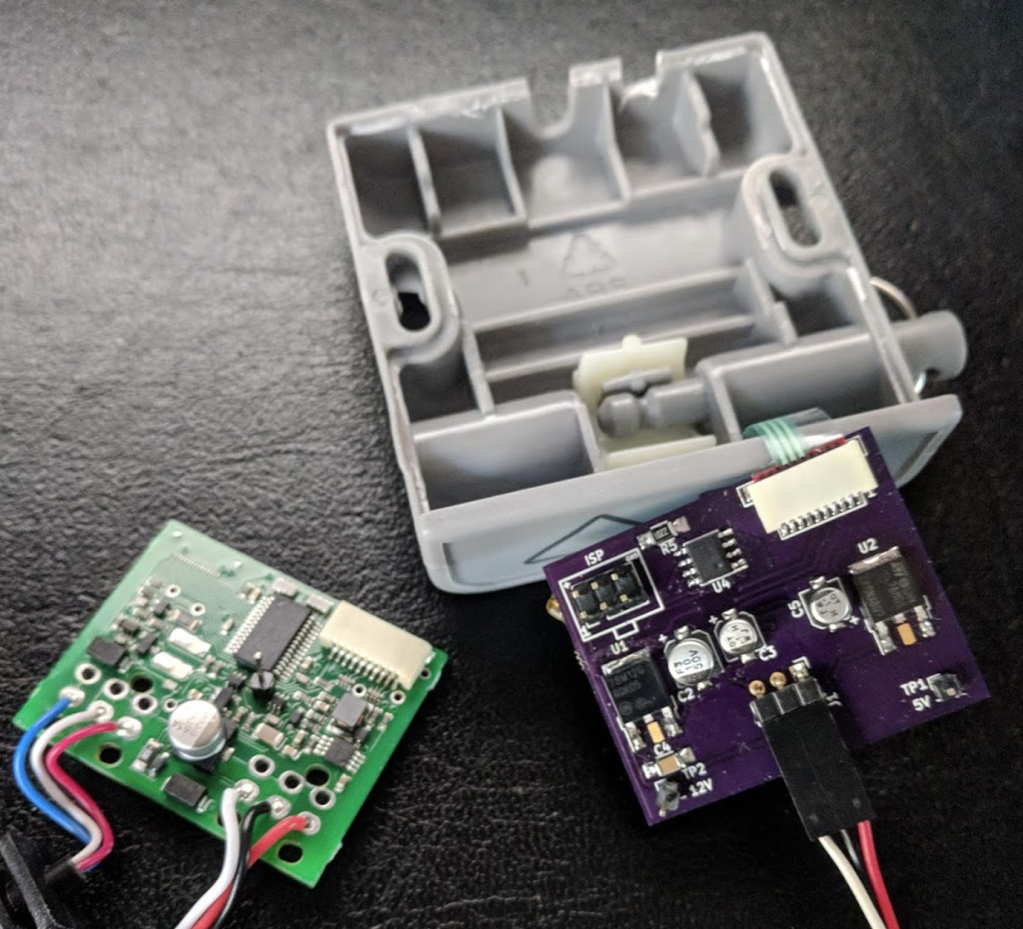
Megadesk is an AVR based, open source, drop in controller for the IKEA Bekant standing desks.

The Bekant is a relatively inexpensive motorized standing desk. It doesn’t come with memory positions.

I wanted to have memory positions for easily switching between various work positions. I also didn’t want to be limited to just 2 positions. However, as I went through the process, I realized the hardest part was designing the enclosure. 3D Printing is a great option, but lacks that professional look, and limits the availability to those with printers. Additionally, getting custom membrane buttons that would look good was also extremely expensive. Simple push-buttons would take away from the look of the desk.

By targeting the factory enclosure, it keeps the original look and robustness, while adding functionality.

Megadesk: open source IKEA controller

Surface Mount LED Christmas Tree Ornament

From Anool Mahidharia on the Hackaday blog:

Simple Christmas Tree Christmas Tree Ornament

When the only tool you have is a hammer, every problem looks like a nail. An LED ornament for the Christmas tree can be built in any manner of simple, easy implementations. You certainly don’t need an ARM Cortex M4 CPU running at 120MHz having a mouthful of three letter features like FPU, ETM, ETB, ECC, RWW, TCM, EIC, AES, CAN bus and much, much more. But [Martin Held] built a super simple LED Christmas tree ornament using the ATSAME51 series micro-controller, which he regularly works with and had on hand, and lots of bi-color LEDs. He already had schematic symbols and programmers for the device from other projects where he uses it more extensively, so putting it all together in time for the festive season was that much faster for him, despite the fact that the micro-controller was most likely the cheapest part of the BOM, besides the passives.

Surface Mount LED Christmas Tree Ornament