New HackadayU Courses Announced for Fall 2020

Exciting announcement from Hackaday:

The fall lineup of HackadayU courses was just announced, get your tickets now!

Each course is led by expert instructors who have refined their topics into a set of four live, interactive classes plus one Q&A session we like to call Office Hours. Topics range from leveling up your Linux skills and learning about serial buses to building interactive art and getting into first-person view (FPV) drone flight.

Checkout the course titles, instructors, and details listed below. If you’d like to hear about each class from the instructors themselves, their teaser videos are embedded after the break.

Read more on Hackaday…

New HackadayU Courses Announced for Fall 2020

nRF9160 Feather: final week on GroupGets

Jared Wolff has design a Feather form factor board with the nRF9160:

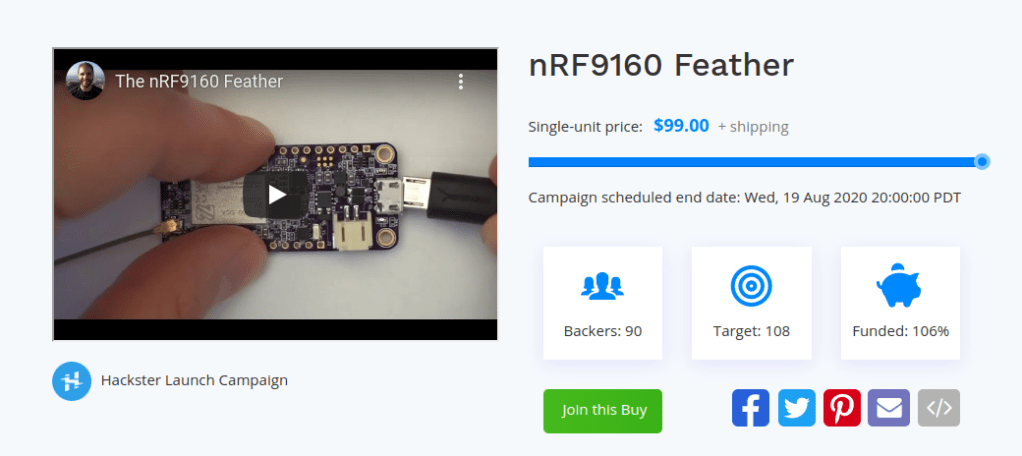
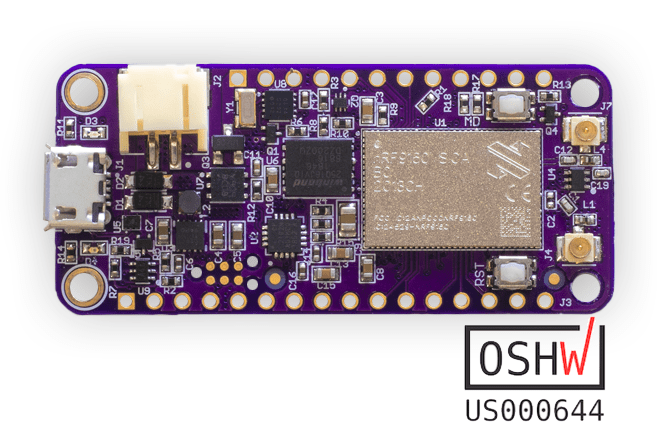
nRF9160 Feather

The nRF9160 Feather by Jared Wolff (aka Circuit Dojo LLC) is an electronics development board. It features a Nordic Semiconductor nRF9160-SICA part. This part is capable of both CAT M1 LTE and NB-IoT for communication with the outside world. It’s compatible primarily with Zephyr via the nRF Connect SDK. Other toolchains and languages coming soon to a Github repository near you.

The nRF9160 Feather is a true Feather, and then some, board. As you would expect, It works well across both USB and LiPoly batteries. 

The board is designed to be nice to your batteries. Not only can you take advantage of Nordic’s advanced power states, but you can also put the device into a low power standby state. Laboratory measurements are putting that mode at about 2µA of current. 2µA!

The nRF9160 Feather is also designed to take harness every last mW your battery has to offer. That means from full-to-empty it’s using every last mW your battery has to offer. It runs at 3.3V and can support and work with most Featherwing boards!

nRF9160 Feather: final week on GroupGets

Greg Davill Sinks His Teeth Into ShArc

Tom Fleet writes on Hackster about Greg Davill’s latest adventure:

eeved0ru8aez7j7_xtoGaxyDTw

Greg Davill Sinks His Teeth Into ShArc: A Geometric Technique for Multi-Bend/Shape Sensing.

The work of one such research project caught the eye of Greg Davill recently, when a paper written by Fereshteh Shahmiri and Paul H Dietz was published, after being submitted for the 2020 ACM Conference on Human Factors in Computing Systems (CHI 2020).

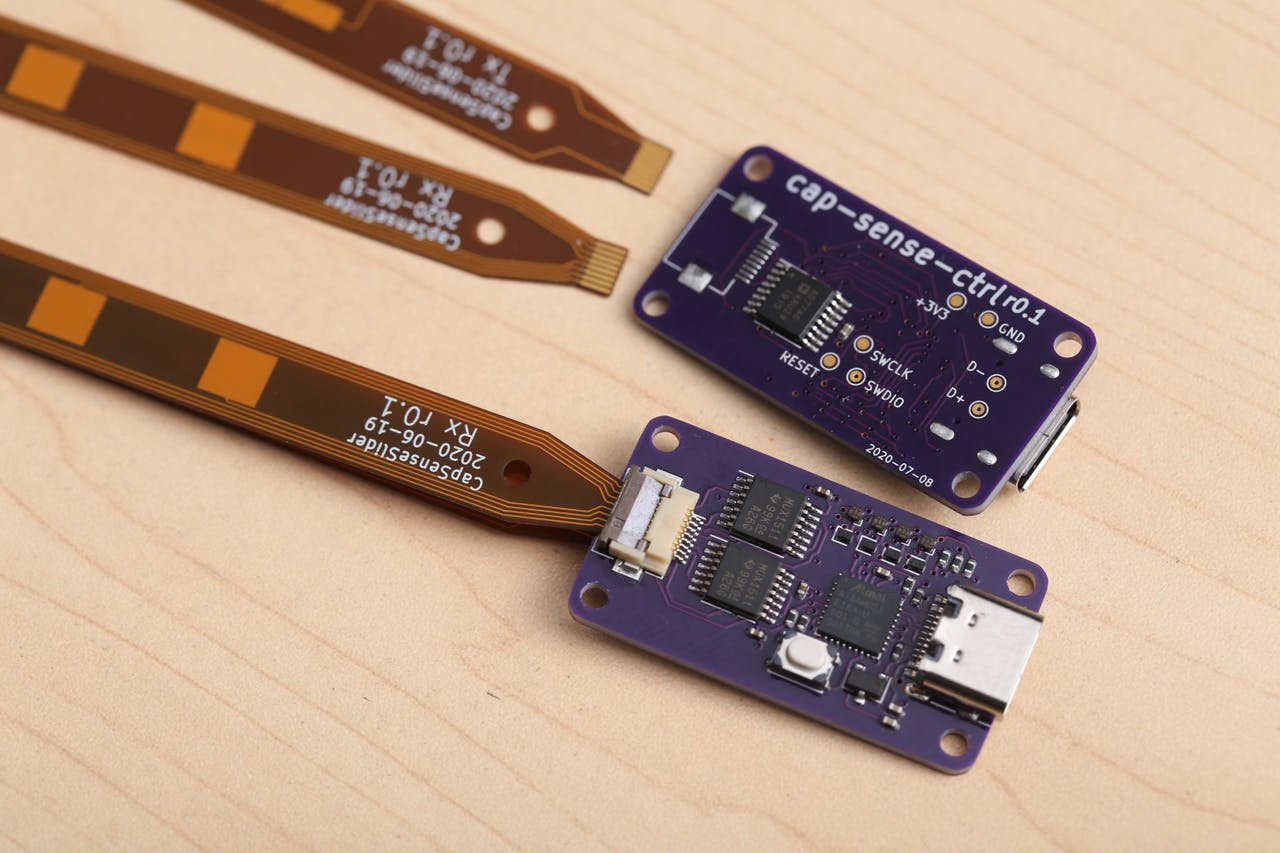
This paper goes by the title of “ShArc:A Geometric Technique for Multi-Bend/Shape Sensing,’ and proposes a novel contour sensor, comprised of a flexible, capacitive PCB sensor, a suitable capacitance-to-digital converter, and some subsequent signal processing, allowing a two-layer polyamide FPC circuit to cleverly capture the contours of the shape it is stuck to.

That’s the operation in a nutshell, so why are we covering all this here on Hackster? Well, it’s all about accessibility! This research isn’t relegated to labs where we’ll never see sight of it, until commercialized into a product. Far from it. Davill has shown just how easily we here at home can play along with this project, using the same tools and services that we’d normally look at for our own hobby projects!

He’s not only managed to recreate the capacitance to digital converter needed for this application, but perhaps more of note, he’s even turned his hand to having a go at the flexible sensor electrodes themselves, all fabricated by the one stop shop, whose services seem to keep on growing— our favorite board fab house, OSH Park!

Greg Davill Sinks His Teeth Into ShArc

Building a DIY Pick and Place with Stephen Hawes

From the new Contextual Electronics podcast hosted by Chris Gammell:

CEP002-CoverArt-Banner-880x360

CEP002 – Building a DIY Pick and Place with Stephen Hawes

Today we’re talking with, Stephen Hawes, an electronics engineer and maker who is building his own Pick and Place machine and sharing about the process on YouTube

Building a DIY Pick and Place with Stephen Hawes

Atomized Annoy-O-Tron with Flex PCB

Been working on a tiny version of the Annoy-o-tron ThinkGeek’s prank device.

My design is based on Geppetto Electronics version from tindie… https://www.tindie.com/products/nsayer/annoy-o-tron-tiny/

My version is just over 0.25in round.. so tiny! Even found a tiny piezo to go with it and 3d printed a holder for 2 watch batteries and PCB.

via Atomized Annoy-O-Tron — AtomSoftTech

This slideshow requires JavaScript.

Quote

Meet the maker: Evil Mad Scientist

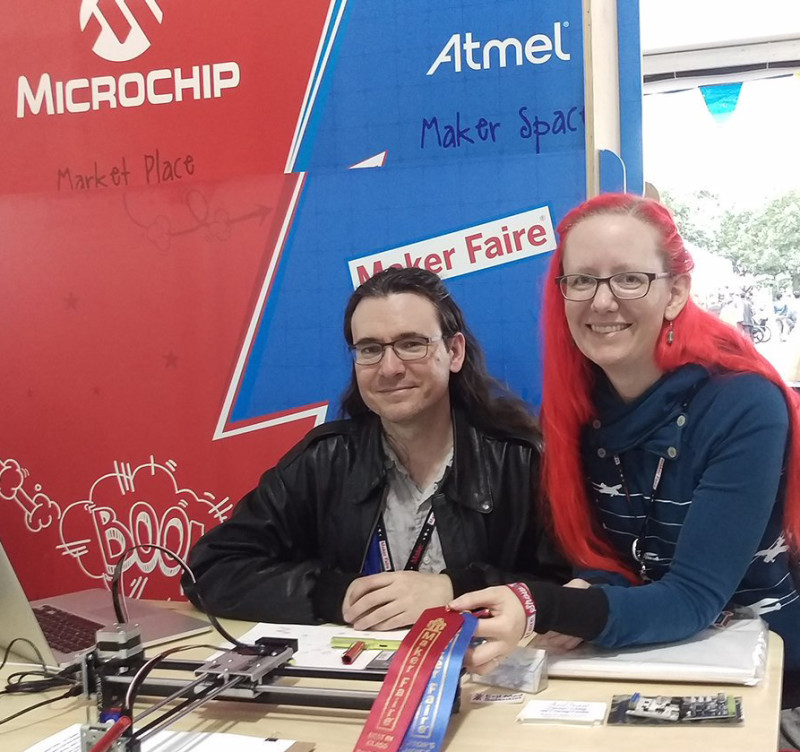
We are happy to see Hackspace Magazine feature some of our favorite people, Windell and Lenore from Evil Mad Scientist:

Lenore___Windell

Meet the maker: Evil Mad Scientist

“We started Evil Mad Scientist accidentally. We did not mean to start a business. We went to the very first Maker Faire with our project and people said ‘Ooh, how d’you do that? I want to do that!’ So, we started making kits to make it feasible for other people to do projects like ours. Every time we would do a kit, we would bring money back into the next round of the kits. It grew very gradually, and now it’s our full-time job. It’s been a slow-going, organic, interesting journey.

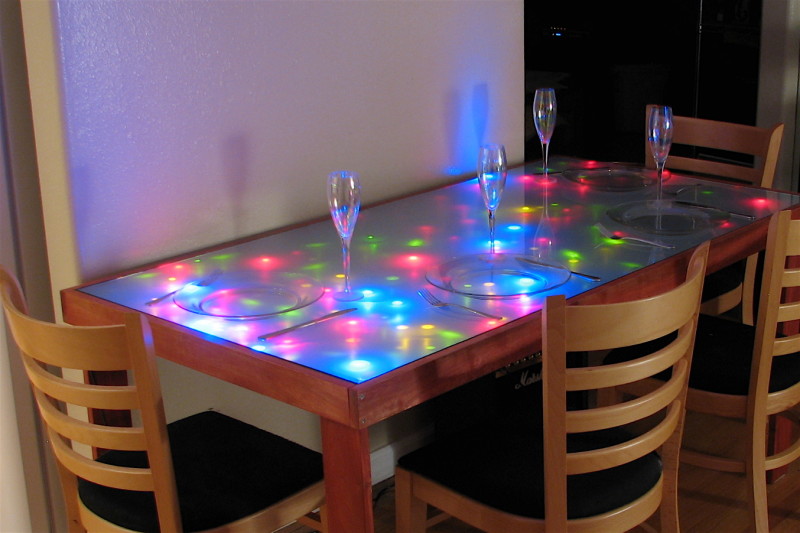
“That first project was our interactive LED dining table. It had 400 LEDs and a connected series of nodes that had a light sensor on them. When something would change over that sensor, it would change which LEDs were on and how bright they were. For example, when you pass the salt, or move the napkin, or pick up a drink, a sensor would send a message to its neighbour node – I’ve changed, do you want to change? That would trigger a ripple of changes throughout the table.

1__2_

FINDING YOUR COMMUNITY

“We sell components, we sell kits, and we sell plotters. The components tend to be purchased by educators. LEDs for classroom use, pager motors for making art bots.

“They get used, for instance, by model train enthusiasts who want to make their trains more realistic and who want to put LEDs into their trains, but who find it hard to shop for LEDs at a traditional electronics store because there isn’t information, or someone to contact about how to do that. Well, I have a really good article about what resistor you should use with your LED if you’re using an AA battery, for example (hsmag.cc/MFcmTe). We have niche cases like that where it’s a hobby that’s not necessarily electronics-related, but somebody wants to do something with LEDs or electronic components.

“This is one of the beautiful things about open-source hardware – when you document your hardware well, people can use it for other things. Scientists are always looking for solutions to problems that you and I don’t know exist. They’re looking at very narrow problems in fields that we would never think about our thing being used there.

LED_dining_table

Meet the maker: Evil Mad Scientist

Stepper Motor FeatherWing

Lex Kravitz has designed a simple board containing the ULN2003 stepper motor driver in a Feather form factor:

Screenshot from 2020-08-02 11-31-59

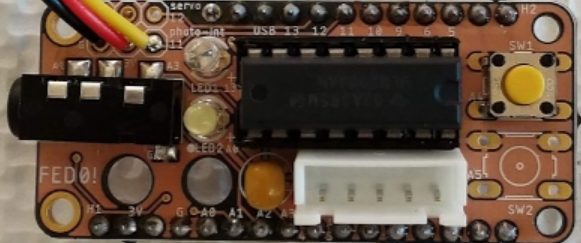
Feather ULN2003 Stepper Wing

This Feather Wing was made to be hand assembled with through-hole components, which I find easier to put together in small runs.  In the future I may make a version with SMD components as well for professional manufacture.  I made this to control 5V 28BYJ-48 steppers that are easily available for ~$2-3 each.  Often they come with a ULN2003 driver board, if you are thrifty you can grab the chip off the board and move it to this board saving ~50 cents per board.

This board contains:

1) Two 3-pin headers (GND, PWR, and SIG).  These can be used to control a servo or additional sensor.

2) A 3.5mm TRRS port for external control

3) Two LEDs tied to digital pins

4) The ULN2003 motor driver

5) Two small buttons for user control

Stepper Motor FeatherWing

2020: Everything is Virtual

It’s like the dystopian future arrived out of the blue. From one year to the next we went from holing up in overly air-conditioned hotel ballrooms and actually meeting our fellow meatbags in the flesh, to huddling in our pods and staring at the screens. I’m looking for the taps to hook me in to the Matrix at this point.

But if you haven’t yet received your flying car or your daily Soma ration, you can still take comfort in one thing: all of the hacker conferences are streaming live, as if it were some fantastic cyber-future! In fact, as we type this, someone is telling you how to print your way to free drinks on USAir flights as part of HOPE’s offering, but the talks will continue for the next few days. (Go straight to live stream one.)

If retrocomputing is more your thing, Saturday marks the start of the virtual Vintage Computer Festival West of which Hackaday is a proud sponsor. (Here’s the schedule.)

And next weekend is DEF CON in Safe Mode with Networking. While we can totally imagine how the talks and demo sessions will work, the Villages, informal talks and hack-togethers based on a common theme, will be a real test of distributed conferencing.

via 2020: Everything is Virtual — Hackaday

Quote

QRP-Labs Filter Adapter for NanoVNA

Cabe Atwell writes on Hackster about a RF filter adapter was made using some spare parts and lowpass and bandpass filter kits:
nanovna_qrplabs_20_FEE8nQ8TSv

QRP-Labs Filter Adapter for NanoVNA

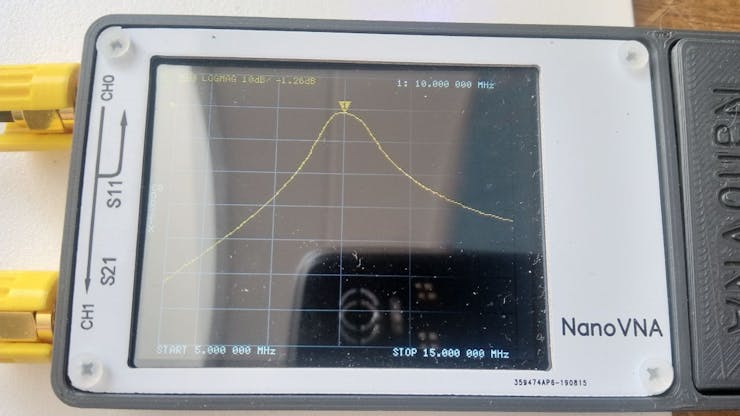
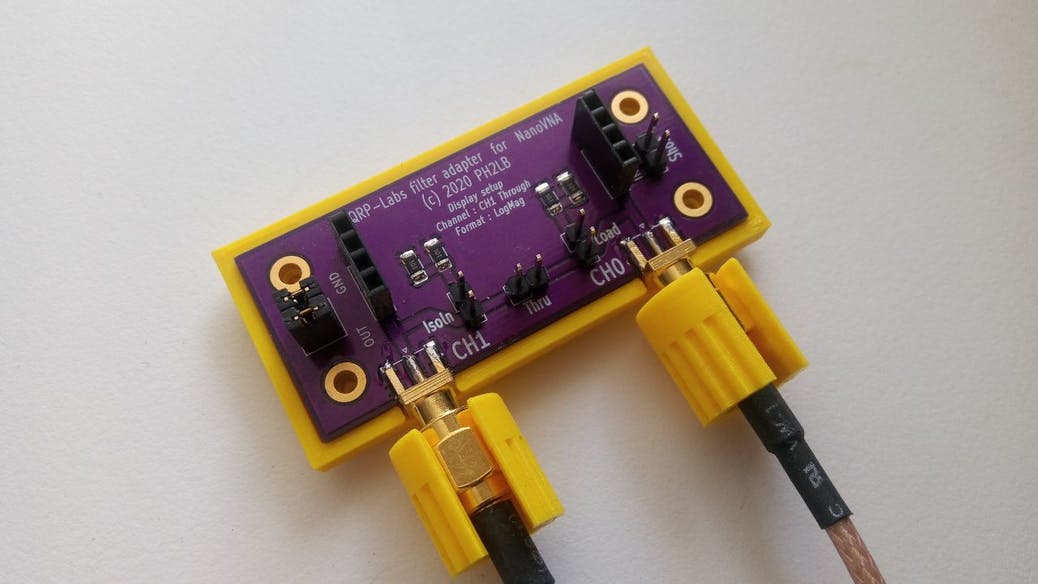
Check out Lex Bolkesteijn’s new project constructing a QRP-Labs filter adapter for NanoVNA with some spare parts and lowpass and bandpass filter kits. The NanoVNA is a tiny handheld Vector Network Analyzer (VNA), which accomplishes both high-performance and portability. Besides working as a vector network analyzer and antenna analyzer, this build utilizes it as a filter tuner.

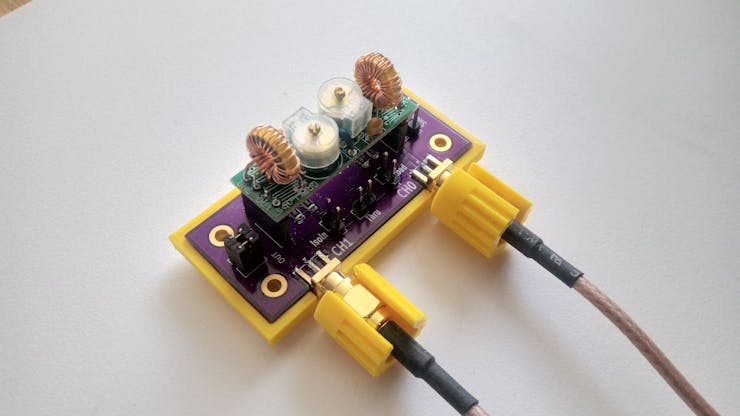
A current work in progress, last updated in mid-June, it was developed using a double-sided PCB, two SMA chassis, and a header cut in two to form a filter holder that enabled the use of the NanoVNA to test and tune the filters as required. The filter kits themselves include the double-sided PCD along with silkscreen, solder mask, and through-hole plating, as well as the capacitors. Both are the same size, and so require no adjustments to the filter holder.

Although the filter has four pins, five holes are drilled in the PCB base of the filter holder using a perforated PCB for spacing. The fifth hole allows for a via to connect the top and bottom layers. With some soldering, the via, SMA chassis parts, and headers are connected to the base. In a few steps that, everything is set up to connect the filter to the NanoVNA.

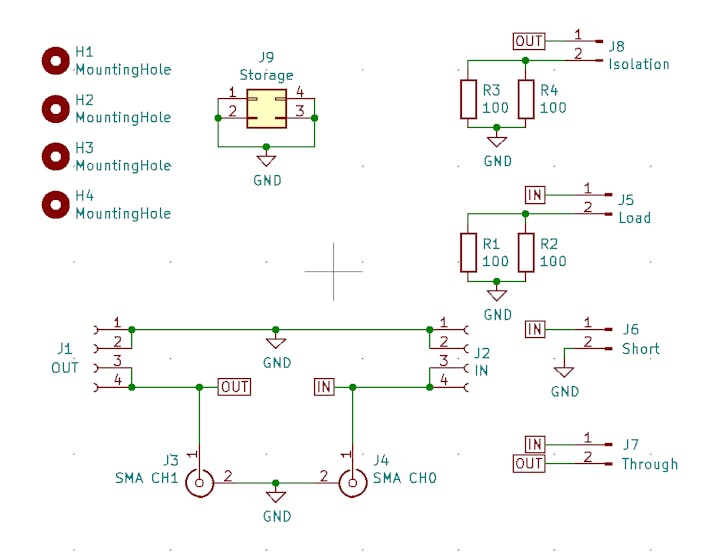
The NanoVNA should be calibrated before use, and in the documented project, this was done with an experimental calibration tool. When calibrating as close as possible to the adaptor, it’s not possible to use the calibration standards. The calibration tool was made with another PCD, with holes drilled for vias and two 100 Ohm SMD 1206 resistors.

A design, complete with CAD files for the casing, is also included for those who are unable to mill PCBs by hand. This uses a 3D-printed casing and custom-ordered PCBs to serve as the adapter. Simplifying the manual work required in the design, even more, the most recent custom PCB ordered includes built-in calibration options. The 3D-printed base looks spiffier than the hand-milled PCBs and requires no additional PCB for calibration.

For anyone interested, the bill of materials, CAD files, and a step-by-step with images are freely available on Bolkesteijn’s blog.

QRP-Labs Filter Adapter for NanoVNA

Introducing EDeA: An Open Platform for Easily Reusable Subcircuits

This looks like a promising way to make PCB design more efficient by leveraging the existing open source hardware designs:

Screenshot from 2020-07-30 11-02-22

Introducing EDeA

We’re building an open-source web portal for sharing KiCad subcircuits, which will enable you to create more by doing less.

This is what inspired the EDeA project. Out of a very naïve “how hard can this be?” question, we first built a primitive prototype tool to merge KiCad projects, including their schematics and PCB layout. This still need a lot of work before it can be considered safe, including correct net aliasing, nesting of subschematics, etc. But this solves only one part of the problem, something which should be solved in the upcoming major release of KiCad anyways.

We are now laying the groundwork for EDeA; a community portal to share, find, and assemble subcircuits into KiCad projects. It’s all in rough shape, and we’re still a bit away from the first alpha we will show to the public, but we’re getting there.

What we envisioned is an easy-to-use catalog of various circuit submodules; power supplies, data converters, microcontrollers, processors, and so on. These submodules contain schematics and a PCB layout, among with useful metadata; number of copper layers, component count, surface area, necessary manufacturing capabilities, and so on. Each of the subcircuit category should also have meaningful parameters; for example efficiency for a power supply, bandwidth for a transceiver. You can select any amount of these submodules, click a button, and get a KiCad project which contains all the submodules as hierarchical subsheets. Now you only need to wire these together as you need them, and in pcbnew move the already layouted submodules to fit the exact shape you need. To keep the already complex project manageable, we can’t go into auto-connecting and auto-placing of submodules. At least not yet.

Introducing EDeA: An Open Platform for Easily Reusable Subcircuits