Open Source Hardware Certifications For March 2020

From Katherine Scott of OSHWA:
oshcmarch2020-03

Open Source Hardware Certifications For March 2020

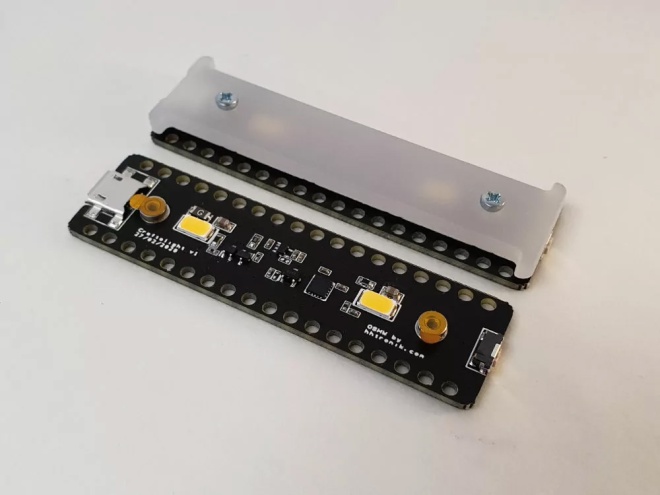
It is time again for your monthly OSHWA Certification update. Our newly certified projects this month reflect the Coronavirus pandemic. These certification fall roughly into two groups, projects directly trying to address the pandemic, and organizations impacted by the pandemic using recent social distancing rules to catch up on the certification of existing products.
oshcmarch2020-01

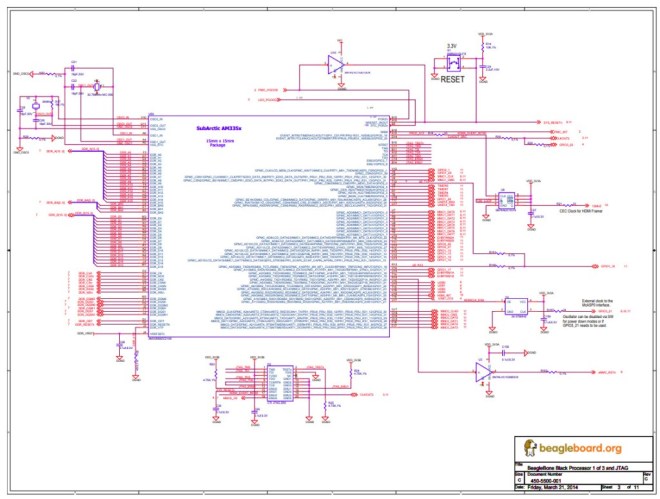
A maker favorite that is finally able to show off its open hardware street cred is the BeagleBoard Black. The BeagleBoard Black is a workhorse single board computer that has been with us for a long time, and now it is finally certified open hardware. Just like the trinket this is a big win for open hardware, and allows down stream open hardware projects to become more open. In large engineering projects we often call these sorts of things systems of systems, and the fact that we are building open hardware systems of systems is a big win for the open hardware movement. I reached out to Jason Kridner, the co-founder of BeagleBoard.org about certifying the Beagle Board. I asked him about the motivations for certifying the BeagleBoard Black to which he responded, “Certification enables us to be clear that anyone can use our designs and make their own boards. It sets us apart from other small Linux computers and lets our values be known.”
Open Source Hardware Certifications For March 2020

Altium to KiCad converter

BeagleBone-Black-Altium-KiCad-e1586729430477

Around these parts we tend to be exponents of the KiCad lifestyle; what better way to design a PCBA than with free and open source tools that run anywhere? But there are still capabilities in commercial EDA packages that haven’t found their way into KiCad yet, so it may not always be the best tool for the job. Altium Designer is a popular non-libre option, but at up to tens of thousands of USD per seat it’s not always a good fit for users and businesses without a serious need.

It’s hard to find an exciting photo of a dialog box

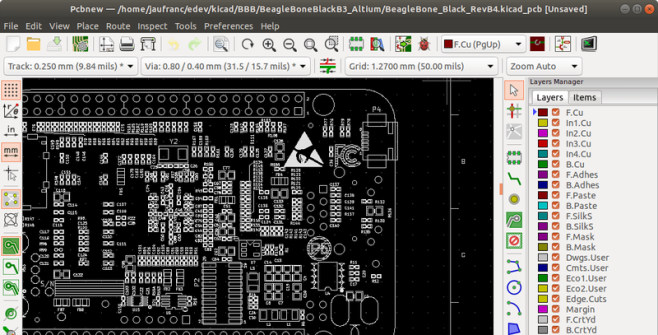
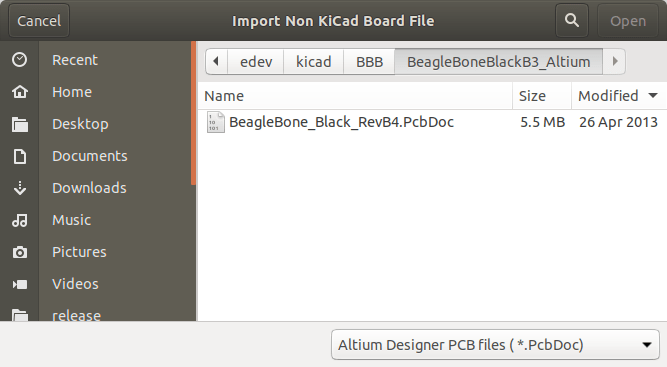
What do you do as a KiCad user who encounters a design in Altium you’d like to work with? Well as of April 3rd 2020, [Thomas Pointhuber] has merged the beginnings of a native Altium importer into KiCad which looks to be slated for the 6.0 release. As [Thomas] himself points out in the patch submission, this is hardly the first time a 3rd party Altium importer has been published. His new work is a translation of the Perl plugin altium2kicad by [thesourcerer8]. And back in January another user left a comment with links to four other (non-KiCad) tools to handle Altium files.

If you’d like to try out this nifty new feature for yourself, CNX has a great walkthrough starting at building KiCad from source. As for documents to test against the classic BeagleBone Black sources seen above can be found at on GitHub. Head past the break to check out the very boring, but very exciting video of the importer at work, courtesy of [Thomas] himself. We can’t wait to give this a shot!

via Altium has its 2kicad Moment — Hackaday

Quote

Hackaday: PCB Bring-Up Hack Chat

Join us on Wednesday, April 15 at noon Pacific for the PCB Bring-Up Hack Chat with Mihir Shah and Liam Cadigan!

The printed circuit design process is pretty unique among manufacturing processes. Chances are pretty good that except for possibly a breadboard prototype, the circuit that sits before you after coming back from assembly has only ever existed in EDA software or perhaps a circuit simulator. Sure, it’s supposed to work, but will it?

You can — and should — do some power-off testing of new boards, but at some point you’re going to have to flip the switch and see what happens. The PCB bring-up process needs to be approached carefully, lest debugging any problems that crop up become more difficult than need be. Mihir and Liam from inspectAR will discuss the bring-up process in depth, offering tips and tricks to make things go as smoothly as possible, as well as demonstrating how the inspectAR platform can fit into that process, especially with teams that are distributed across remote sites. If your board releases the Magic Smoke, you’ll want to know if it’s your design or an assembly issue, and an organized bring-up plan can be a big help.

Note: Liam will be doing a simulcast web demo of inspectAR via Zoom. ​

via PCB Bring-Up Hack Chat — Hackaday

Quote

Three years of HardwareX: Where are they now?

After three years of online publications, HardwareX may have solidified itself as an academic journal for open-source hardware. We originally wrote about HardwareX back in 2016. At the time, HardwareX hadn’t even published its first issue and only begun soliciting manuscripts. Now after three years of publishing, six issues as of October 2019 (with the seventh scheduled for April 2020), and an impact factor of 4.33, it’s fair to say that Elsevier’s push into open-access publications is on a path to success.

To give you a bit of background, HardwareX aims to promote the reproducibility of scientific work by giving researchers an avenue to publish all the hardware and software hacks that often get buried in traditional manuscripts. The format of HardwareX articles is a bit different than most academic journals. HardwareX articles look more like project pages similar to Hackaday.io. (Maybe we inspired them a bit? Who knows.)

It’s a bold attempt on Elsevier’s part because although open-access is held as an ideal scenario for scientific work, such efforts often come under quite a bit of scrutiny in the academic community. Don’t ask us. We can’t relate.

Either way, we genuinely wish Elsevier all the best and will keep our eyes on HardwareX. Maybe some of our readers should consider publishing their projects in HardwareX.

via Three years of HardwareX: Where are they now? — Hackaday

Quote

“No knobs! No 555s! No reason whatsoever!”

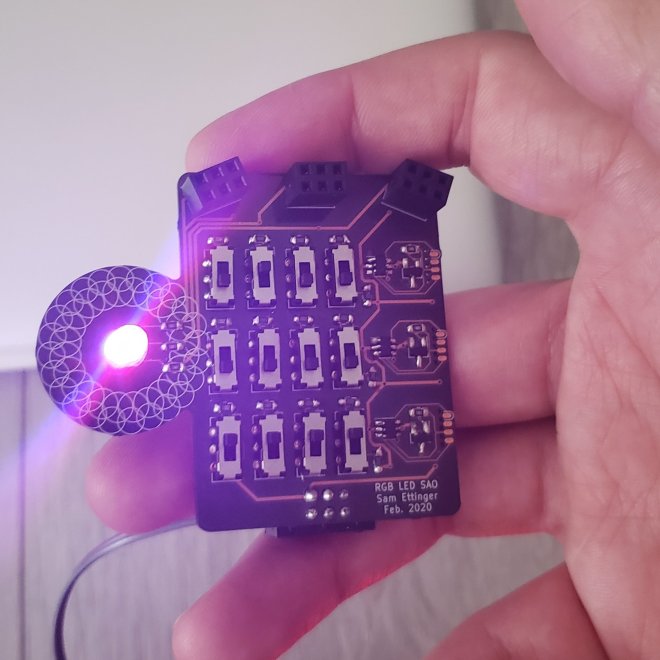
Here’s a #badgelife project from Sam Ettinger on Hackaday.io:
EVO_Vn_UwAA_eAt

This is a shitty add-on with one RGB LED controlled by twelve switches. The top row controls the red brightness, the middle row controls the green brightness, the bottom row the blue brightness. Each row of switches is like a 4-bit binary number, giving 16 brightness options for each color channel.

Should I have used knobs instead of switches? Maybe, but then it’s not a shitty add-on, is it?

Each color channel is controlled by its own ATtiny10, reading an analog voltage and PWMing the LED accordingly. The ATtiny10s are programmed using [Simon Merrett]’s SOICbite footprint, which I *love*.

Should I have used a 555 instead of a microcontroller? Perhaps. But isn’t this a better solution for a shitty add-on?

“No knobs! No 555s! No reason whatsoever!”

New CERN Open Source Hardware Licenses Mark A Major Step Forward

cern-ohl-circuit-sam-smith (1)

From Michael Weinberg on the Open Source Hardware Association (OSHWA) blog:

New CERN Open Source Hardware Licenses Mark A Major Step Forward

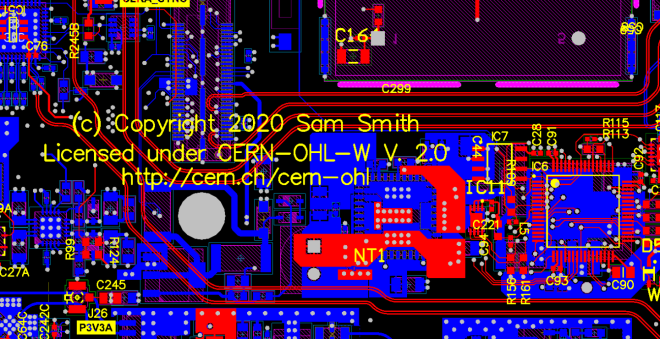
Earlier this month CERN (yes, that CERN) announced version 2.0 of their open hardware licenses (announcement and additional context from them). Version 2.0 of the license comes in three flavors of permissiveness and marks a major step forward in open source hardware (OSHW) licensing. It is the result of seven (!) years of work by a team lead by Myriam AyassAndrew Katz, and Javier Serrano. Before getting to what these licenses are doing, this post will provide some background on why open source hardware licensing is so complicated in the first place.

New CERN Open Source Hardware Licenses Mark A Major Step Forward

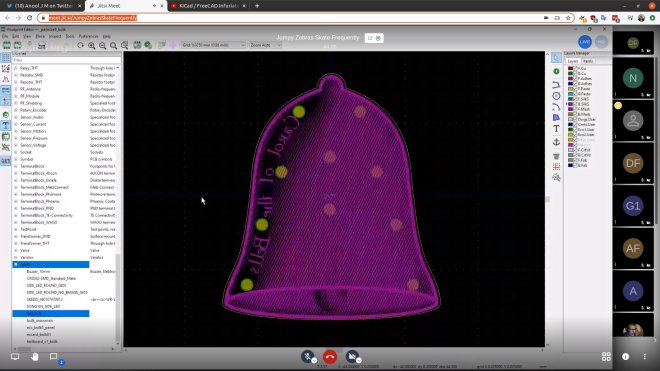
PCB Artwork with Inkscape and KiCad

EUwnVsgXYAAxS9L

Anool is doing live streams every Saturday on KiCad and this week Bradan Lane joined to show how to use Inkscape to create PCB artwork:

PCB Artwork with Inkscape and KiCad