Bristlebot with LDRs Becomes Light-Following Bristlebot

Bristlebot with LDRs Becomes Light-Following Bristlebot

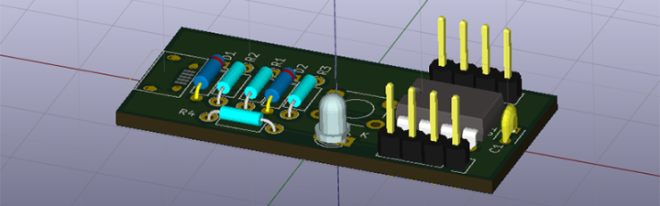
Bristlebots are great because no coding is required – they’re completely analog circuits that just go! But if you wanted them to go in a specific direction, how would you do that? Facelesstech has released their design for a light-following bristlebot that uses two LDRs to drive either side of the bristlebot (so you could turn it, somewhat – see video below for demo!). It’s pretty simple and pretty clever.
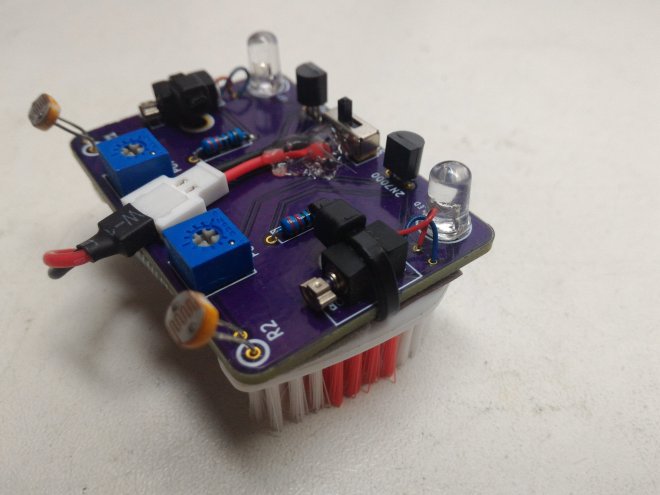
img_20160815_165948 (2).jpg

The KiCad design files are available on GitHub:


Bristlebot with LDRs Becomes Light-Following Bristlebot

KiCad at FOSDEM 2017

KiCad project leader Wayne Stambaugh talked at FOSDEM 2017 about KiCad’s current status and future roadmap:

KiCad Project Status

Wayne’s slides are available on Google Drive:

Screenshot at 2017-02-14 05-47-37.png

Tomasz Wlostowski of CERN talks about the SPICE integration that was added to KiCad in 2016:

Integrated Spice Simulation


Maciej Sumiński walked through the KiCad source code:

Diving into the KiCad source code

PDF of the slides is available for download:
screenshot-at-2017-02-14-06-18-02


KiCad at FOSDEM 2017

SKiDL: Script Your Circuits in Python

skidl_featured (1).png

SKiDL: Script Your Circuits in Python

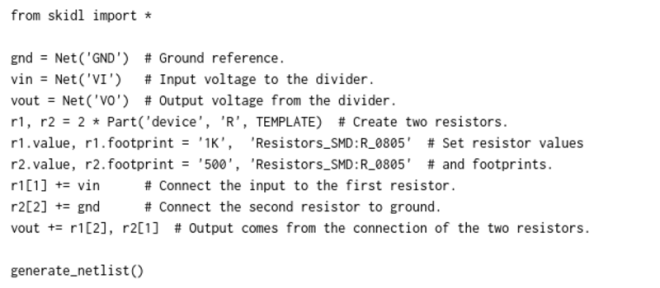
SKiDL is very, very cool. It’s a bit of Python code that outputs a circuit netlist for KiCAD. Why is this cool? If you design a PCB in KiCAD, you go through three steps: draw the schematic, assign footprints to the symbolic parts, and then place them. The netlist ties all of these phases together […]

The source code is available on GitHub:

images11 xesscorp/skidl

SKiDL: Script Your Circuits in Python

Surface-Mount Edge Connectors

FacelessTech designed this small board to act as a surface-mount edge connector:

SMD edge connectors

So you want to joint two boards together, You decide to use through hole female and male 2.54 pitch headers. Normally you would use through hole than ether have a 90 degree headers or just bend them over. For years this is how I did it, I would have to make sure I made sure the holes were just the right distance from the edge of the board.

The KiCad design files are available on GitHub:

images11facelessloser/smd_edge_connectors

Surface-Mount Edge Connectors

Friday Hack Chat: KiCad with Wayne Stambaugh

KiCad is the premiere open source electronics design automation suite. It’s used by professionals and amateurs alike to design circuits and layout out printed circuit boards. In recent years we’ve seen some incredible features added to KiCad like an improved 3D viewer and push-and-shove routing. This Friday at 10 am PST, join in a Hack…

via Friday Hack Chat: KiCad EDA Suite with Wayne Stambaugh — Hackaday

Friday Hack Chat: KiCad with Wayne Stambaugh

Convert Inkscape SVG drawings to KiCad footprints

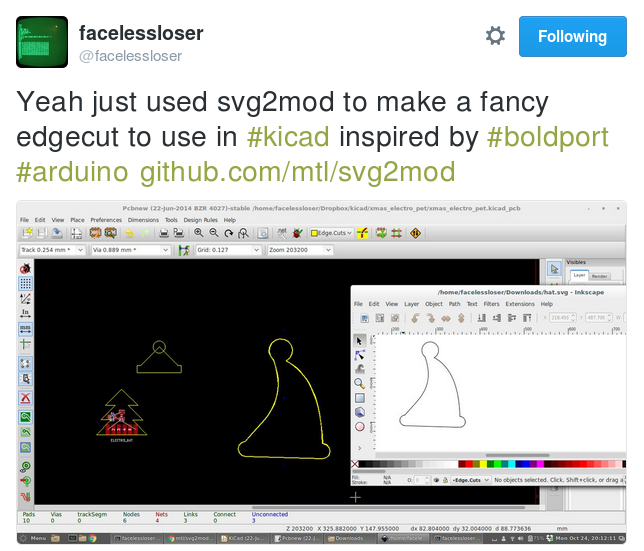
Thanks to facelesstech for tweeting this design tip:

screenshot-from-2016-12-31-01-15-13

svg2mod by mtl is a small program to convert Inkscape SVG drawings to KiCad footprint module files:svg2mod-dt

SVG graphics in KiCad (svg2mod)

There didn’t seem to be a good way to get vector graphics into Pcbnew, so I wrote a small utility that uses an existing SVG library to read files, and then writes them out as KiCad modules.

The project is hosted on GitHub:

It uses cjlano’s python SVG parser and drawing module to interpret drawings and approximate curves using straight line segments. Module files can be output in KiCad’s legacy or s-expression (i.e., pretty) formats. Horizontally mirrored modules are automatically generated for use on the back of a 2-layer PCB.


Convert Inkscape SVG drawings to KiCad footprints

Creating A PCB In Everything: KiCad, Part 3

kicadvrml.png

of Hackaday continues his series of posts about KiCad:

Creating A PCB In Everything: KiCad, Part 3

This is the third and final installment of a series of posts on how to create a PCB in KiCad, and part of an overarching series where I make the same schematic and board in dozens of different software tools

https://youtube.com/watch?v=CCG4daPvuVI%3Fversion%3D3%26rel%3D1%26fs%3D1%26autohide%3D2%26showsearch%3D0%26showinfo%3D1%26iv_load_policy%3D1%26wmode%3Dtransparent

Creating A PCB In Everything: KiCad, Part 3

KiCad 4.0.5 Stable Release

kicad_logo_newThe KiCad project recently announced a new stable release:

KiCad 4.0.5 Stable Release

The 4.0.5 stable version contains critical bug fixes and version string improvements since the last release. The stable release version 4.0.5 is made from the stable 4.0 branch with bug fixes cherry picked from the development branch of KiCad.

KiCad binaries for Windows, OS X, and several GNU/Linux distributions can be found on the download page:

screenshot-from-2016-12-21-11-52-36

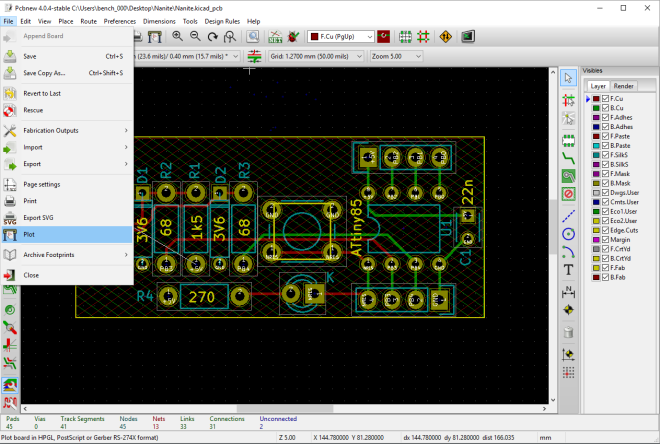
Please note that KiCad board files (.kicad_pcb) can be uploaded directly to our website:

screenshot-from-2016-12-01-13-01-42

Wondering who is involved in the development of KiCad?  Project leader Wayne Stambaugh presented at FOSDEM last year about the past, present, and future of the KiCad project:

Wayne also presented at FOSDEM 2016 back in March, but the audio and video quality is worse than the 2015 video.

KiCad 4.0.5 Stable Release

Creating A PCB In Everything: KiCad, Part 2

This is the continuation of a series where I create a PCB in every software suite imaginable. Last week, I took a look at KiCad, made the schematic representation for a component, and made a schematic for the standard reference PCB I’ve been using for these tutorials. Now it’s time to take that schematic, assign…

via Creating A PCB In Everything: KiCad, Part 2 — Hackaday

Creating A PCB In Everything: KiCad, Part 2