KiCad 5.1.0 Release

The KiCad project has released a new version:

kicad_logo_large

KiCad 5.1.0 Release

The KiCad project is proud to announce the release of version 5.1.0. This is the first ever minor version release of KiCad and was developed primarily to resolve compatibility issues with Linux GTK3 and long awaited support for python3.

In addition to the primary focus, there have been many important changes that make this release a substantial improvement over the 5.0 series and a worthwhile upgrade for users on all platforms. Included in the improvements are:

  • Improved 3D model library path configuration.
  • Cairo canvas is now used for printing support on all platforms.
  • Schematic and symbol library editors now use the modern canvases for rendering.
  • Symbol pin table is now editable.
  • Pcbnew scripting support for Python 3 has been added.
  • Snapping for graphical object drawing in board and footprint editors.
  • Significant user interface improvements.
  • Major dialog box improvements.
  • Both the footprint and symbol library editors now share the same user interface paradigm with a library tree view pane.
  • Symbol, footprint, and 3D model library improvements.
  • Documentation and translation improvements.
  • Less pain for Linux package maintainers, now all features should be easy to support.
KiCad 5.1.0 Release

Port MuxR: a KVM switch for electronics

SensorDots has created a “KVM switch” for electronics:

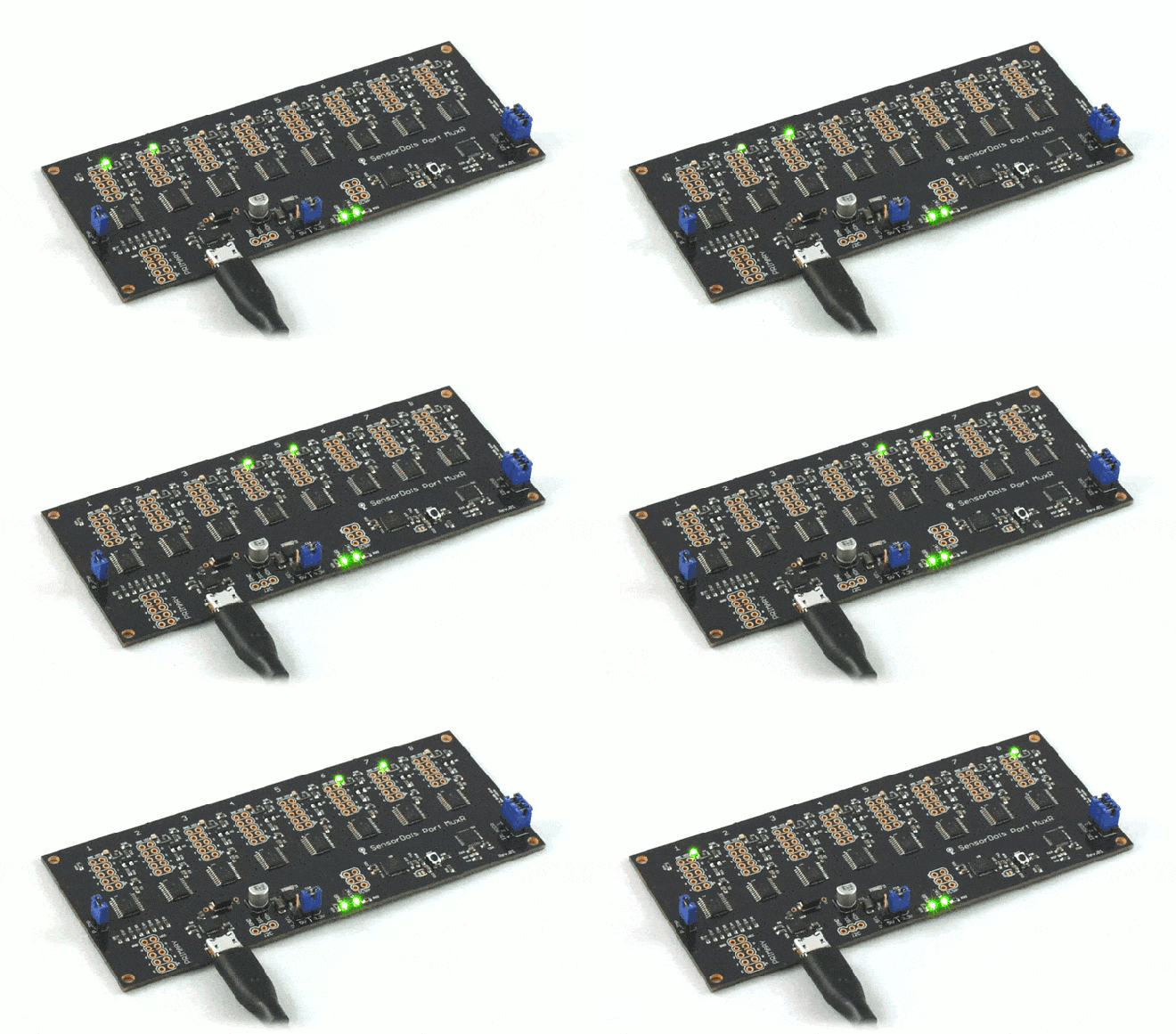
Port MuxR

8/16 channel, bi-directional, switched bus multiplexer. Easily branch out programming cables, logic analysers, debuggers and more

333a7330ca9641ad6910d5d9882b82f1_original

Have you ever been frustrated with swapping probes and cables on your device under test, or are you a hardware/testing engineer, hobbyist or developer that has had to create a test and measurement automation jig for an array of devices to program and test at once?

Ever wished that you had something like a KVM switch, but for your collection of different electronics tools, devices and sensors? Do you have complex switching automation requirements and just can’t find the right tool, or you just don’t know what you need, but want something useful in your electronics arsenal anyway?

Port MuxR: a KVM switch for electronics

Open FPGA Hardware and Tooling meetup in London on March 21st

There will be an open FPGA meetup next week in London with speakers David Shah
and Alan Wood:

FPGA Hardware and Tooling: Past, Present and Future

Date And Time: Thu, 21 March 2019, 18:00 – 20:30 GMT

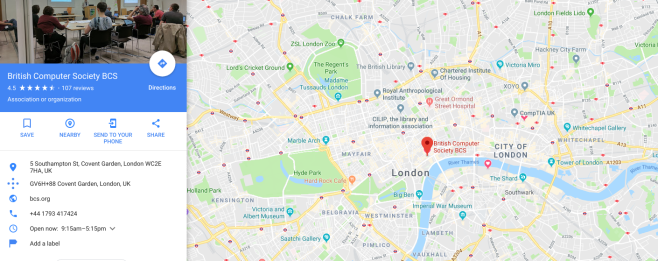
Location: BCS, The Chartered Institute for IT, 1st Floor, The Davidson Building, 5 Southampton Street, London

Screenshot from 2019-03-14 12-54-25

  • Open Source FPGA Tooling past to present

David Shah looks at where we have come from with the IceStorm tool chain, and looks at how this has developed recently and expanded Ice40 Lattice support to include new lower power, lower cost, reduced pincount FPGAs to include their Ultra & Ultra Plus range.

  • Open Source FPGA Hardware past to present

Alan Wood talks about the journey through the early history of OpenSource FPGA open hardware from IcoBoard through myStorm too recent UltraPlus offerings recently made available.

  • Open Source FPGA Tooling present to future

Icestorm was aimed at a narrow family of Ice40 FPGAS, the new Symbiflow family of tools expands the opensource tooling exponentially. David Shah takes a look at NextPNR which lies at the heart of the toolset and deals with specific FPGA family functionality, in particular he concentrates on the Lattice ECP5 family support he has developed with Project Trellis as part of NextPNR and the recent 1.0 version supporting this new family and high end FPGA features.

  • Open Source FPGA Hardware present to future

What comes next for opensource FPGA hardware, after the success of tinyFPGA and myStorm we are beginning to see ECP5 opensource hardware emerging first with Radiona’s ULX3S and being followed up by offerings from both tinyFPGA and myStorm dev board stables, with new hardware comes new features building on NextPNRs tooling like DSP, SerDES IO Gearing and DDR memory etc, Alanplots the course for these new powerful open source development boards…

Look for our Drew Fustini (@pdp7) in purple!

Open FPGA Hardware and Tooling meetup in London on March 21st

Fix The Clock Speed on Your Super Game Boy With A Simple Mod

From  on the Tindie blog:

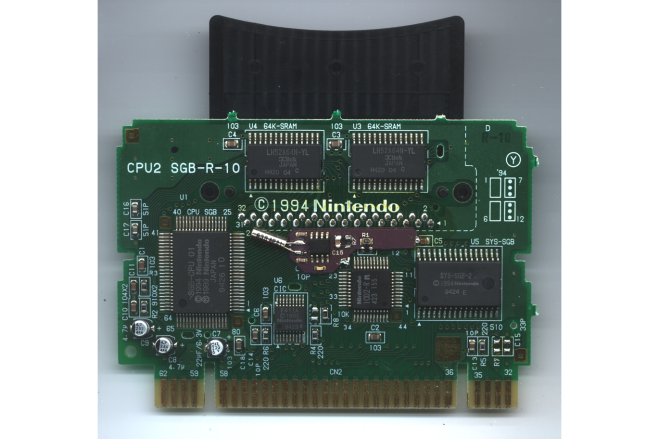
2019-02-01T23_44_54.036Z-SGB-wCLK1 (1).png

Fix The Clock Speed on Your Super Game Boy With A Simple Mod

When you look back on retro gaming handhelds, the Game Boy is probably the first one that comes to mind. While it’s indeed a classic, it’s not without flaws. In the case of the Super Game Boy, the clock speed is about 4% faster than the original, which affects not only the audio playback, but also disqualifies it in speed-running.

To further compound the issue, it’s also the reason why this release didn’t include a link port for multiplayer. The difference in speed would have caused the devices to desync. While Japan received a Super Game Boy 2 that fixed the problem using a crystal oscillator at the proper speed, the U.S. version never received a fix.

It is possible to install a crystal oscillator of your own, and this GameBoy Clock Mod solves the problem without breaking other interesting features of the system, like the ability to change the gameplay speed using the Commander controller from Hori.

The mod avoids common issues by applying the correct clock onto the I/O chip, which is how the second iteration in Japan fixed the problem. You won’t need to lift any pins to install it either, plus the solder points are simple to attach to the board.

Fix The Clock Speed on Your Super Game Boy With A Simple Mod

Blinking Business-card Badge (B3)


Blinking electronic business card with NFC by Greg Steiert on Hackaday.io:

Blinking Business-card Badge (B3)

Reduce, Reuse, Recycle with this durable business card. Instead of filling landfills with dead trees, you can fill the bits in their contact folder by sharing your VCARD with a simple tap. The logo glows when the tag is read to acknowledge the transaction. There are also holes in the corners so that you can mount it, or wear it if you feel the need to join #badgelife.

https://www.instagram.com/p/Bngl2wlFATu/?utm_source=ig_embed_loading

This design uses the ST25DV04 to share contact information through NFC.  It takes advantage of the energy harvesting function to light up the logo when the tag is read.  The logo is lit by reverse mounted LEDs shining through the board from the back side.

The easiest way to configure the part is with one of the mobile apps provided by ST on their website.  See the instructions for more details on configuration.

The design is available at Upverter.  All the parts are available from Mouser and you can find links in the bill of material at Octopart.

Blinking Business-card Badge (B3)

Hackday launches Flexible PCB design contest

We are excited to see what people create in this new flexible PCB design contest on Hackaday.io:

5492631551463307251

New Contest: Flexible PCBs

The now-humble PCB was revolutionary when it came along, and the whole ecosystem that evolved around it has been a game changer in electronic design. But the PCB is just so… flat. Planar. Two-dimensional. As useful as it is, it gets a little dull sometimes.

Here’s your chance to break out of Flatland and explore the third dimension of circuit design with our brand new Flexible PCB Contest.

We’ve teamed up with Digi-Key for this contest. Digi-Key’s generous sponsorship means 60 contest winners will receive free fabrication of three copies of their flexible PCB design, manufactured through the expertise of OSH Park. So now you can get your flex on with wearables, sensors, or whatever else you can think of that needs a flexible PCB.

HOW TO ENTER

Go over to Hackaday.io and create a project with images of your flexible circuit board design, and be sure to tell the story of how and why you came up with it. When the project is published, look for the “Submit project to…”  link in the left sidebar and submit it to the Flexible PCB contest.

AWARDS

  • 60 contest winners will receive an OSH Park code for 3 complimentary boards from OSH Park shipped to them (there’s a size limitation detailed below). Please allow 8 weeks after the close of this contest.
  • 3 Tindie gift certificates of $100 each will be awarded for:
    • Best Project
    • Best Social Media Picture or Video
      • You can post a picture or video of your device, of you working on your device, or anything related on Twitter, Facebook, Instagram, Youtube, or any other social platform. You must post a link to the video in the comments on this page.
    • Best Documentation

REQUIREMENTS

Here’s the small print on those free flexible PCB awards: If you’re one of the lucky 60 (yay, that’s a lot!) winners, you’ll receive a coupon that will cover the cost of a PCB up to 2 square inches (13 square centimeters) in size. If your design is larger you can still use this coupon and choose to pay the portion of the cost beyond that size. The best part is that OSH Park delivers three copies of the board from each order! See the contest page for complete rules.

WHAT SHOULD I BUILD?

Pretty much anything that needs a flexible PCB qualifies. Use your imagination! Folding cell phones are all the rage now, so use that for inspiration. Perhaps you’re into wearables, which are begging to be made from flexible materials. Repair a wonky laptop display with a new flexible connector? That counts. Working on something so small that a traditional PCB is just too bulky? We want to hear about it.

We’ve lined up some resources to help you get started. Check out OSH Park’s Flex PCB FAQ for all the technical details on flexible PCBs. If you’re new to PCB design, Brian Benchoff’s excellent Creating a PCB in Everything series covers everything you need to know.

Still stuck? Here are a few recent projects featuring flexible PCBs that might get the creative juices flowing (not all of which would necessarily fit the qualifications):


Quote

Glowtie is Perfect For Those Fancy Dress Raves

Are you bored of your traditional bow tie? Do you wish it had RGB LEDs, WiFi, and a web interface that you could access from your smartphone? If you’re like us at Hackaday…maybe not. But that hasn’t stopped [Stephen Hawes] from creating the Glowtie, an admittedly very slick piece of open source electronic neckwear that you can build yourself or even purchase as an assembled unit. Truly we’re living in the future.

Evolution of the Glowtie

While we’re hardly experts on fashion around these parts (please see the “About” page for evidence), we can absolutely appreciate the amount of time and effort [Stephen] has put into its design. Especially considering his decision to release the hardware and software as open source while still putting the device up on Kickstarter. We seen far too many Kickstarters promising to open the source up after they get the money, so we’re always glad to see a project that’s willing to put everything out there from the start.

For the hardware, [Stephen] has gone with the ever popular ESP8266 module and an array of WS2812B LEDs around the edge of the PCB. There’s also a tiny power switch on the bottom, and a USB port for charging the two 1S 300mAh lipo batteries on the backside of the Glowtie. The 3D printed rear panel gives the board some support, and features an integrated bracket that allows it to clip onto the top button of your shirt. For those that aren’t necessarily a fan of the bare PCB look or blinding people with exposed LEDs, there’s a cloth panel that covers the front of the Glowtie to not only diffuse the light but make it look a bit more like a real tie.

via Glowtie is Perfect For Those Fancy Dress Raves — Hackaday

Quote

Hands-on: Hacker Hotel 2019 Badge Packs ESP32, E-Ink, and a Shared Heritage

When you go to a hacker conference, you always hope there’s going to be a hardware badge. This is an interactive piece of custom electronics that gets you in the door while also delighting and entertaining during the con (and hopefully far beyond it).

Hot off the presses then is the Hacker Hotel badge, from the comfortable weekend hacker camp of that name in a Netherlands hotel. As we have already noted, this badge comes from the same team that created the SHA2017 hacker camp’s offering, and shares that badge’s display, ESP32 processor, battery, and firmware. The evolution of that firmware into the badge.team platform is an exciting development in its own right, but in the context of this badge it lends a very familiar feel to the interface for those attendees who were also at the 2017 event.

via Hands-on: Hacker Hotel 2019 Badge Packs ESP32, E-Ink, and a Shared Heritage — Hackaday

Quote

Electronic Geocoin

Electronic Geocoin