The Pocket SP adds a hinge to the Game Boy

Allison Parrish wrote a detailed blog post about their Game Boy mod journey:
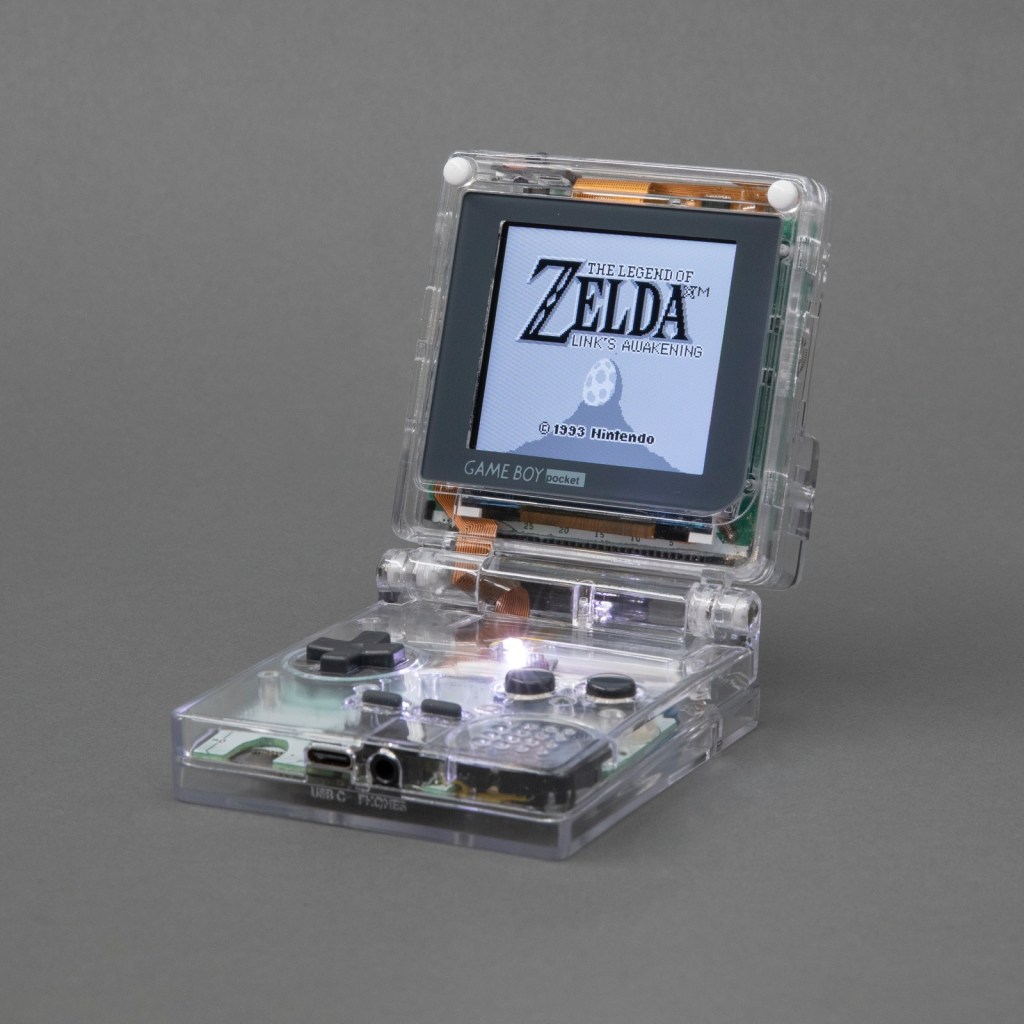
When to hold ’em and when to fold ’em: Adding a hinge to a Game Boy that God never intended

Over the summer I dug in deep with Game Boy modding and made this: the Game Boy Pocket SP. It’s a Game Boy Pocket motherboard that I cut in half and then put into a custom-designed shell with a hinge, a la the Game Boy Advance SP. The build has a pair of custom-designed flex PCBs to make routing signals between the two halves of the board easier. Along the way I taught myself CAD (with FreeCAD), PCB design (with KiCad) and 3D printing. The 3D models and PCB layouts for the Pocket SP are available on GitHub. In this post, I’m going to talk about why and how I made the Pocket SP, and how you can make your own.
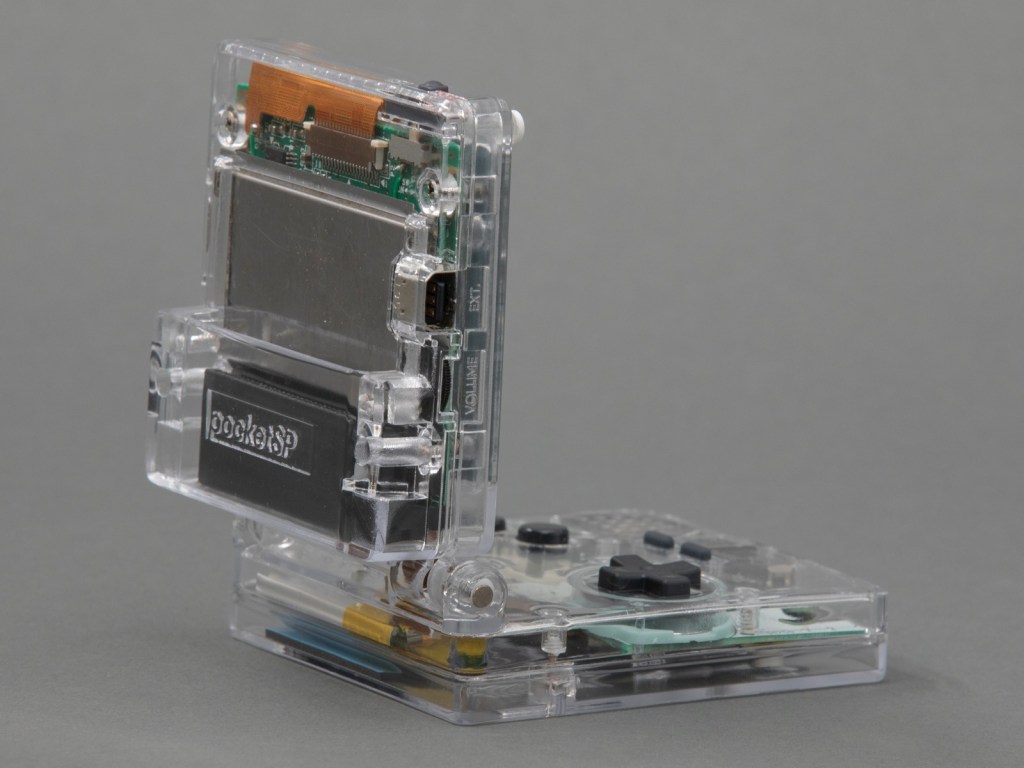
The design of a flexible PCB ribbon cable was key to the ability for the mod to fold up:

I designed a pair of flex PCBs that could be soldered directly to the board. One of the flex PCBs would end in a thin ribbon, which would go through the hinge assembly, and then connect to the other PCB with an FPC connector. This would make it easy to assemble and disassemble the unit, and would also make soldering pretty easy.

I think the closest I’d ever come to designing my own PCB was in grad school, when I downloaded EAGLE and never opened it and then deleted it at the end of the semester. But I’ve always wanted to design and fabricate my own PCB! I decided to use KiCad, because it’s free and open source and also the tool of choice for many modders in the community that I respect.

As with FreeCAD, the tutorial material for KiCad is pretty great. I spent an afternoon following along with the Getting Started guide and felt confident enough afterwards to actually start making my board. My schematic is pretty simple, since all I’m doing is connecting pads to headers and connectors.

Read more…

The Pocket SP adds a hinge to the Game Boy

Official Arduboy Upgrade Module Nears Competition

We’ve been big fans of the Arduboy since [Kevin Bates] showed off the first prototype back in 2014. It’s a fantastic platform for making and playing simple games, but there’s certainly room for improvement. One of the most obvious usability issues has always been that the hardware can only hold one game at a time. But thanks to the development of an official add-on, the Arduboy will soon have enough onboard storage to hold hundreds of games

Even the rear silkscreen was a community effort.

The upgrade takes the form of a small flexible PCB that gets soldered to existing test points on the Arduboy. Equipped with a W25Q128 flash chip, the retrofit board provides an additional 16 MB of flash storage to the handheld’s ATmega32u4 microcontroller; enough to hold essentially every game and program ever written for the platform at once.

Of course, wiring an SPI flash chip to the handheld’s MCU is only half the battle. The system also needs to have its bootloader replaced with one that’s aware of this expanded storage. To that end, the upgrade board also contains an ATtiny85 that’s there to handle this process without the need for an external programmer. While this is a luxury the average Hackaday reader could probably do without, it’s a smart move for an upgrade intended for a wider audience.

The upgrade board is currently available for pre-order, but those who know their way around a soldering iron and a USBasp can upgrade their own hardware right now by following along with the technical discussion between [Kevin] and the community in the “Project Falcon” forum.

via Official Arduboy Upgrade Module Nears Competition — Hackaday

Quote

Scott Shawcroft Is Programming Game Boys With CircuitPython

Some people like to do things the hard way. Maybe they drive a manual transmission, or they bust out the wire wrap tool instead of a soldering iron, or they code in assembly to stay close to the machine. Doing things the hard way certainly has its merits, and we are not here to argue about that. Scott Shawcroft — project lead for CircuitPython — on the other hand, makes a great case for doing things the easy way in his talk at the 2019 Hackaday Superconference.

In fact, he proved how easy it is right off the bat. There he stood at the podium, presenting in front of a room full of people, poised at an unfamiliar laptop with only the stock text editor. Yet with a single keystroke and a file save operation, Scott was able make the LEDs on his Adafruit Edge Badge — one of the other pieces of hackable hardware in the Supercon swag bag — go from off to battery-draining bright.

via Scott Shawcroft Is Programming Game Boys With CircuitPython — Hackaday

Quote

Flash Memory Adapter for Game Boy

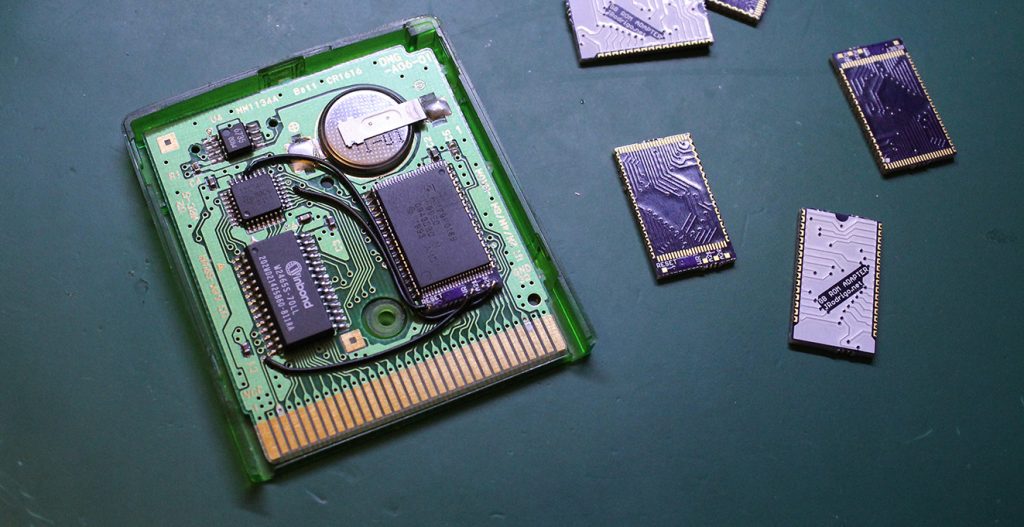
J.Rodrigo created this adapter board make it easier to flash a Game Boy cartridge:

gb-rom-adapter-assem-1024x527.jpg

Flash Memory Adapter for some Game Boy Cartridges

You only need to solder 3 or 4 wires and the adapter board to an old cartridge, PCB adapter boards are manufactured on OSH park to ensure the best quality of castellations.

Compatible Cartridges:

  • DMG-A02-01: MBC5 + ROM (256/512/1024 KB) + RAM (32KB) + Battery
  • DMG-A06-01: MBC5 + ROM (256/512/1024 KB) + RAM (8KB) + Battery
  • DMG-A07-01: MBC5 + ROM (256/512/1024 KB)

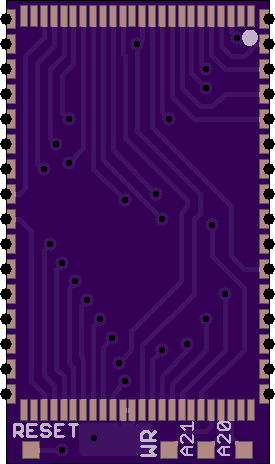
JRodrigo has shared the board on OSH Park:

Flash Memory Adapter for Game Boy

0613821c47efa791b2c0c99f02209886.png

Order from OSH Park

Flash Memory Adapter for Game Boy

Smaller version of GameBoy Zero

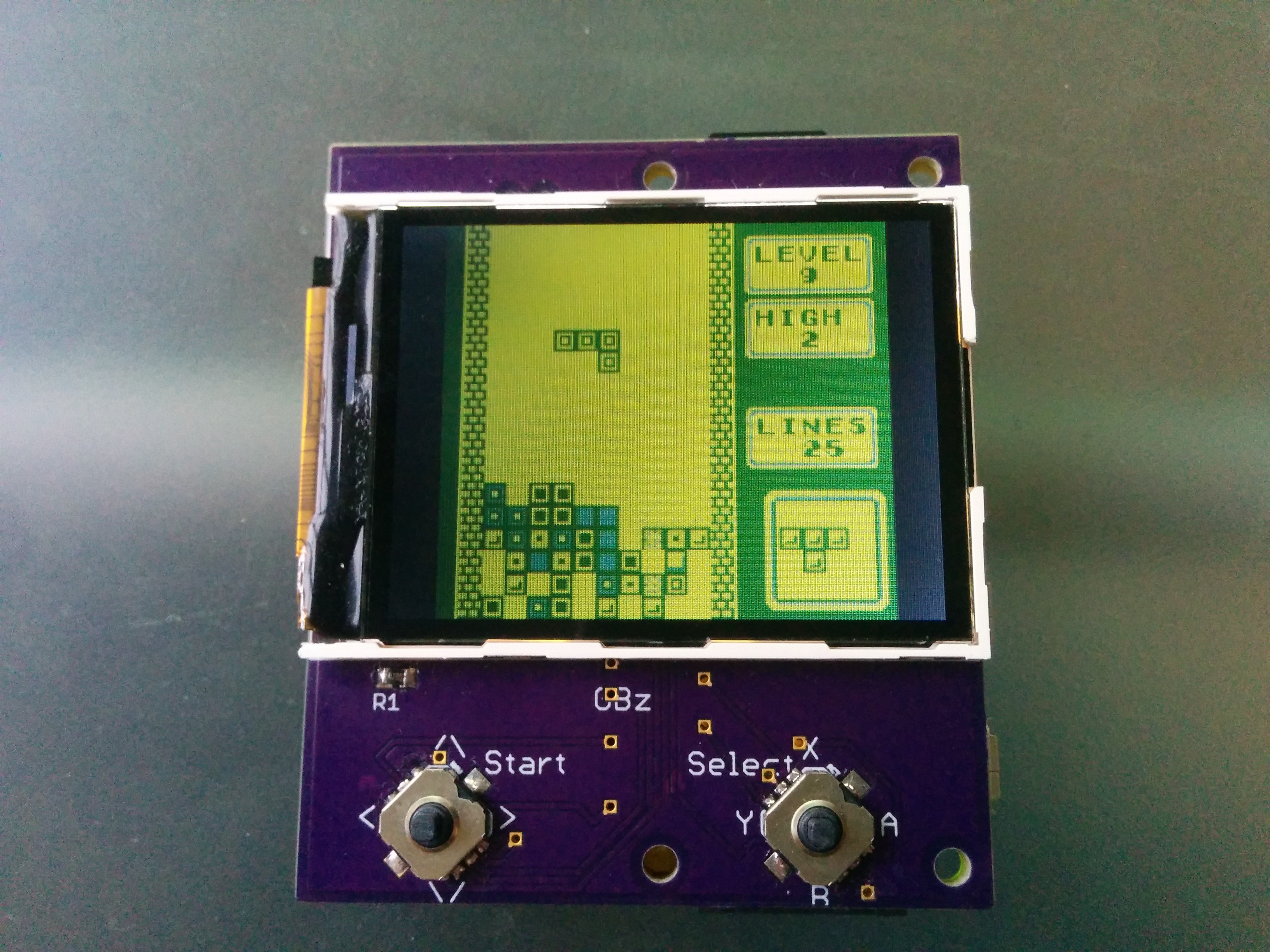
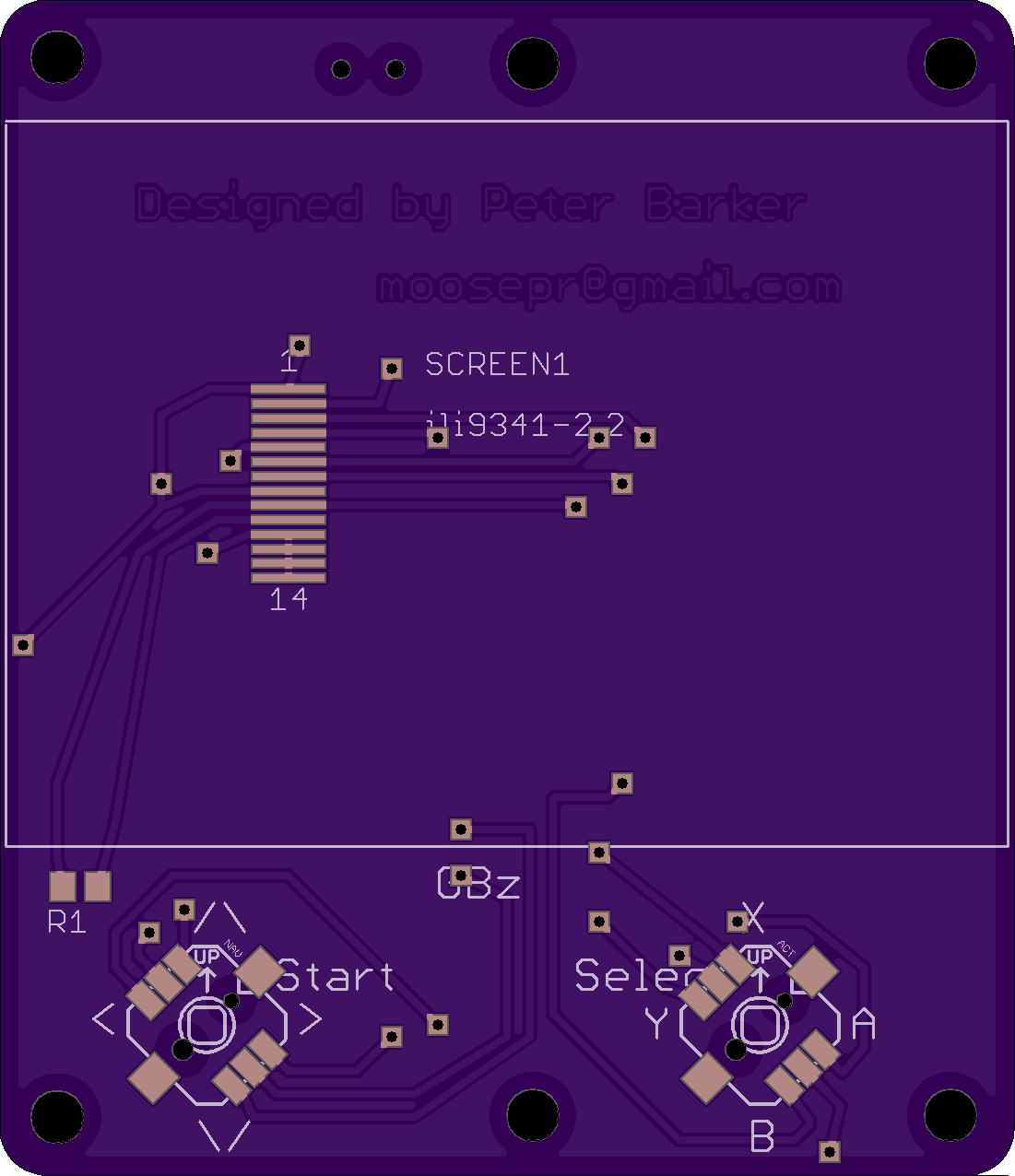
moosepr designed this small and simple GameBoy-style device using the Raspberry Pi Zero:

7352071488543051372.jpgGameBoy Zero, but smaller!

I’m not overly fond of ‘rats nest’ wires, and I have a bit of an obsession with making things as small as possible, so this is what I came up with.

Tis just an ILI9341 screen, a Pi Zero, 2 navi switches (5 way), and a battery (with charge/protect circuit)

petay has shared the board on OSH Park:

GBz

24dc2def413aa50cfa86da86615eedc8.png

Order from OSH Park

Here the board is in action:


Smaller version of GameBoy Zero

TCPoke and the Internet of Pokemon

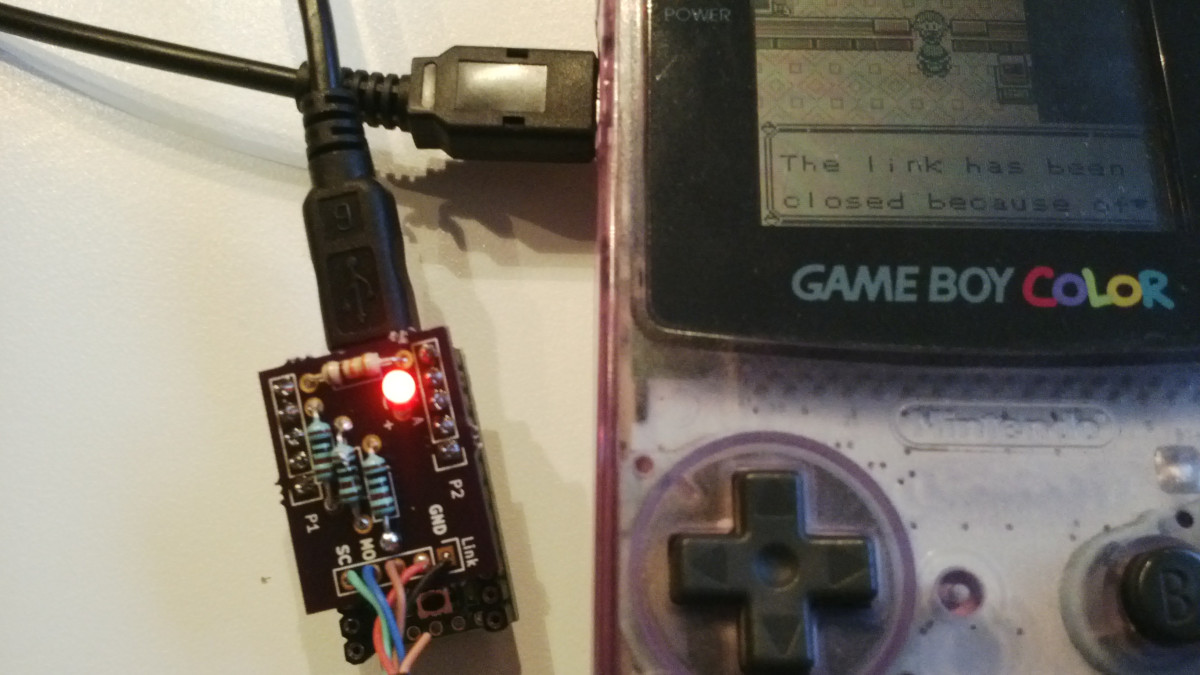
Pepijn de Vos created this method to trade and battle Pokemon over the Internet:

img_20150327_184222

TCPoke

a collection of projects that allow you to connect your Game Boy to the internet and trade or battle with the first and second generation Pokemon games

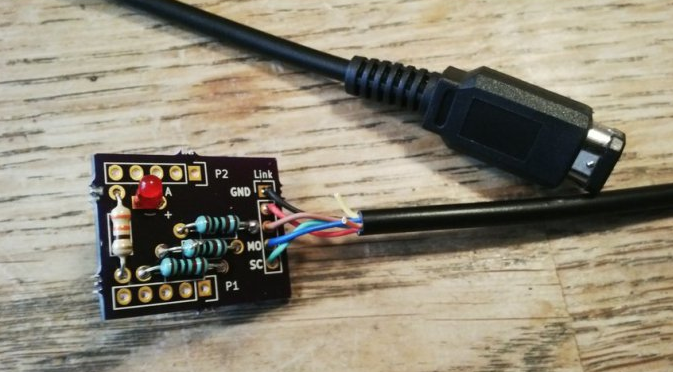
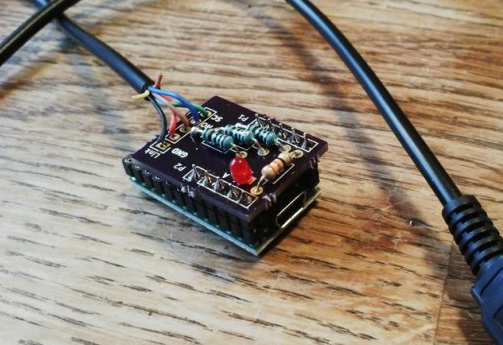
KiCad design files of Teensy 2.0 shield for a Game Link Cable:

github-logotcpoke_shield

whitespace

Arduino sketch runs on Teensy 2.0 and talks to a Game Boy via raw HID mode:

github-logotcpoke_teensy

whitespace

TCPoke shield kit is sold on Tindie:
tcpoke-teensy.png

TCPoke and the Internet of Pokemon

Pokemon Go on the Gameboy Pocket

Hackaday reports on this mix of Pokemon Go and DIY electronics:Beware Of Tall Grass: Pokemon Go on the Gameboy Pocket

[Pepijn de Vos] was excited to interact with the world’s most popular augmented reality pedometer, Pokemon Go, and was extremely disappointed to find that his Blackberry couldn’t run it. Still, as far as he could tell from behind his wall of obsolete technology, Pokemon Go is all about walking distractedly, being suspicious, and occasionally catching […]

TCPoke shield kit on Tindie:

tcpoke

Pokemon Go on the Gameboy Pocket