Creating A PCB In Everything: KiCad, Part 1

This is the continuation of a series of articles demonstrating how to Create A PCB In Everything. In this series, we take a standard reference circuit and PCB layout — a simple ATtiny85 board — and build it with different PCB design tools. Already, we’ve taken a look at the pre-history of PCB design with…

via Creating A PCB In Everything: KiCad, Part 1 — Hackaday

Creating A PCB In Everything: KiCad, Part 1

MagSpoof for Raspberry Pi

Salvador Mendoza created this Raspberry Pi project based on MagSpoof:

2648361474757845366

MagSpoofPI

Be able to make & upload MagSpoof with variable tracks, to use it without Arduino dependencies, and implement it on the same Raspberry GPIO.

More details are available on Salvador’s blog.

screenshot-from-2016-10-27-20-54-37

The makefile and the modified MagSpoof library are avialabel on GitHub:

images MagSpoofPI

MagSpoof for Raspberry Pi

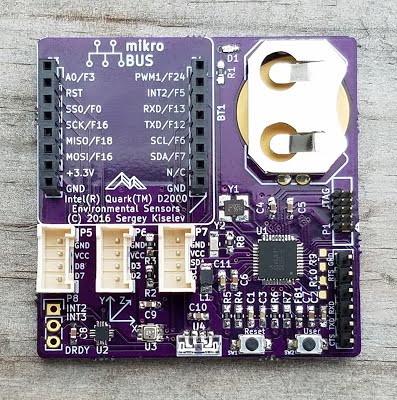
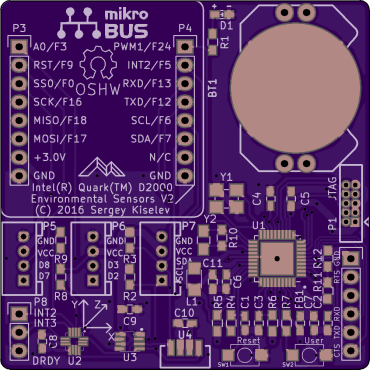
Intel Quark D2000 Environmental Sensors Board

d2000-assembled-board-2
Sergey Kiselev created this small board, equipped with a low power Intel Quark D2000 microcontroller and several sensors:

Intel Quark D2000 Environmental Sensors Board

The board can be used to monitor the environment conditions, and store or transmit the data to a remote system for further processing.
The Intel Quark D2000 microcontroller contains:
  • 32-bit x86 processor core
  • 25 GPIO pins
  • Support for UART, PWM, I2C, SPI, JTAG
  • 32 KiB of the instruction Flash ROM
  • 8 KiB of the SRAM
The on-board sensors include:
  • Accelerometer and Magnetometer
  • Atmospheric Pressure, Humidity and Temperature Sensor
  • Ambient Light Sensor

Serge has shared the board on OSH Park:

bd1517cba926cf3aa1de557a3a5bf0d5-1
Order from OSH Park
Intel Quark D2000 Environmental Sensors Board

OpenFixture Takes the Pain Out of Pogo Pins

test-fixture-featured

Hackaday reports:

OpenFixture Takes the Pain Out of Pogo Pins

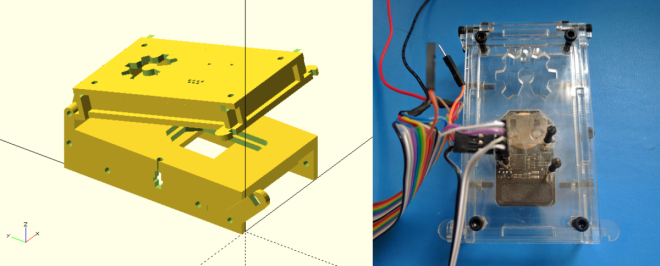
[Elliot] wrote in with his OpenFixture model for OpenSCAD. It’s awesome because it takes a small problem, that nonetheless could consume an entire day, and solves it neatly. And that problem is making jigs to test assembled electrical products: a PCB test fixture.

aux_origin_button.png

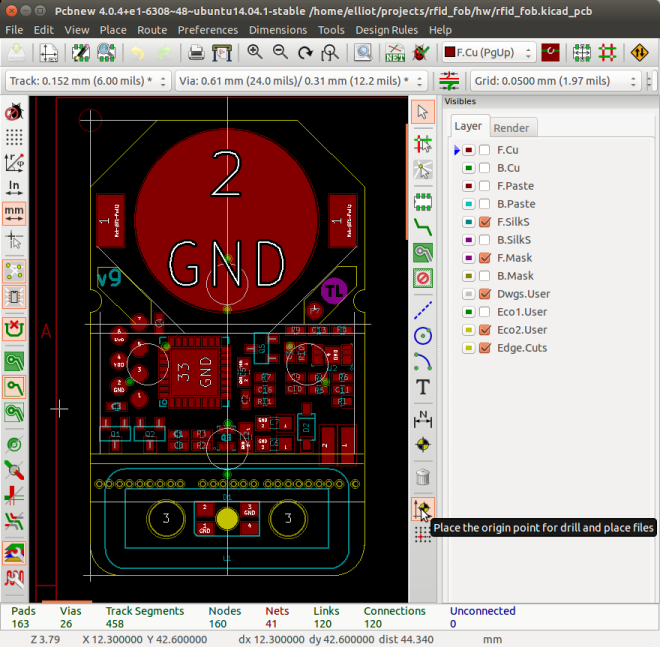
In the PCB design software, you simply note down the locations of the test points and feed these into the OpenSCAD model.  [Elliot] shows you exactly how to do it using KiCAD. There are a few more parameters of the model that you can tweak to match your particulars, but you should have a DXF outline for a test jig in short order. Cut that out, assemble, and test.


OpenFixture Takes the Pain Out of Pogo Pins

Teensy WiFi Weather Logger

IMG_20160903_175148-ANIMATION

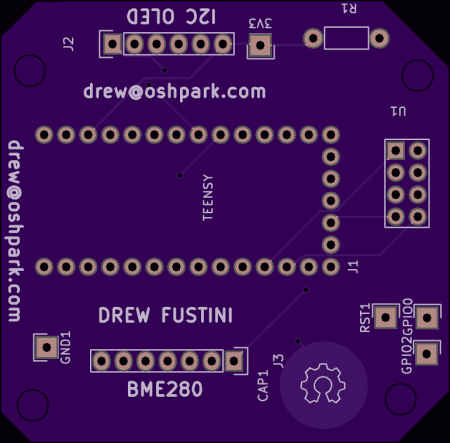
Teensy-based weather badge that logs humidity and temperature to Adafruit.io via WiFi:

Teensy WiFi Weather Logger

4918510884f437e052029ea54630438a (1).png

Order from OSH Park

Bill of Materials:

IMG_20160903_175047

Schematic:

teensy-wifi-weather-logger-schematic

The Kicad design files and Arduino source code are hosted on GitHub:

github teensy-wifi-weather-logger


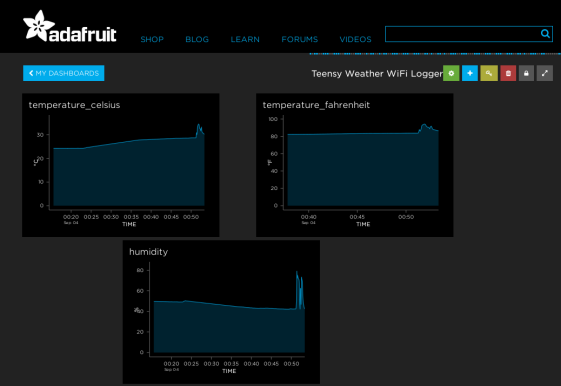
The sensor data is logged to Adafruit.io via ESP8266’s WiFi connection:

Adafruit.io Dashboard

Screenshot from 2016-09-04 00-53-23

Adafruit.io feeds:

Video of establishing WiFi connection and logging weather data:

Teensy WiFi Weather Logger

LiDAR Rangefinder Teensy Hat

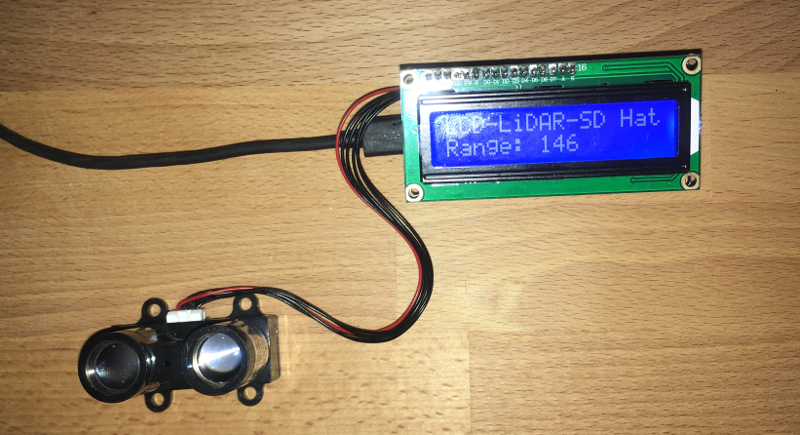
OSH Park engineer Jenner Hanni posted on Wickerbox Electronics about his LiDAR project for the Teensy 3.2:

lcdlidarsd-frontview (1)

LCD-LiDAR-SD Teensy Hat

Teensy 3.2 daughter board to display the results of a LiDAR-Lite rangefinder on an LCD screen, with three buttons, two LEDs, and a micro-SD card for datalogging.


The KiCad hardware design files and Arduino source code are hosted on GitHub:

githubwickerbox/Teensy-Hats/LCD-LiDAR-SD-Hat


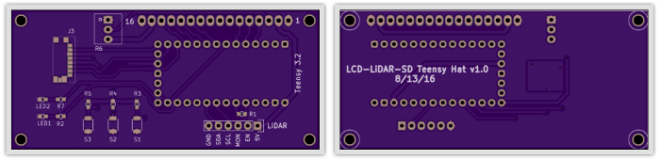
Jenner has shared his board on OSH Park:

LCD-LiDAR-SD Teensy Hat v1.0

lcdlidarsd-oshpreview
Order from OSH Park

LiDAR Rangefinder Teensy Hat

DIY Vector Network Analyzer

What to do when a piece of test equipment is too expensive?  Henrik Forstén decided to design and build his own:

Cheap homemade 30 MHz – 6 GHz vector network analyzer

Vector network analyzer (VNA) are used to measure scattering parameters of high frequency circuits

Since I can’t afford even a used VNA I decided to make one myself with a budget of 200€, tenth of what they cost used and about 1/100 of what they cost new

The design files and source code are available on GitHub:


DIY Vector Network Analyzer