Star Trek Communicator Badge

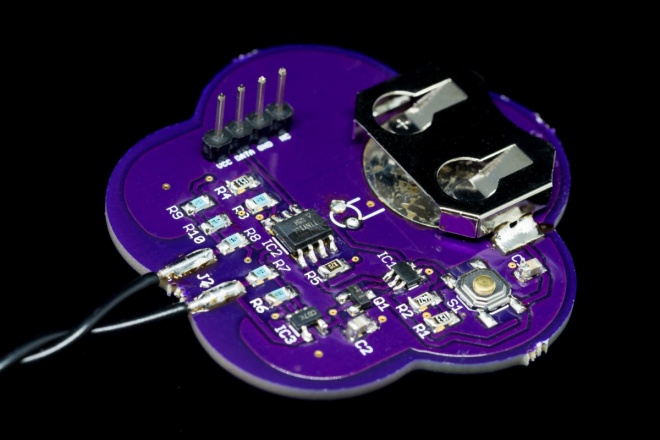
Joe Crop is a creating a real life version of this famous sci-fi device:
5816181488348081070.jpg

Star Trek Communicator Badge

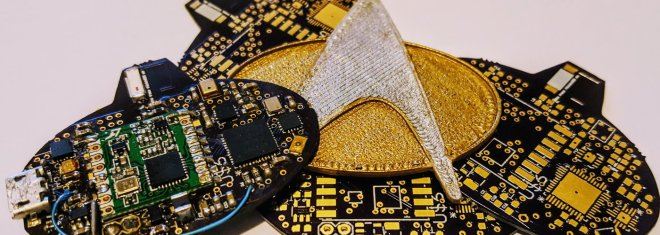
In the true spirit of Star Trek, this communicator badge is completely autonomous, while fitting in the form factor of an original badge

Star Trek was known for dreaming up technology that was deemed nearly impossible given the limitations of the technology for the day. Having a small badge that could send audio across vast distances seemed out of the realm of possibility during the late 1980’s. This project’s aim is to use modern technology to provide nearly all the features of visionary tech, namely:

– Tap to connect and communicate instantly
– Long range (from orbit to planet surface)
– Small form factor (of an original TNG badge)
– Fully autonomous (no cell phone or base station needed)
– No external power source (i.e. battery powered)

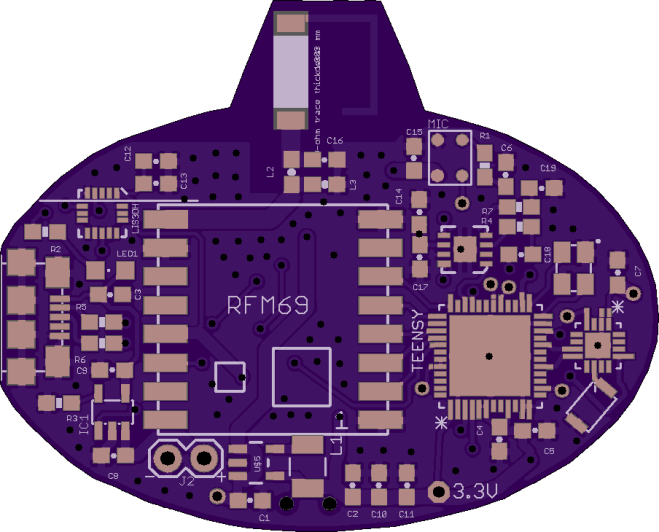
joecrop has shared the board on OSH Park:

Star Trek Communicator v2p1
835069b4b13a4e83663a224caebe344b

Order from OSH Park

Star Trek Communicator Badge

Smaller version of GameBoy Zero

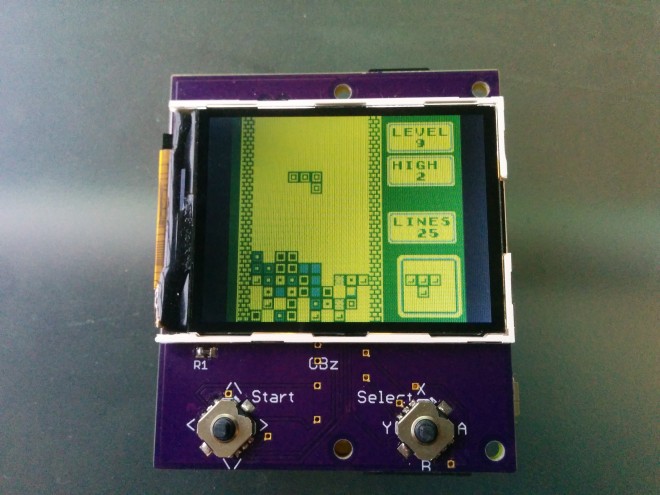
moosepr designed this small and simple GameBoy-style device using the Raspberry Pi Zero:

7352071488543051372.jpgGameBoy Zero, but smaller!

I’m not overly fond of ‘rats nest’ wires, and I have a bit of an obsession with making things as small as possible, so this is what I came up with.

Tis just an ILI9341 screen, a Pi Zero, 2 navi switches (5 way), and a battery (with charge/protect circuit)

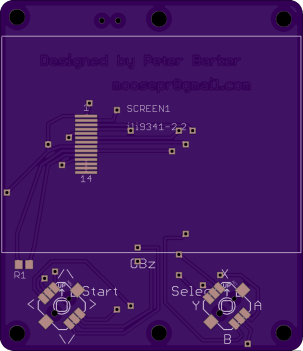
petay has shared the board on OSH Park:

GBz

24dc2def413aa50cfa86da86615eedc8.png

Order from OSH Park

Here the board is in action:


Smaller version of GameBoy Zero

How does solder work anyways?

I’ve been soldering for a long time, and I take pride in my abilities. I won’t say that I’m the best solder-slinger around, but I’m pretty good at this essential shop skill — at least for through-hole and “traditional” soldering; I haven’t had much practice at SMD stuff yet. I’m confident that I could make a…

via What the Flux: How Does Solder Work Anyway? — Hackaday

How does solder work anyways?

Raspberry Pi Zero W desk clock

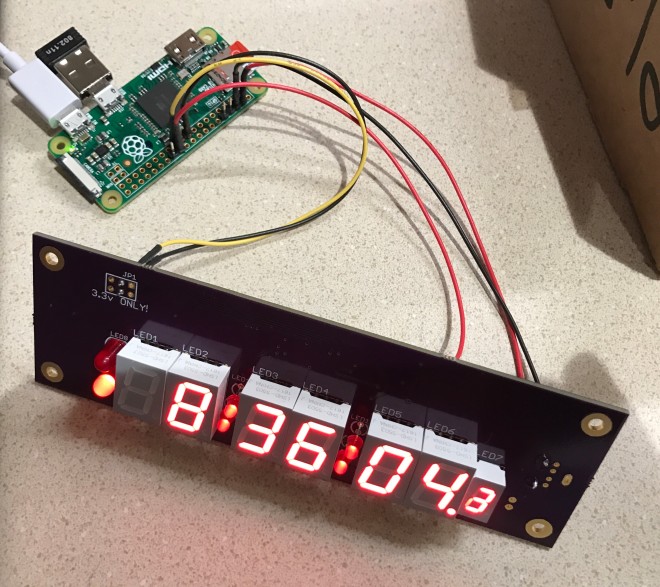
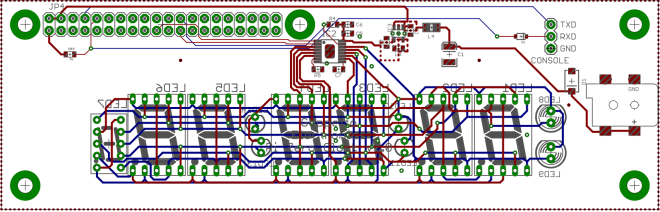
Nick Sayer created a LED desk clock driven by NTP on a Raspberry Pi Zero W:

1122301488861820869.JPG

Raspberry Pi Zero W desk clock

When I was in college, I bought and built a Heathkit GC-1000 WWV clock. Since then, I’ve been somewhat interested in accurate time measurement. I recently designed a GPS driven clock, but sometimes your local WiFi reception is better than GPS (say, indoors). For those circumstances, a clock that gets time from NTP over WiFi would be preferable. The newly released Raspberry Pi Zero W makes this quite a bit simpler to achieve
7679641488615371445
Raspberry Pi Zero W desk clock

Midwest RepRap Fest in 2 weeks

Every year, sometime in March, the world’s preeminent 3D printing enthusiasts gather in the middle of nowhere This is MRRF, the Midwest RepRap Festival. It’s only two weeks away. You need to come. Get your (free) tickets here. I’ll be there, and Hackaday is proud to once again sponsor the festival. I need to backtrack a…

via Two Weeks Until The Greatest 3D Printer Meetup On The Planet — Hackaday

Midwest RepRap Fest in 2 weeks

How to Design a Cheap Plant Watering Sensor

lucky-resistor-7

This is the third part of the meta-tutorial, where I talk about designing a cheap plant watering sensor. If you did not already read the first and second part, please do it now. These parts contain a lot information which lead to this point of the tutorial. The second part ended with step 14, designing a first prototype PCB.

via How to Design a Cheap Plant Watering Sensor (Part 3) — Lucky Resistor

How to Design a Cheap Plant Watering Sensor

Chicago to Host Hackaday Unconference

We’re excited to announce that Chicago will play host to the Hackaday Unconference on March 18th. We are happy to expand our unconference plans to include this event at Pumping Station One from 1-8pm on 3/18. Astute readers will notice that this is the second location we have announced this week.

via Chicago to Host Hackaday Unconference — Hackaday

Chicago to Host Hackaday Unconference

Prototype of USB DAC + Headphone Amp

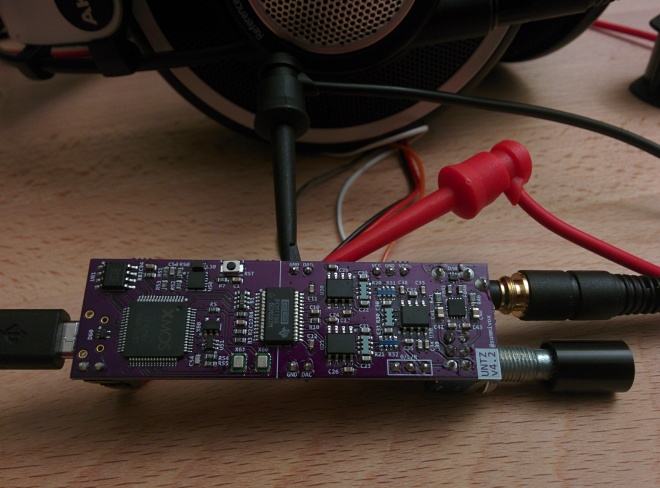
News from the USB DAC + Headphone Amp project by Yin Zhong (summivox):

IMG_20170213_201148.jpg

First Complete Prototype

In the interim update post I posted the plan for integration into 2 boards: A 2-layer power board, and a 4-layer main board. Actually I have had a good copy of the main board for quite a while: Story for the power board is not as good though. In the beginning I screwed up on […]

Prototype of USB DAC + Headphone Amp

New OSHWA forum powered by Discourse

cropped-OSHWA_Logo_2012_WPsize41.png

writes on the Open Source Hardware Association (OSHWA) blog:

The OSHWA Forums: Now Powered by Discourse

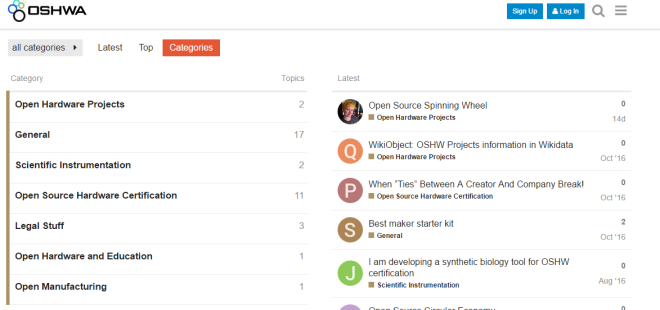
We are very pleased to announce that our new community forums are up and running. The discussion forums are powered by Discourse, which is easy to use, easy to maintain, and open source.

Captureoshwa.png

Among other new features, Discourse offers the ability to follow and reply to topics via email. This was one of the biggest reasons we decided to migrate our forums from their old home on bbPress. We’re hoping this will breathe some life into what has otherwise been an admittedly dormant part of the site.

New OSHWA forum powered by Discourse

Versatile ATtiny Programming Adapter

Lucky Resistor designed this programming adapter for ATtiny13 and similar chips:

lucky-resistor-6

A Versatile ATtiny Programming Adapter

As mentioned in my article about designing a cheap plant watering sensor, I built a small adapter which can be used to pre-program the ATtiny13A. This is necessary, because once soldered on the board, I only have a debugWire interface, which has to be enabled first.

lucky-resistor-5

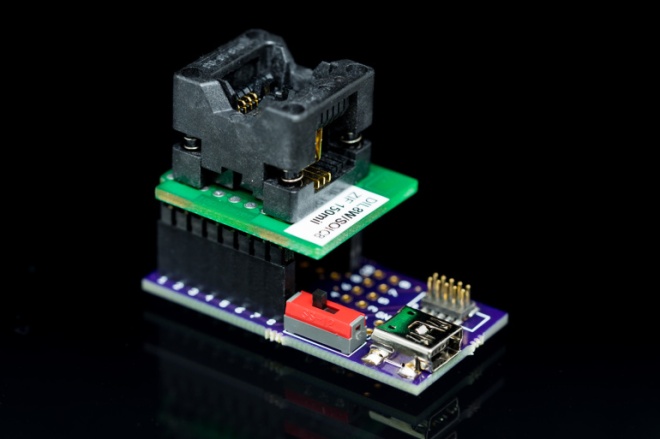
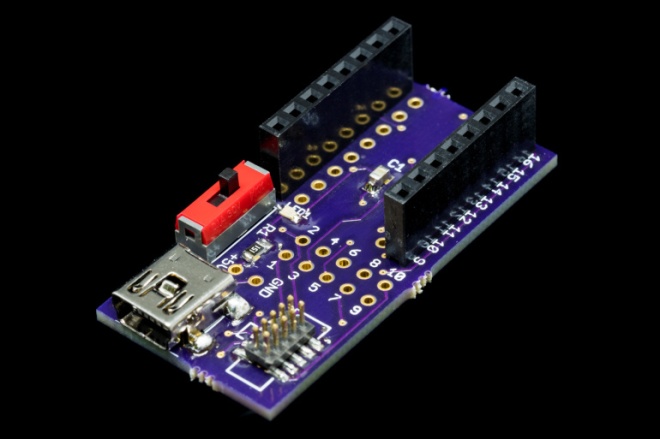
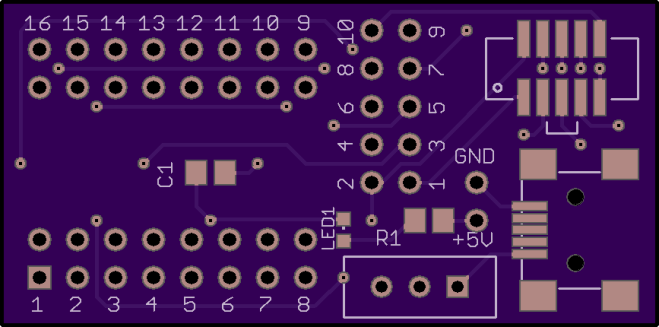
The adapter has a small 50mil JTAG header, where the Atmel ICE can be connected with the board. There is also room for a USB mini jack, which is used to power the MCU while programming. A small on-off switch is used to power the MCU and a LED is placed as indicator to see if the MCU has power.

One of the DIL/ZIF adapters is mounted on top of the female headers. Most of the adapters for SO-8, SO-14 and SO-16 will work with this board.

To make the board more versatile, I added a number of jumpers and solder points. By default, the adapter is connecting to the right pins for the ATtiny13A, but you can cut these routes and solder wires onto the board to implement any kind of connection you like.

The design files are available on GitHub:

github.png LuckyResistor/ATtinyAdapter

LuckyResistor has shared the board on OSH Park:

ATtiny Adapter

d8e993c190c6a0276438a5ca4e1b736b.png
Order from OSH Park

Versatile ATtiny Programming Adapter