Making a USB DAC + Headphone Amp [update]

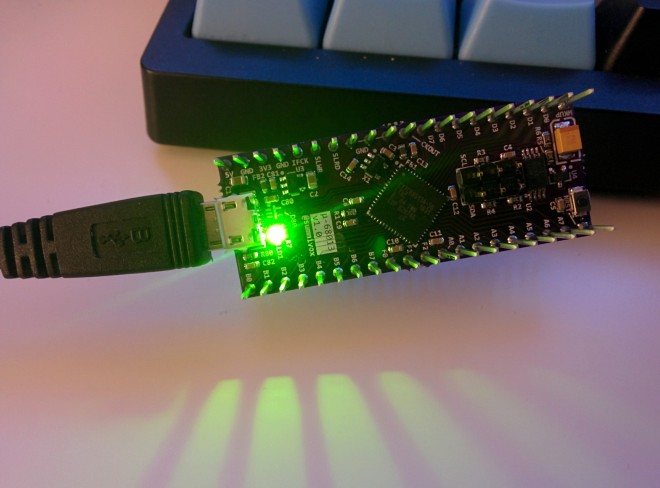
img_20170202_181622

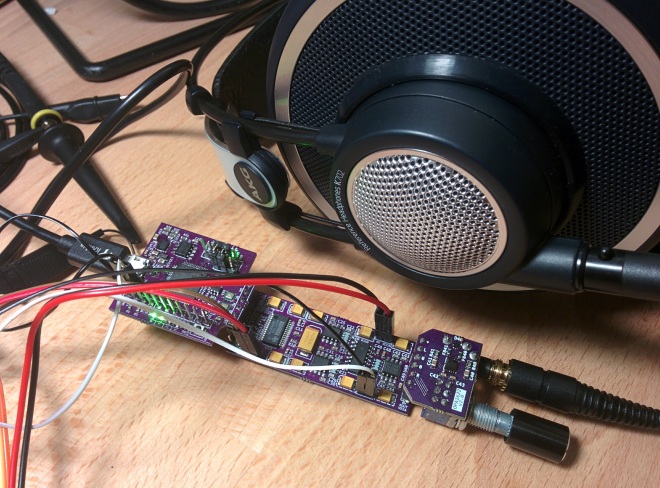
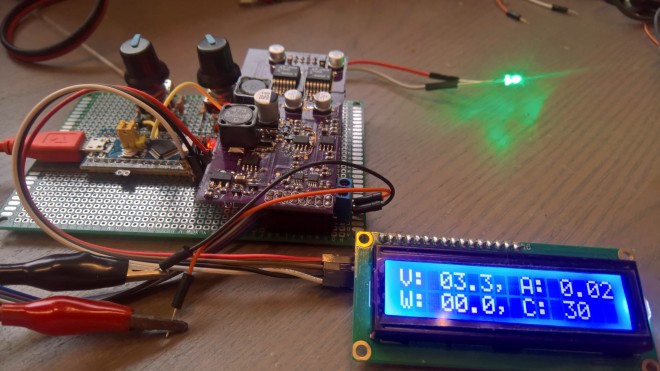
It’s been a while since I last wrote *ahem* lies *cough* on this project. I am currently a little bit torn whether I should keep writing it here or start posting to my new hackaday.io presence… Anyway here is a brief update: TL;DR I now have a working standalone unit — USB in, headphone out […]

via Making Myself a USB DAC + Headphone Amp — Interim Update — Frog in the Well

Making a USB DAC + Headphone Amp [update]

Protosnap

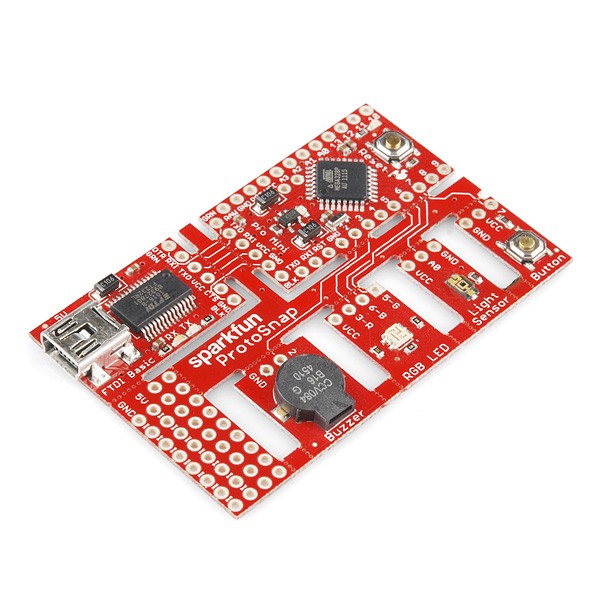
We’re huge fans of Sparkfun’s old school ProtoSnap kits. These include a small support tab with traces running between different sections of the board. They’re great for kit designs, allowing for both immediate out-of-box functionality, and eventual customization.

0lsnm_br3taavxnql
Due to our shipping and panelization process, this type of board is not fully supported, but can be fabricated with careful consideration and experimentation.

Design Considerations

These designs are almost always unique, since the number of shapes, sizes, and orientation varies wildly. The design also may need adjusting based on the intended user.

in orientation, intended usage, and shape. As a result, a bit of experimentation is always going to be required. However, here’s a few design tips to get things going.

  • Always ensure that after snapping, you can connect the boards together easily. A small header pinout near the tab works most of the time, but some designs might work best with a special connector.
  • Tab width is critical. If the tab is too narrow, it will not hold the board together well. Too wide, and it becomes difficult to break apart. 3-5 trace/hole pairs works best.
  • Hole size / pitch. The best tabs have between 20-30 mil of material between the holes. A hole size of 25 mil generates pretty good tabs.
  • Design permitting, having multiple tabs with 2-3 holes is better than one huge tab with 6 or more connections.
  • Adding traces on both top and bottom of a tab is likely to result in difficult snapping. Consider instead using more tabs, or adding instructions to score the traces.
  • Tab and board placement: Remember that your users has to remove these! If the boards are badly positioned, the tabs aren’t “snapped” as much as they are “twisted”. This can result in unusual failures.

Designing for Failures

Since these typically are for kits, the most likely failure that will occur is a pulled up trace. This is when the trace on the two boards doesn’t break, and starts pulling up traces inside your layout. Not good. Fortunately, the design can account for this in several ways.

Any of these techniques will generate a “stress concentration point” for a pulled up trace. This will cause a the trace to tear in a well-defined place, ensuring that it won’t affect your board.

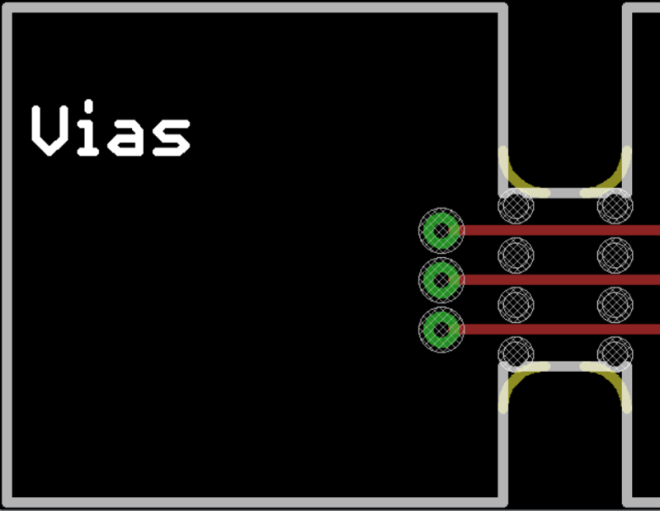
The simplest one simply having vias near the tab, as seen on the sparkfun board above. A ripped up trace will usually break at the edge of the via pad.

0u2dr3nu2dsf7ip8_

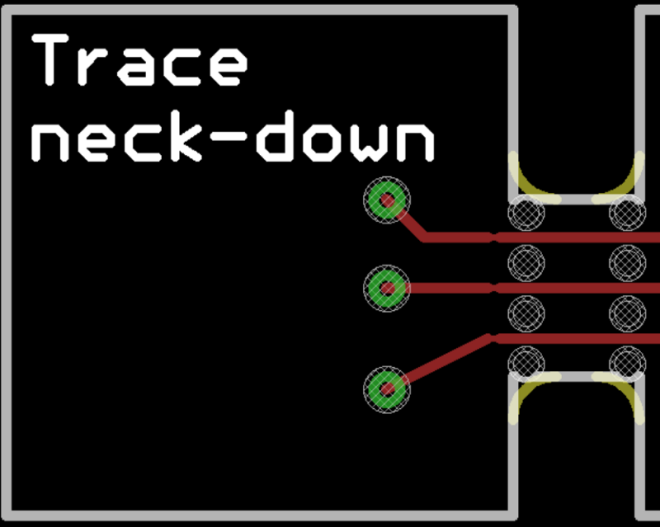
Another option is to actually narrow the trace near the board edge. This takes up less space than a via, but still provides a good weak point in a desirable location. However, make sure you don’t go too far below the design rules!

0-_q8d8anjviisrqn

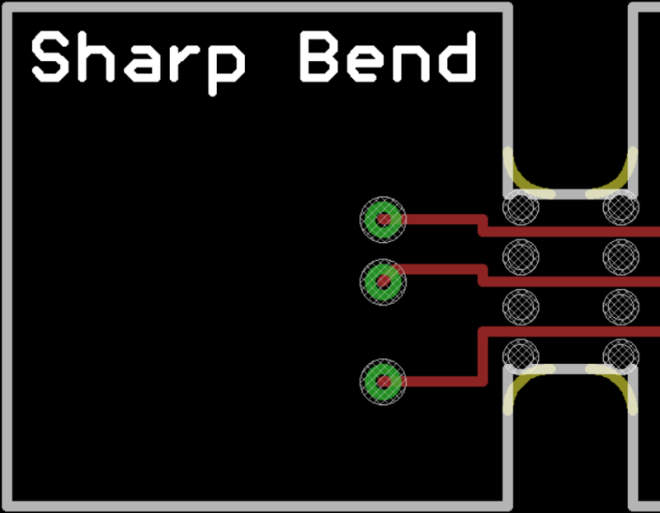
The last option is less ideal, but may suit certain layouts. Simply jog the trace, creating a 90° bend or two.

0pqpeob5lt4fobxon

Indicating on the design

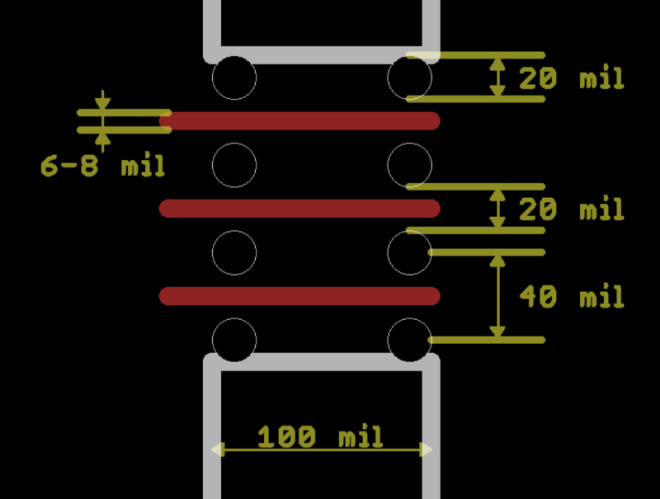
Here’s the measurements on our typical support tabs. Your design may require different configurations, so these are a rough guideline.

Typical tabs have the following features

  • 20-25 mil drill hits
  • 20-25 mil between the edge of the drilled holes
  • roughly a 40 mil drill pitch
  • 2-5 holes per tab (3-4 recommended)
  • Holes tangent to the original board outlines
0cftx3ethihgsbtlg

Note, the milling tool will add a 34 mil corner radius on the tabs. As a result, you can place the outermost holes tangent to the tab edge.

Failure modes (and how to cope)

  • Pulled up traces? Need to add a break closer to the edge, or score the board before snapping. Try to handle this on a design revision before a full kit.

Protosnap

Cypress FX2LP High-Speed USB Controller

Yin Zhong designed this dev board for Cypress FX2LP™ microcontroller:

750471485341005936-1

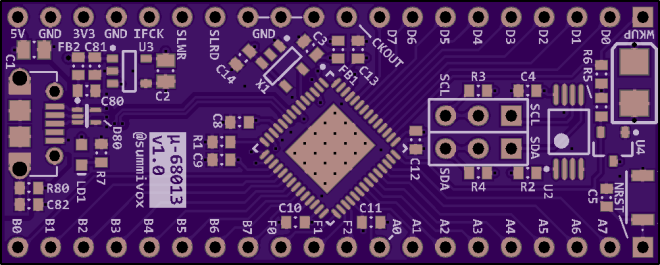
μ-68013: a High Speed USB2.0 MCU breakout

Cypress’s FX2LP (CY7C6801x) is one of the smallest footprint MCUs that offer a high-speed USB (480 Mbit/s) device peripheral with built-in PHY (many others lack the PHY!). It contains a 8051 core for bookkeeping and setting up data streams through its hardware multiplexed parallel FIFO interface to/from an external processor, be it MCU, DSP, or FPGA/CPLD.

This is a breadboard-friendly minimal system PCB for CY7C68013 in QFN56 package. It integrates 3.3 V power supply, core clock, reset circuit/button, and I2C EEPROM (the MCU does not have built-in flash). It breaks out all IO pins through 2 rows x 20 pins 0.1″ pitch headers with 0.7″ row spacing.

summivox has shared the board on OSH Park:

20170112-0057 CY7C68013-v1.0.zip

3ff564ec93a66d415384b740fe7db92f.png Order from OSH Park

Cypress FX2LP High-Speed USB Controller

Analog CPU Gauge

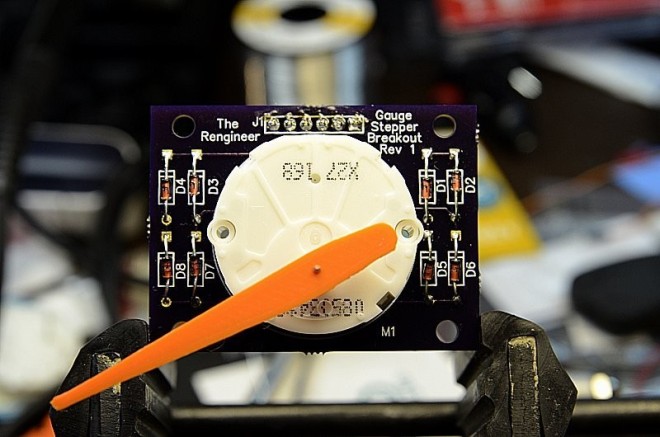
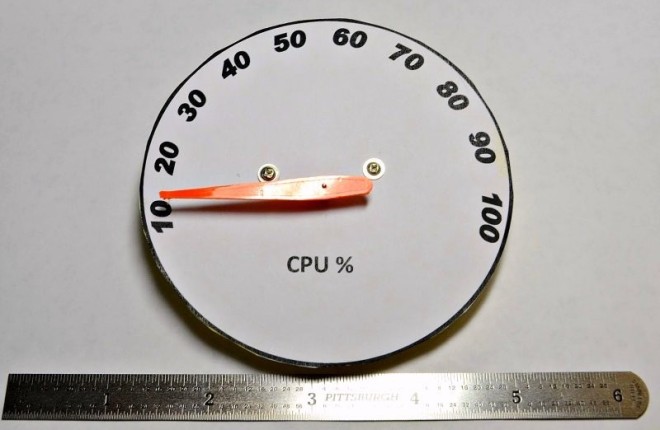
Adam Fabio created this analog gauge to show your computer’s CPU utilization:

Analog CPU Gauge

The goal of this project was to build an analog gauge to display computer CPU utilization. I’ve always been fond of classic analog gauges. Most CPU Gauges are either digital on screen displays, or implemented with an LCD mounted in a drive bay

3404761390189001179

The goal of this project was to build an analog gauge to display computer CPU utilization. I’ve always been fond of classic analog gauges. Most CPU Gauges are either digital on screen displays, or implemented with an LCD mounted in a drive bay.

3060511390157116809

I’d always wanted a CPU gauge for my computer. Ok, and a bandwidth gauge for my router. You name it, I want a nice analog gauge for it. It always seemed a bit silly to use an true galvanometer based analog gauge for signals that are inherently digital.

8130331390188227204

The board is available on Tindie:

tindie-logo2x

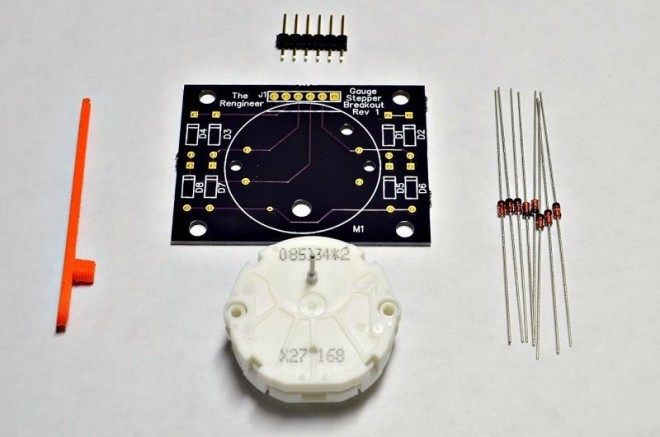
Analog Gauge Stepper Breakout Board

Tiny stepper motors for analog gauges and the like!

Analog CPU Gauge

PCB Design Guidelines to Minimize RF Transmissions

screenshot-at-2017-01-27-10-24-11

 writes on Hackaday:

PCB Design Guidelines to Minimize RF Transmissions

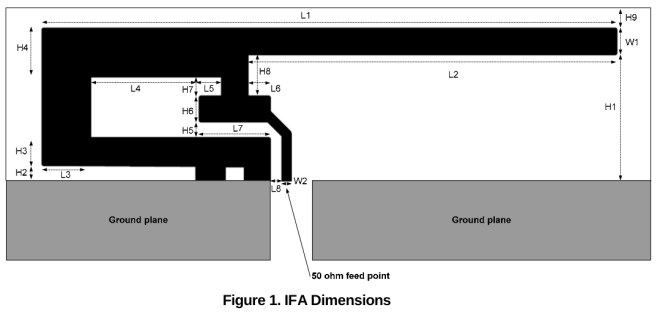
There are certain design guidelines for PCBs that don’t make a lot of sense, and practices that seem excessive and unnecessary. Often these are motivated by the black magic that is RF transmission. This is either an unfortunate and unintended consequence of electronic circuits, or a magical and useful feature of them, and a lot of design time goes into reducing or removing these effects or tuning them.

You’re wondering how important this is for your projects and whether you should worry about unintentional radiated emissions [..]

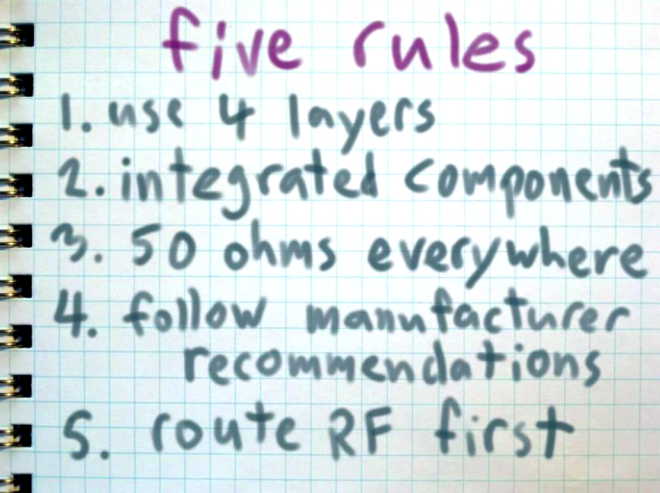
Another good guide is Michael Ossmann’s simple RF design rules:

five_rules.png


PCB Design Guidelines to Minimize RF Transmissions

Super Swift for less in 2017

Our holiday special is here to stay – choose our fast-turn super swift service for only an additional $5/sqin!

apus_apus_-barcelona_spain-8_12 Layer Super Swift Service

Need 2-layer boards in a hurry? Our Super Swift Service has the same quality you know and love, with an even faster turn time of 5 business days.

Pricing

In order to make the Super Swift Service more accessible to makers, hobbyists, and small businesses, we’ve reduced the price of the swift service from a flat fee per design to $10 per square inch, which includes three copies of your design.  For the vast majority of orders, this should be a MUCH better deal.

For example, a 2 square inch board would cost $20 and you’d get three copies of your board. This includes our Free Shipping option, although expedited shipping options are available.

Turn Times

Orders are sent to fabrication daily, and will ship within 5 business days days.

You can get a quote, approve a design, and pay for an order at OSH Park.

Super Swift Service is not available for Medium Run or Four Layer orders.

As a special bonus, orders placed before 11AM US/Pacific on Monday will ship by Friday of that week.

90% of the time, orders placed before 11AM US/Pacific will ship in 3 business days, but we only guarantee 5 business day shipping.

Specs

  • 6 mil minimum trace width
  • 6 mil minimum trace spacing
  • 13 mil minimum drill
  • 7 mil annular ring
  • PCB thickness of 1.6mm (.063”)
  • 1oz copper on both sides (1.4mil, 35um)


Image source: Wikipedia

Super Swift for less in 2017