Arduino-programmable ARM Cortex M4F Boards

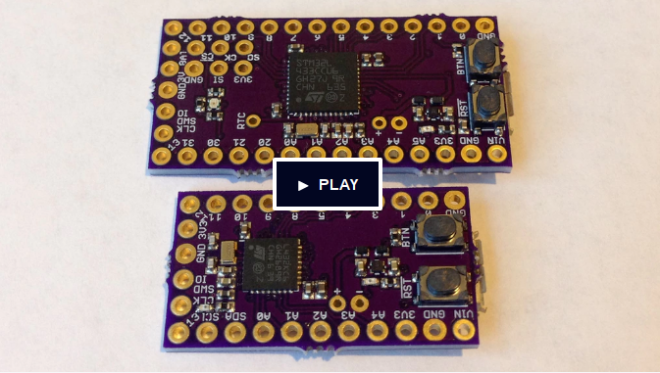
Kris Winer of Pesky Products designed these easy-to-program, high-performance and low-power dev boards:
screenshot-at-2016-12-19-18-21-29
Arduino-programmable Cortex M4F Development Boards

Program an STM32L4 Cortex M4F with the Arduino IDE via USB
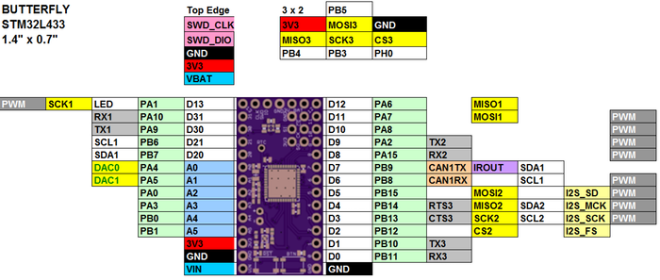
07d323cc59a7037a2ce3db223c0fdf7d_original-jpg

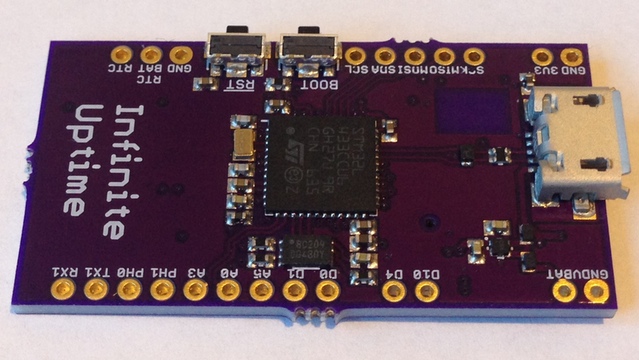
Technical specifications of the Butterfly and Ladybug STM32L4 dev boards:

  • Microcontroller: STM32L4 ARM Cortex M4F
  • Clock speed: 1, 2, 4, 8, 16, 24, 32, 48, 64, 80 MHz
  • Operating voltage: 3.3V
  •  I/O pin limits: most pins 5.0 V tolerant, 20 mA
  • Digital I/O pins: 22, with 11 PWM (Butterfly), 13, with 10 PWM (Ladybug)
  • Analog input pins: 6 (Butterfly), 5 (Ladybug), 12-bit ADC channels
  • Analog output pins: 2 12-bit DAC
  • RTC: 1 ppm accuracy
  • Flash memory: 256 KB
  • SRAM: 64 KB
  • Voltage regulator: 3.3-5.5V input / 3.3V, 150 mA output

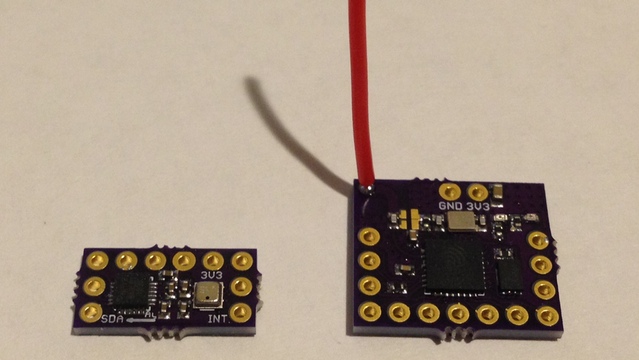
New Butterfly and Ladybug add-on boards
57b2768c5f3f65c565cb477bb7899e9a_original

To the left is an MPU9250 accel/gyro/magnetometer motion sensor and the BME280 pressure/humidity/temperature sensor

To the right is an ESP8266 wifi-enabled add-on board for Butterfly

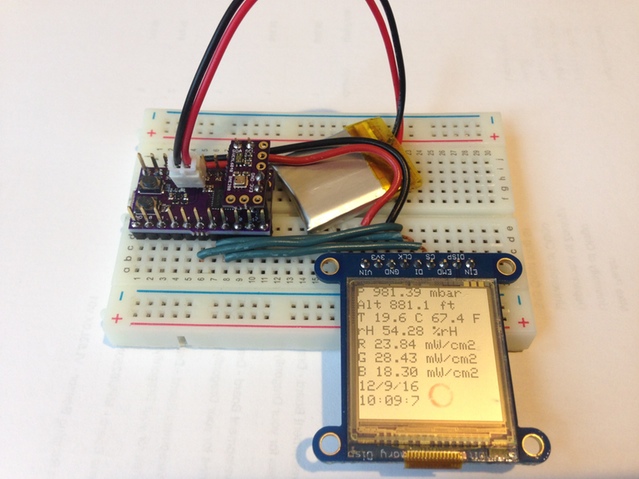
Ladybug environmental data logger
99dd694fbdf0d16502e4c95b29031171_original.jpg

Reading the BME280 and VEML6040 sensors at 0.5 Hz and outputting pressure, temperature, humidity, altitude, RGB light intensity and RTC time and date to the Sharp memory display

Simple designs make hardware customization easy
c2e3de0f40183339cd72afecdd487e5a_original

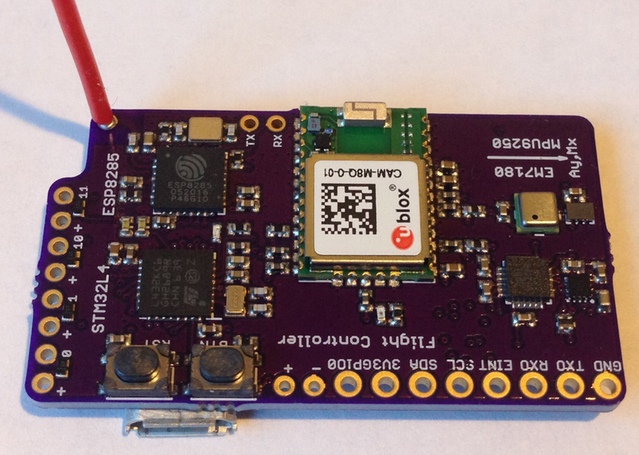
Flight Controller:

STM32L432 receives quaternions from the EM7180, which itself is master to the motion and pressure sensors, GNSS data from the CAM M8Q, then processes and packages the data and sends it to the ESP8285 via UART bridge for transmission to a hand-held controller
9627aadfc8bbc07331533d6a13b697b3_original

Industrial Diagnostics:

uses an STM32L433 as master to several slave sensors to detect and process signals from industrial equipment and report to a remote server via blue tooth

Arduino-programmable ARM Cortex M4F Boards

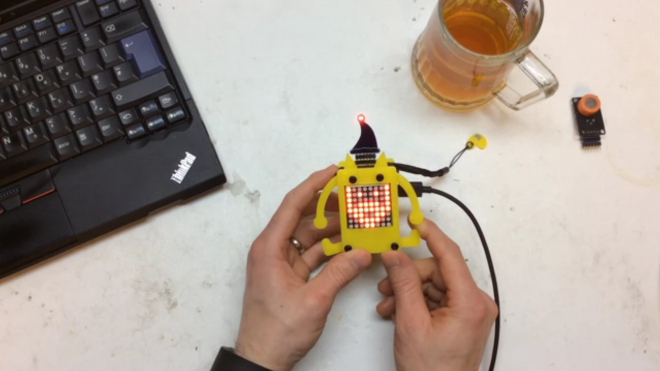
Electro Pet plays Santa

screenshot-from-2016-12-19-12-43-11

Electro_pet by Facelesstech

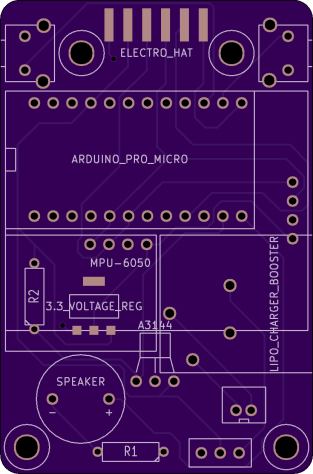
I got inspiration for this project from the petduino. The petduino is a great project to get kids into coding and electronics. I thought I would have a go and see if I could add some more features to it. Also my daughter was really interested in the 8×8 led matrix

Hardware walkthrough video:

Video of Santa hat and breathalyzer hat for the Electro Pet:

Design files and source code are available on GitHub:

images11 facelessloser/electro_pet


facelessloser has shared boards on OSH Park:

electro_pet

6be6a8d873ff91653ac2d90e82215a21.png

Order from OSH Park

santa_hat_rev_b

screenshot-from-2016-12-21-18-33-51
Order from OSH Park

Electro Pet plays Santa

Black Mesa Labs: SUMP2 Logic Analyzer for $22

sump2_popup_menu1

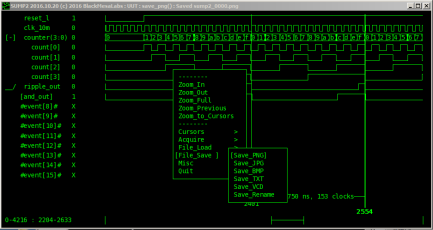
SUMP2 – 96 MSPS Logic Analyzer for $22

Black Mesa Labs has an ongoing mission to develop easy to use and fully capable open-source hardware and software tools that make engineering electronics easier

Video of SUMP2 logic analyzer:

BlackMesaLabs has shared an adapter board on OSH Park:

sump2_5vto3v_dip_01.zip

219e6bef3ce199c25793ba2220b16c8b.png

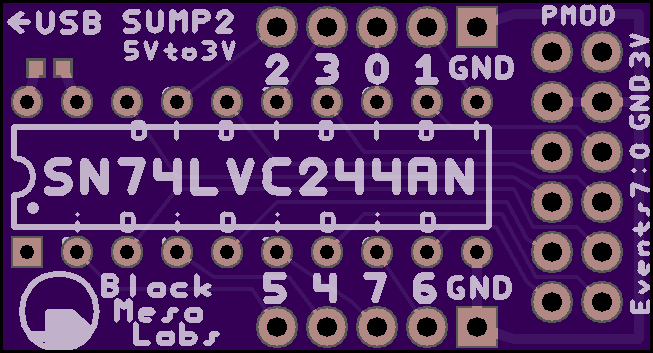
5V Input Adapter for the $22 SUMP2 iCEstick 96 MSPS LogicAnalyzer

Order from OSH Park

Black Mesa Labs: SUMP2 Logic Analyzer for $22

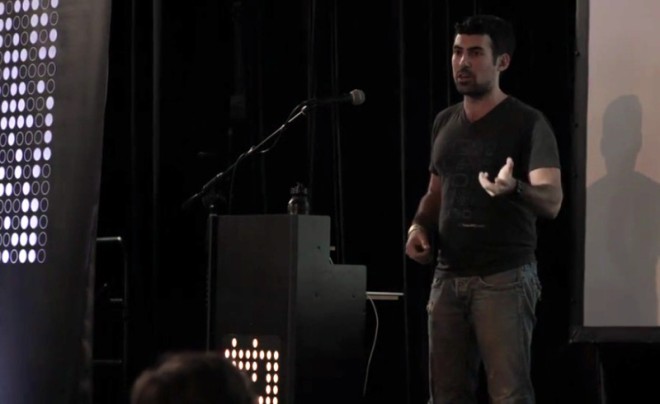
Samy Kamkar Illustrates How to Be a Hardware Hacker

samy-kamkar-supercon-talk-featured.jpg

From Hackaday Supercon last month in Pasadena, California:

Samy Kamkar Illustrates How to Be a Hardware Hacker

Samy Kamkar is well known for many things, but lately it has been his hardware security hacks that have been turning heads. The nice thing to know is that, despite not having a background in hardware, Samy is able to run with the best of hardware researchers

Samy Kamkar Illustrates How to Be a Hardware Hacker

reDOT: Tiny 5×7 LED matrix

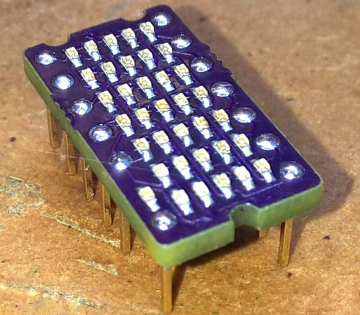
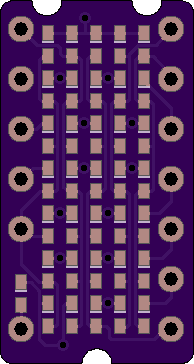
al1 created this remake of the old Texas Instruments TIL305 display with tiny surface mount LEDs:

Screenshot from 2016-12-19 12-17-02.png

reDOT

TIL311 had a alphanumerical brother the TIL305. This was a 5×7 LED matrix in the same form factor

Here is a video of reDOT in action:

https://www.youtube.com/watch?v=RD-I2zbS2iU

ALKR has shared the board on OSH Park:

reDOT

b9acc89424f71d3c8946b1e07c471c2c.png

Order from OSH Park

reDOT: Tiny 5×7 LED matrix

ESPTool: WiFi Security Swiss Army Knife

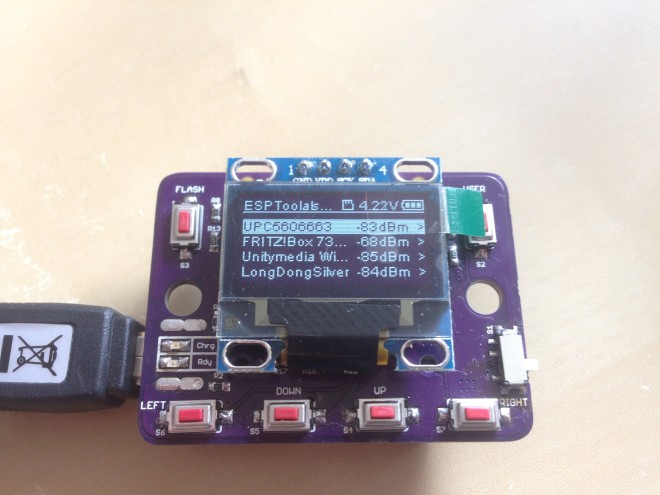
Daniel Grießhaber created this convenient tool to test your WiFi Security against attackers:

1961381469611359811

ESPTool

Demonstrate how easy it is to crack a WiFi Password or jam your WiFi so you can’t access the internet.  Designed for education and self-tests.

ESPTool has the following hardware:

  • SSD1306 based OLED Display, connected via I2C
  • microSD Card Socket connected over the SPI interface
  • 3 general purpose buttons
  • ESP8266-12E Module
  • TPS63031 Buck-/Boost-Converter with an input range from 1.8V – 5.5V
  • MCP73831 Single-Cell LiPo Charger Chip
  • CP2012 USB to UART converter Chip

7768641469614494016

The design files and source code are available on GitHub:

images11dangrie158/ESPTool

ESPTool: WiFi Security Swiss Army Knife

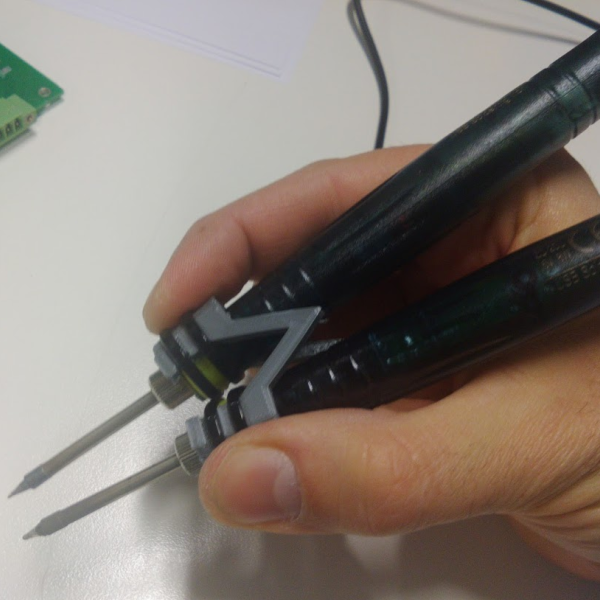
Turn cheap USB soldering irons in to tweezers

smd_tweezer_04.png

Turn cheap USB soldering irons in to tweezers — Hackaday

This is 2016, and almost every hacker dabbles with SMD parts now, unlike back in the day. This means investing in at least some specialized tools and equipment to make the job easier. One handy tool is the SMD soldering tweezers – useful not only for manual soldering of parts, but also for de-soldering them…

Turn cheap USB soldering irons in to tweezers

Creating A PCB In Everything: KiCad, Part 2

This is the continuation of a series where I create a PCB in every software suite imaginable. Last week, I took a look at KiCad, made the schematic representation for a component, and made a schematic for the standard reference PCB I’ve been using for these tutorials. Now it’s time to take that schematic, assign…

via Creating A PCB In Everything: KiCad, Part 2 — Hackaday

Creating A PCB In Everything: KiCad, Part 2